
Guyaumm - Minecraft Skins & Skin History
Current Minecraft skin of the player Guyaumm, loaded from the official Mojang API. Rotate the 3D model with your mouse or finger, then download the skin as a PNG file and use it in Minecraft: Bedrock Edition or Java Edition for free. When Guyaumm changes their skin, this page updates automatically and the old skin stays in the history below.
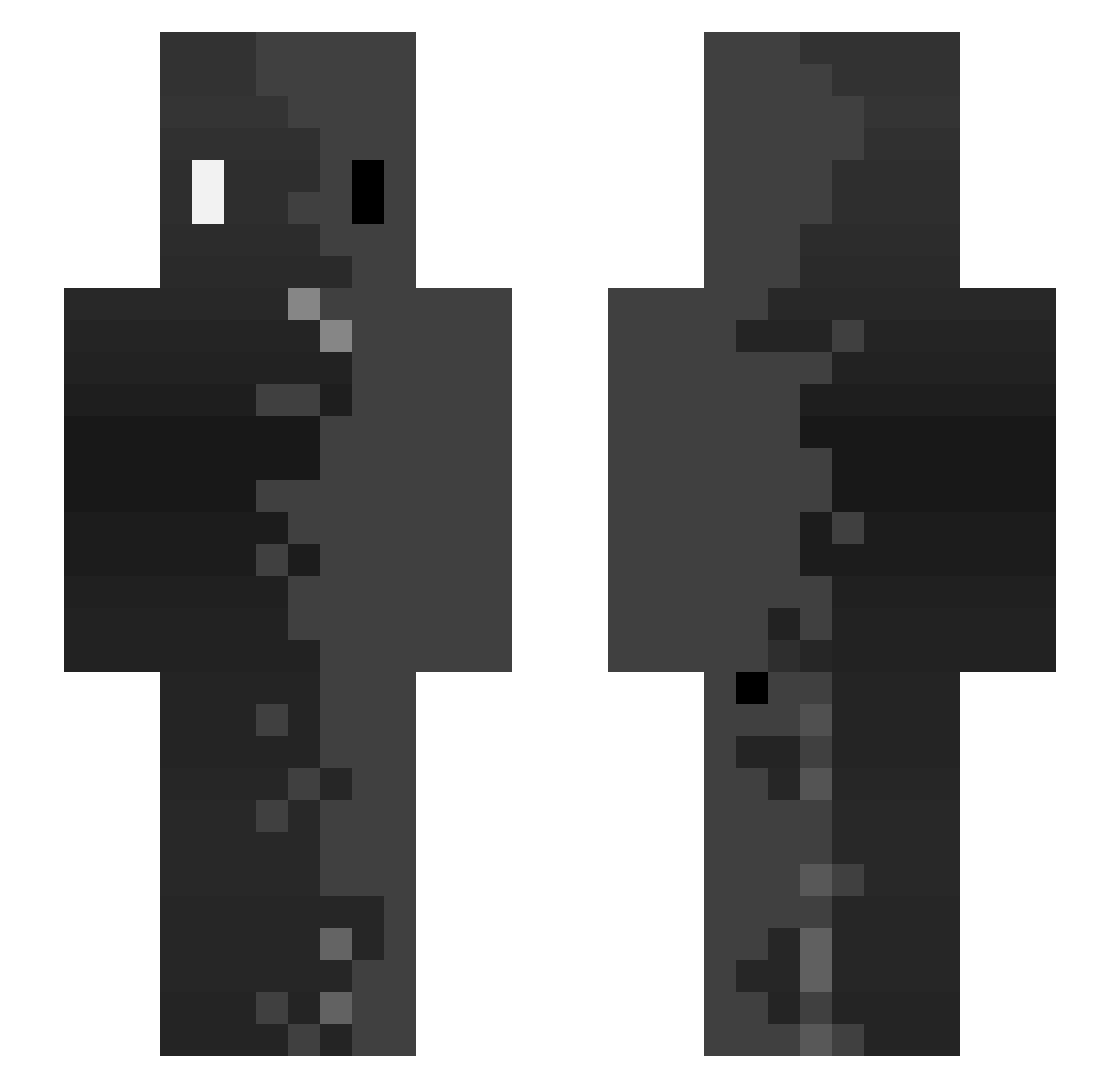
Other players with this skin (142)
Guyaumm was the 46th player we have seen with this skin, first spotted on 23.08.2026. The same skin was seen on these players. Open a nickname to see their current skin and skin history.
 number187 jorgepon102 Ashy_Knees2022 shadoww31 ShadowSimo31 e11snips Samsam5723 KnightCat14 MRverst george_the_first Wildemaus471 Jhinsei Y818K jpg_Trytonidas Victitor23 BRUTAL_LeGeND XeneticSwiss Sarpius TheStupdust Halil_bombastic LaMoleMoli Ferty091 ElliottFBI Werner_hammer Leonio14 spasoklabanias5 War3K2 Toxic_Haze Cysanii Leylia94 cluffyduck
 pandalight56 ASB_10 Aidanette bubr_rubra mgelabert7 brow_spreading Lopeeez ZerXistcool
 optiro skinzer13 maxben1118
 Donner221 Nyxar53 DARK120406 IamApolo Dzejkobbb_ _Axora_ King_Tris01
 JEANVJ Zzj3dizZ Lesan0502
 Vichosky_ xTimHSVx Son1Kairo Vicszzz katrinxa JPpol
 Itzmekyle Dominguesz
How to install the Guyaumm skin
- Press the Download button above to save the skin as a PNG file.
- Minecraft: Bedrock Edition (PE): open the Dressing Room from the main menu (or tap your character → Edit Character), go to Classic Skins → Owned, press the + (new skin) button, choose the downloaded PNG and pick the Slim (Alex) model. Works on PC and mobile; consoles cannot import custom skins.
- Minecraft: Java Edition: open the Minecraft Launcher, go to the Skins tab, click New Skin, load the PNG, pick the Slim (Alex) model and press Save & Use. You can also upload it at minecraft.net → Profile → Change Skin.
The skin does not show up after import - what should I do?
Restart Minecraft and open the Dressing Room again - imported skins sometimes appear only after a restart. Also make sure you selected the imported skin and picked the Slim (Alex) model.
Which model should I choose, Classic or Slim?
This skin is designed for the Slim (Alex) model. If you pick the wrong model, the arms of the skin will look stretched or squeezed.
Is the skin of Guyaumm free to download?
Yes. Press Download, save the PNG file and use it in Minecraft: Bedrock Edition or Java Edition - no payment or registration needed. The skin also works on multiplayer servers and Realms.
More skins
Looking for more? Go back to all Minecraft skins and check the top skins of the week, month and all time, or find any player's skin by nickname.