
Guunk - Minecraft Skins & Skin History
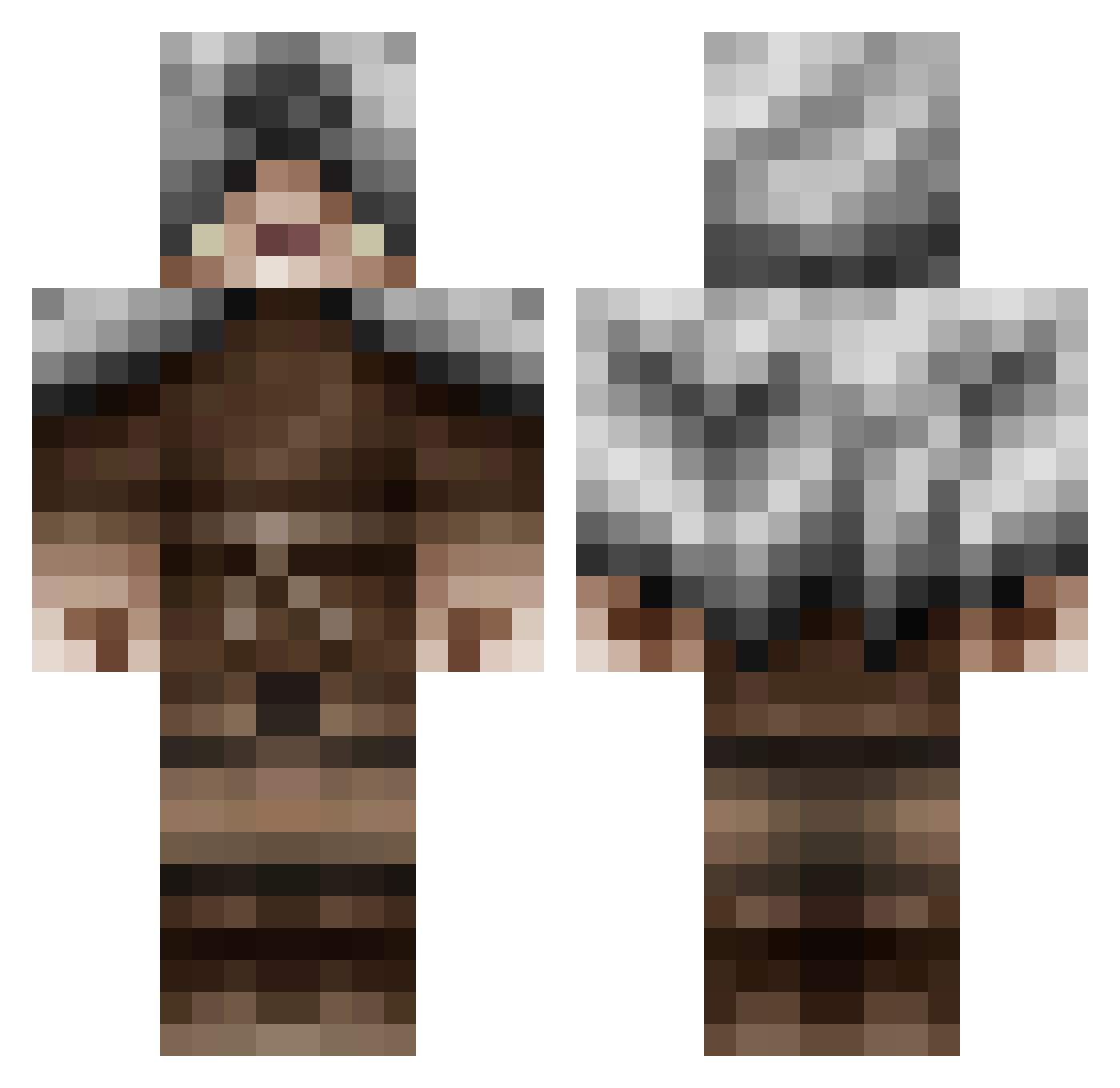
Current Minecraft skin of the player Guunk, loaded from the official Mojang API. Rotate the 3D model with your mouse or finger, then download the skin as a PNG file and use it in Minecraft: Bedrock Edition or Java Edition for free. When Guunk changes their skin, this page updates automatically and the old skin stays in the history below.
Other players with this skin (136)
Guunk was the 41st player we have seen with this skin, first spotted on 23.08.2026. The same skin was seen on these players. Open a nickname to see their current skin and skin history.
 RenDazMoose NOXIE911 wtbranch Ausheteru Shadowftw123 LeahD4 dariiogz MacKendran bojingle4 Xymota _xAxelx_ GodsNightmare63 BartJMM eBenFr _TheOniOne_ Exodus540 Bjorntir nyij Gio050 TheLastLegion ashkane BananaDirt Bweider2 TR_HAK Zernoxide ItzDaKota24 LokisHelm Vulkan56 AFFLiiCTeD_ Neon_Luminous Akribisch enjikawauso Jordguy C4rma Syntrick Wolfy270 wowokazi MUNCOTHECREATOR AnvilMace MMizu ParanoidAf20x JanHenri_NL GalW101 waelcygre an_average_tiger Kadike nythics Siellov Zakilla69 soso_1 beanboy4life_ Vimex321 VargVargnes Jakai Sirllow HeWhoHowls HordesThunder SomeNalbach AbZelOn ronyos
More Hooded Assassin Minecraft skins
See all 187 Hooded Assassin skins
How to install the Guunk skin
- Press the Download button above to save the skin as a PNG file.
- Minecraft: Bedrock Edition (PE): open the Dressing Room from the main menu (or tap your character → Edit Character), go to Classic Skins → Owned, press the + (new skin) button, choose the downloaded PNG and pick the Classic (Steve) model. Works on PC and mobile; consoles cannot import custom skins.
- Minecraft: Java Edition: open the Minecraft Launcher, go to the Skins tab, click New Skin, load the PNG, pick the Classic (Steve) model and press Save & Use. You can also upload it at minecraft.net → Profile → Change Skin.
The skin does not show up after import - what should I do?
Restart Minecraft and open the Dressing Room again - imported skins sometimes appear only after a restart. Also make sure you selected the imported skin and picked the Classic (Steve) model.
Which model should I choose, Classic or Slim?
This skin is designed for the Classic (Steve) model. If you pick the wrong model, the arms of the skin will look stretched or squeezed.
Is the skin of Guunk free to download?
Yes. Press Download, save the PNG file and use it in Minecraft: Bedrock Edition or Java Edition - no payment or registration needed. The skin also works on multiplayer servers and Realms.
More skins
Looking for more? Go back to all Minecraft skins and check the top skins of the week, month and all time, or find any player's skin by nickname.