
Gusico - Minecraft Skins & Skin History
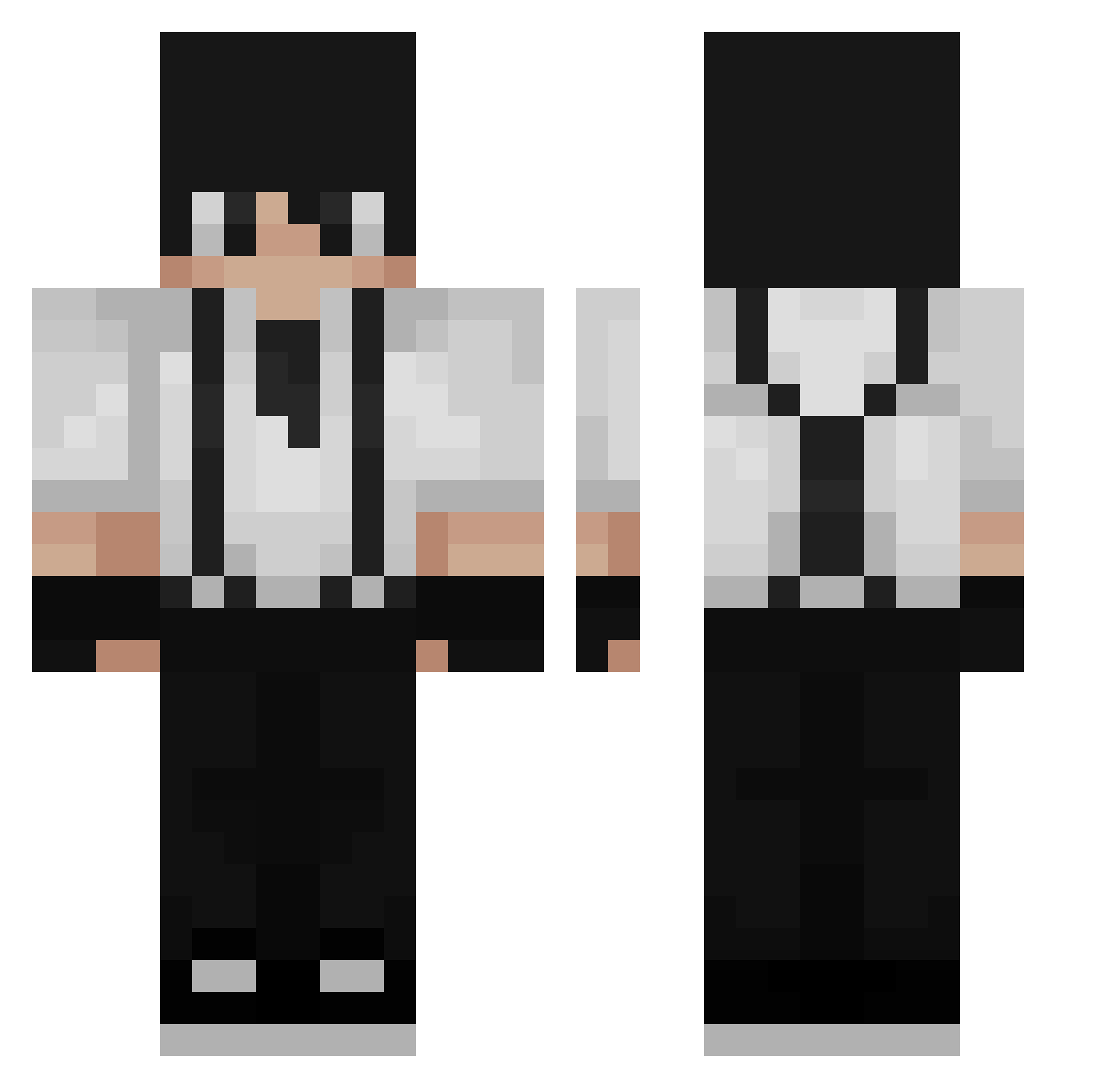
Current Minecraft skin of the player Gusico, loaded from the official Mojang API. Rotate the 3D model with your mouse or finger, then download the skin as a PNG file and use it in Minecraft: Bedrock Edition or Java Edition for free. When Gusico changes their skin, this page updates automatically and the old skin stays in the history below.
Other players with this skin (232)
Gusico was the 54th player we have seen with this skin, first spotted on 18.08.2026. The same skin was seen on these players. Open a nickname to see their current skin and skin history.
 KyroD007 boxedbleach Atlasunderscor PH7ZIN Aster_Regalia Maxbig1 GregorCZE RyceKun Morfeusz69 Veloalopus Tho0omass wwwbbde Paskvily domi1655 zlecs Ceomagelul Xemnas21 Kamiee McKevinho smsteine Alfazzz Feruin Marze53 ElJorjaisxd ashfiire Heimdallah NaheeX1 UnderYourBlanket Ma3istro DeEpischeBarman Gamer2774 Joserincon009 Keshiyu Gubernator_999 emporio_13 CronosJB raslossa Zeldros Julesrij iZx_q Ari940 Zexillez Sryz3n Macreus WonderBook DavaX297 ArmerZyzy Klouy Jukyys Novaelos Fexna sunrang44 Basin1880 Fourice ApolloIsCool Jjota1 Balint0501 ElBubar unsae44 Reolass
How to install the Gusico skin
- Press the Download button above to save the skin as a PNG file.
- Minecraft: Bedrock Edition (PE): open the Dressing Room from the main menu (or tap your character → Edit Character), go to Classic Skins → Owned, press the + (new skin) button, choose the downloaded PNG and pick the Classic (Steve) model. Works on PC and mobile; consoles cannot import custom skins.
- Minecraft: Java Edition: open the Minecraft Launcher, go to the Skins tab, click New Skin, load the PNG, pick the Classic (Steve) model and press Save & Use. You can also upload it at minecraft.net → Profile → Change Skin.
The skin does not show up after import - what should I do?
Restart Minecraft and open the Dressing Room again - imported skins sometimes appear only after a restart. Also make sure you selected the imported skin and picked the Classic (Steve) model.
Which model should I choose, Classic or Slim?
This skin is designed for the Classic (Steve) model. If you pick the wrong model, the arms of the skin will look stretched or squeezed.
Is the skin of Gusico free to download?
Yes. Press Download, save the PNG file and use it in Minecraft: Bedrock Edition or Java Edition - no payment or registration needed. The skin also works on multiplayer servers and Realms.
More skins
Looking for more? Go back to all Minecraft skins and check the top skins of the week, month and all time, or find any player's skin by nickname.