
GurkenFreddy - Minecraft Skins & Skin History
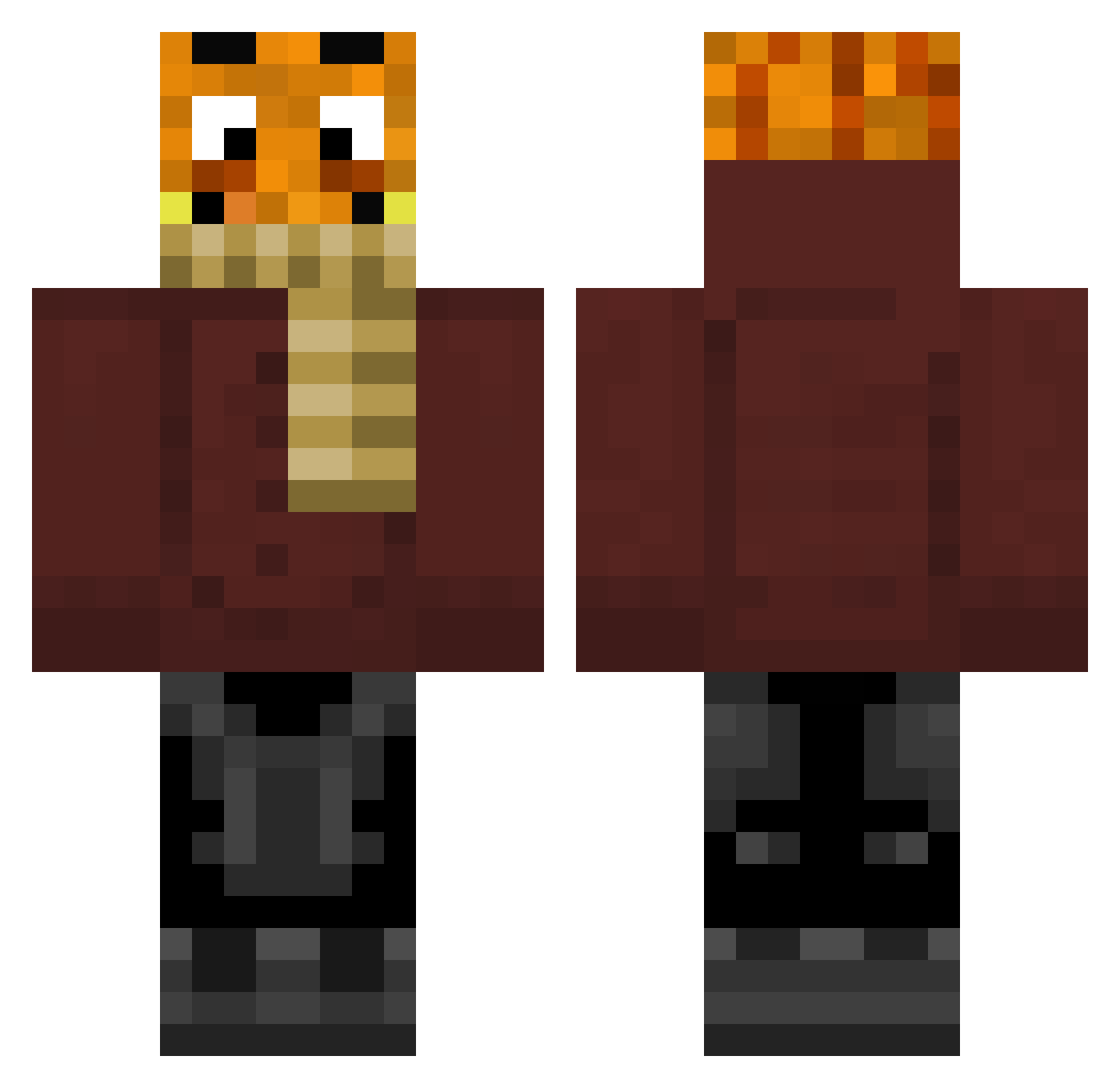
Current Minecraft skin of the player GurkenFreddy, loaded from the official Mojang API. Rotate the 3D model with your mouse or finger, then download the skin as a PNG file and use it in Minecraft: Bedrock Edition or Java Edition for free. When GurkenFreddy changes their skin, this page updates automatically and the old skin stays in the history below.
Other players with this skin (309)
GurkenFreddy was the 291st player we have seen with this skin, first spotted on 13.11.2026. The same skin was seen on these players. Open a nickname to see their current skin and skin history.
 H2B LoRdOfRaNdOm68 kmn_lazo BroRevax Palutenn13 Dodo_spielt gxdlyDino tomsen2001 palle_fanboi2009 FeldwebelPinguin Kampfkartoffel00 Melillena FxnnStarWars BestOnEarth Maxipaxi13 Kampfii OG098184 LuisCST irenerichter KonstiDieLok Game_Master2020 xWolftuskx fake_aim_king Lucas21Karl tiago13h SuperHero1A Lukas12345lu quirkiey Joonasrl Rexy5603 Maxiwolf17 EZIOauditore1 aqocy DadKingOfNoobs IchMagGlurak Erjonmrl SBN09 ararazuhlhff BenundJerry187 clemens99 johnnydap123 LucaOGGG Lauterbach69 alan5812 RentnerFisch EineNusshornisse zeryxxiqq48 BayernMichi yoyoyo___ SonOffGod MinePal30 Snoxi1909 PALLE187HOE_L M4jorT0m lol21lol21lol21 alexveith69 Sudeax Stodlhuaba MrWufi PaddyG410
More Garfield Minecraft skins
How to install the GurkenFreddy skin
- Press the Download button above to save the skin as a PNG file.
- Minecraft: Bedrock Edition (PE): open the Dressing Room from the main menu (or tap your character → Edit Character), go to Classic Skins → Owned, press the + (new skin) button, choose the downloaded PNG and pick the Classic (Steve) model. Works on PC and mobile; consoles cannot import custom skins.
- Minecraft: Java Edition: open the Minecraft Launcher, go to the Skins tab, click New Skin, load the PNG, pick the Classic (Steve) model and press Save & Use. You can also upload it at minecraft.net → Profile → Change Skin.
The skin does not show up after import - what should I do?
Restart Minecraft and open the Dressing Room again - imported skins sometimes appear only after a restart. Also make sure you selected the imported skin and picked the Classic (Steve) model.
Which model should I choose, Classic or Slim?
This skin is designed for the Classic (Steve) model. If you pick the wrong model, the arms of the skin will look stretched or squeezed.
Is the skin of GurkenFreddy free to download?
Yes. Press Download, save the PNG file and use it in Minecraft: Bedrock Edition or Java Edition - no payment or registration needed. The skin also works on multiplayer servers and Realms.
More skins
Looking for more? Go back to all Minecraft skins and check the top skins of the week, month and all time, or find any player's skin by nickname.