
Gunenin - Minecraft Skins & Skin History
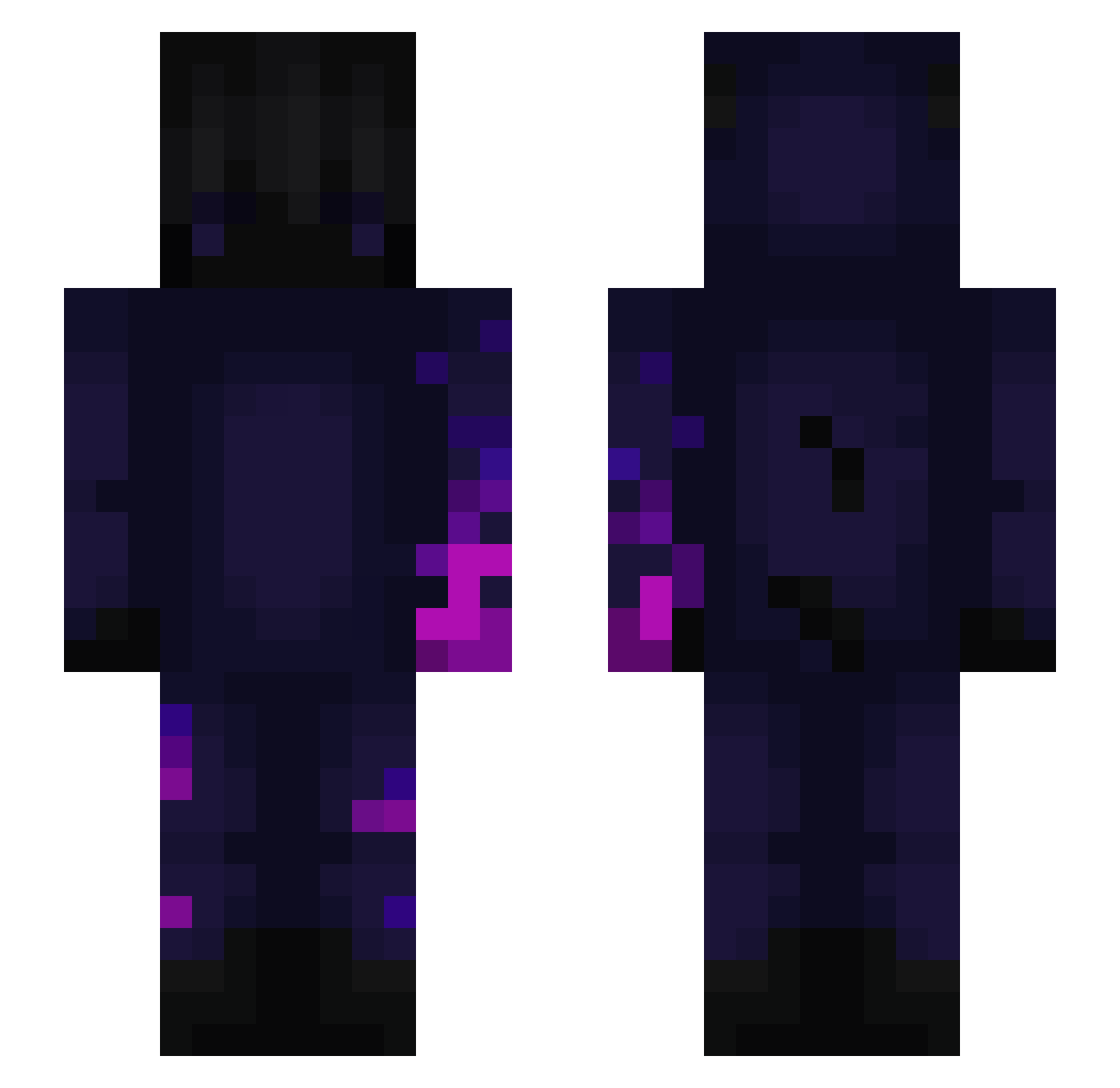
Current Minecraft skin of the player Gunenin, loaded from the official Mojang API. Rotate the 3D model with your mouse or finger, then download the skin as a PNG file and use it in Minecraft: Bedrock Edition or Java Edition for free. When Gunenin changes their skin, this page updates automatically and the old skin stays in the history below.
Other players with this skin (239)
Gunenin was the 206th player we have seen with this skin, first spotted on 30.10.2026. The same skin was seen on these players. Open a nickname to see their current skin and skin history.
 wlgns222 Shadoxmoon971 arefjevar Zirave HotwheelsJack Yapuyap laum_PvP Danieepi JustSkyz7 B1gSTEppA707 heil0z BlackMorice gloritown LiPotato3 Aybars08 Naruto_uzumaki15 adayfam01 FrayzersYT Lamowsky Hisashi_san Seatkiller darksyde21410 cryptonicum Vladymary AsianMan9 Sekpia ScipioHD Shaeymo Lord_dahnica cristiannaula24 kanzakirei PotLight JoNathanXD55 Not_Mo2a_ CiaptakV1 Blackhole1003 KEURBY94 extzyy_ DarkDragon03 Black_Haven_ Adogbtw Br0kx INFA_NUM Flupsi82 MatkeLaGrande Sembeepboop Baboulebarbarre Kaspereek YZ_NuclearBulB Nsrat RendixMars Necrashimo SouthVanDude Therscorpion KrofEX0 ThatCorgiBoy etithegreat nandextk mcmurdok facemannn
More Glowing Minecraft skins
How to install the Gunenin skin
- Press the Download button above to save the skin as a PNG file.
- Minecraft: Bedrock Edition (PE): open the Dressing Room from the main menu (or tap your character → Edit Character), go to Classic Skins → Owned, press the + (new skin) button, choose the downloaded PNG and pick the Slim (Alex) model. Works on PC and mobile; consoles cannot import custom skins.
- Minecraft: Java Edition: open the Minecraft Launcher, go to the Skins tab, click New Skin, load the PNG, pick the Slim (Alex) model and press Save & Use. You can also upload it at minecraft.net → Profile → Change Skin.
The skin does not show up after import - what should I do?
Restart Minecraft and open the Dressing Room again - imported skins sometimes appear only after a restart. Also make sure you selected the imported skin and picked the Slim (Alex) model.
Which model should I choose, Classic or Slim?
This skin is designed for the Slim (Alex) model. If you pick the wrong model, the arms of the skin will look stretched or squeezed.
Is the skin of Gunenin free to download?
Yes. Press Download, save the PNG file and use it in Minecraft: Bedrock Edition or Java Edition - no payment or registration needed. The skin also works on multiplayer servers and Realms.
More skins
Looking for more? Go back to all Minecraft skins and check the top skins of the week, month and all time, or find any player's skin by nickname.