
GrumpyKitt - Minecraft Skins & Skin History
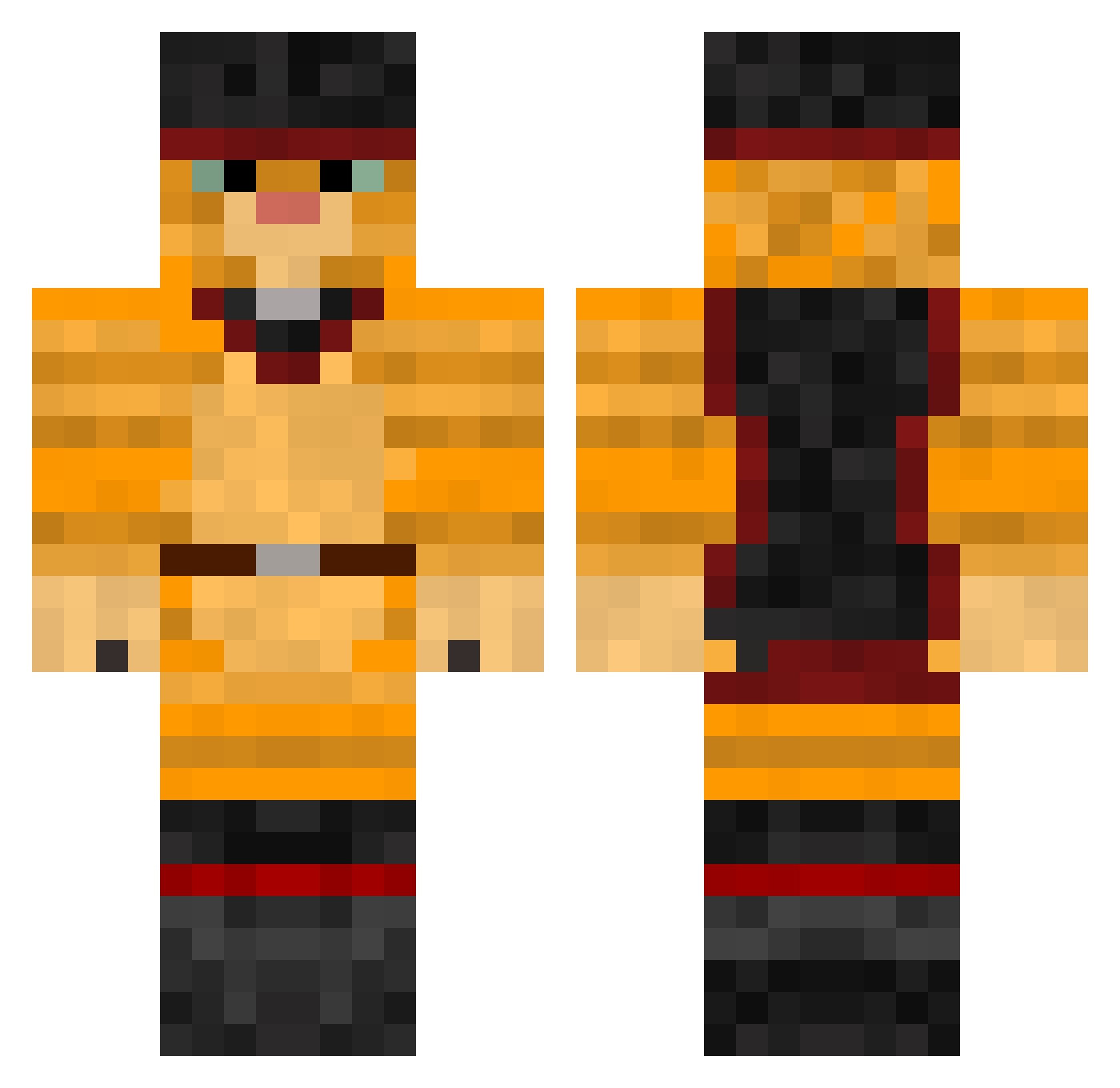
Current Minecraft skin of the player GrumpyKitt, loaded from the official Mojang API. Rotate the 3D model with your mouse or finger, then download the skin as a PNG file and use it in Minecraft: Bedrock Edition or Java Edition for free. When GrumpyKitt changes their skin, this page updates automatically and the old skin stays in the history below.
Other players with this skin (257)
GrumpyKitt was the 172nd player we have seen with this skin, first spotted on 29.09.2026. The same skin was seen on these players. Open a nickname to see their current skin and skin history.
 BobMcAwesome333 destory_y gito1 molot_cc MammaMia567 sulleyvan KajasMichi shakaals grotepapa Aratorius donquique BadgerFan808 Toovooboo Tye4Skin okpk KOMPLUKTER martynaamarta JenkTek danmar619 LSW040610 glowing_stick IamSteve37 C00l_Kelly ElMachinus abicadabby2 Winguit_ Nexpreso Bingvi AyeBodhi smokeypro65 sojutime Julunamoon17 srekas1 Alvinambr elpepe2022 SkibidiToilet153 ARESTAKRATEL LascarVif NilsMen14 LeChatPotte Muli233 Gpasnikai StepLoic feanixxx mancatonyt deckoo GabrielBortolet0 QRIZYY Jamonido CrimsonEdgeshot Paldrun CtrlCat Vest_IsWallHack Cri0x CryAboutItLater biseraj slatcat frogface3 MonsieurBounc3 Maikmhm
More Swashbuckler Minecraft skins
How to install the GrumpyKitt skin
- Press the Download button above to save the skin as a PNG file.
- Minecraft: Bedrock Edition (PE): open the Dressing Room from the main menu (or tap your character → Edit Character), go to Classic Skins → Owned, press the + (new skin) button, choose the downloaded PNG and pick the Classic (Steve) model. Works on PC and mobile; consoles cannot import custom skins.
- Minecraft: Java Edition: open the Minecraft Launcher, go to the Skins tab, click New Skin, load the PNG, pick the Classic (Steve) model and press Save & Use. You can also upload it at minecraft.net → Profile → Change Skin.
The skin does not show up after import - what should I do?
Restart Minecraft and open the Dressing Room again - imported skins sometimes appear only after a restart. Also make sure you selected the imported skin and picked the Classic (Steve) model.
Which model should I choose, Classic or Slim?
This skin is designed for the Classic (Steve) model. If you pick the wrong model, the arms of the skin will look stretched or squeezed.
Is the skin of GrumpyKitt free to download?
Yes. Press Download, save the PNG file and use it in Minecraft: Bedrock Edition or Java Edition - no payment or registration needed. The skin also works on multiplayer servers and Realms.
More skins
Looking for more? Go back to all Minecraft skins and check the top skins of the week, month and all time, or find any player's skin by nickname.