
Grigori007 - Minecraft Skins & Skin History
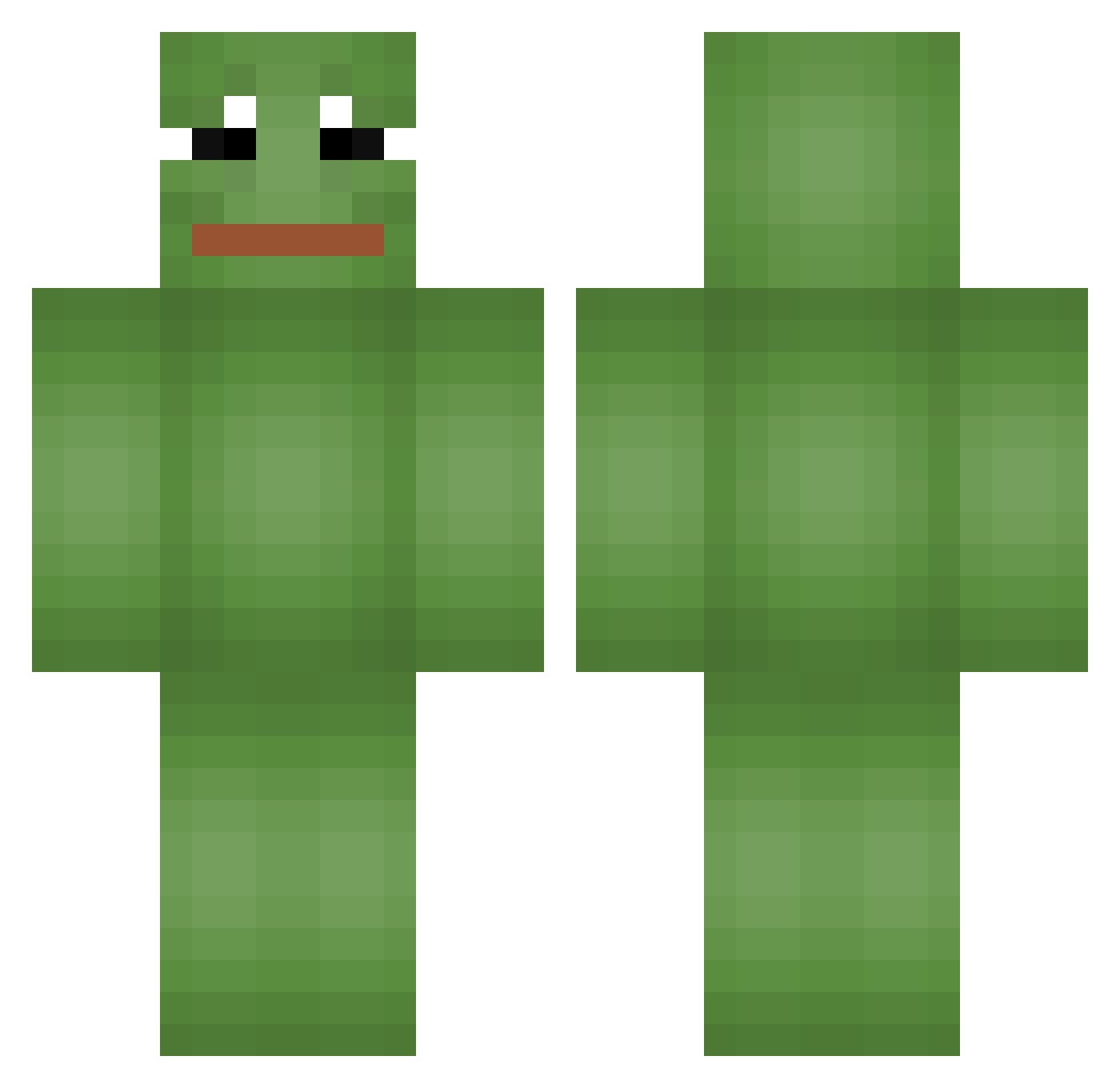
Current Minecraft skin of the player Grigori007, loaded from the official Mojang API. Rotate the 3D model with your mouse or finger, then download the skin as a PNG file and use it in Minecraft: Bedrock Edition or Java Edition for free. When Grigori007 changes their skin, this page updates automatically and the old skin stays in the history below.
Other players with this skin (665)
Grigori007 was the 284th player we have seen with this skin, first spotted on 14.09.2026. The same skin was seen on these players. Open a nickname to see their current skin and skin history.
 xJeuW sunz07 Brryaan Bvstvrdo DanielmagMogli Luckiies Djfusion7880 LaLusy XDGGLOLXD LOST_Obsthxndler Jaygerburger MinecraftBot2345 MagicWaWa lwm3927 Yttyu vinnuze TrimDaddy8 SoupSnake69 FeelsStrongMan Letyourheart Arne69 vercraft _SlasH1551_ ANDY_0502 Miriallis Stackeed
 Y3H5M cptpanny HknCore Szczurek000 GermanHurensohn QUITZZZ SuperCel51 R0reeee ironravenXL ZIZON_H Zabiaraa Hyeon1e Blublubb umachanJK pakistock LOCUST0214 Shadow_Gamercat RynPar Miike_v2 MagicGnome22 Colin2Grand Pharrio777 Tigazz AiSU07 Jappy_Birthday Kazuma1320 Sys1q stockarosisback Quaz246 JeuneVoyou667 ksm040412 areoandmilk Holomes3 mre202
More Pepe Minecraft skins
How to install the Grigori007 skin
- Press the Download button above to save the skin as a PNG file.
- Minecraft: Bedrock Edition (PE): open the Dressing Room from the main menu (or tap your character → Edit Character), go to Classic Skins → Owned, press the + (new skin) button, choose the downloaded PNG and pick the Classic (Steve) model. Works on PC and mobile; consoles cannot import custom skins.
- Minecraft: Java Edition: open the Minecraft Launcher, go to the Skins tab, click New Skin, load the PNG, pick the Classic (Steve) model and press Save & Use. You can also upload it at minecraft.net → Profile → Change Skin.
The skin does not show up after import - what should I do?
Restart Minecraft and open the Dressing Room again - imported skins sometimes appear only after a restart. Also make sure you selected the imported skin and picked the Classic (Steve) model.
Which model should I choose, Classic or Slim?
This skin is designed for the Classic (Steve) model. If you pick the wrong model, the arms of the skin will look stretched or squeezed.
Is the skin of Grigori007 free to download?
Yes. Press Download, save the PNG file and use it in Minecraft: Bedrock Edition or Java Edition - no payment or registration needed. The skin also works on multiplayer servers and Realms.
More skins
Looking for more? Go back to all Minecraft skins and check the top skins of the week, month and all time, or find any player's skin by nickname.