
Grenith_ - Minecraft Skins & Skin History
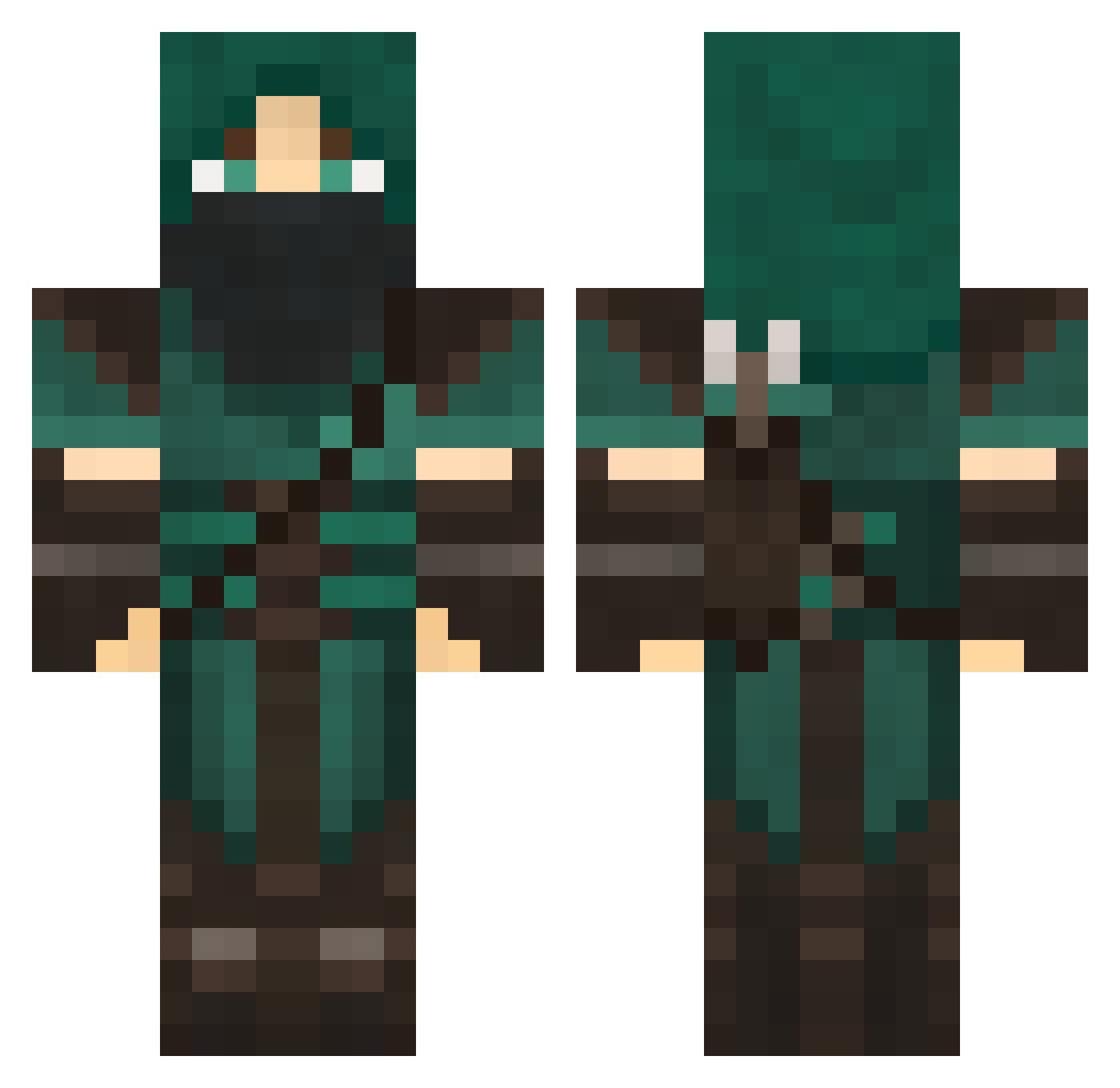
Current Minecraft skin of the player Grenith_, loaded from the official Mojang API. Rotate the 3D model with your mouse or finger, then download the skin as a PNG file and use it in Minecraft: Bedrock Edition or Java Edition for free. When Grenith_ changes their skin, this page updates automatically and the old skin stays in the history below.
Other players with this skin (707)
Grenith_ was the 174th player we have seen with this skin, first spotted on 21.08.2026. The same skin was seen on these players. Open a nickname to see their current skin and skin history.
 willaston timmyjimbob Rexxosauruss steven_24 MR_TURLTLE Cyrane1991 total0 Miner95310 DarkenSeyreth TheKevinEffect Osaeris ZeGaskMask Assassine_1996 getjo Imadjinn JaaronRC LittleCrow1 forzza 176diamondmaster pookill7 Dakopolis Theo_RnR Lotuscorvus SandNinja01 EAGLEVIPER Jiggyfly_X 007007007 Nebuliae Supa_Pro Mittell Jason1550 ulagirl wolfdude12 blakester125 GIMMIKS gathalst Oisin_Fennid MonkeyGForce Cacaolily Thom9316 Conner4u Sir_Amadeus Pl4nt3r weldon119 dylanclarke2468 Batalast Jhalavar heuvoila DanniDivito xartas Alevianna danny_football infocake demo_lord falkea leestrife Autoperson GameveD delfin2222 Animalfan
More Rogue Minecraft skins
How to install the Grenith_ skin
- Press the Download button above to save the skin as a PNG file.
- Minecraft: Bedrock Edition (PE): open the Dressing Room from the main menu (or tap your character → Edit Character), go to Classic Skins → Owned, press the + (new skin) button, choose the downloaded PNG and pick the Classic (Steve) model. Works on PC and mobile; consoles cannot import custom skins.
- Minecraft: Java Edition: open the Minecraft Launcher, go to the Skins tab, click New Skin, load the PNG, pick the Classic (Steve) model and press Save & Use. You can also upload it at minecraft.net → Profile → Change Skin.
The skin does not show up after import - what should I do?
Restart Minecraft and open the Dressing Room again - imported skins sometimes appear only after a restart. Also make sure you selected the imported skin and picked the Classic (Steve) model.
Which model should I choose, Classic or Slim?
This skin is designed for the Classic (Steve) model. If you pick the wrong model, the arms of the skin will look stretched or squeezed.
Is the skin of Grenith_ free to download?
Yes. Press Download, save the PNG file and use it in Minecraft: Bedrock Edition or Java Edition - no payment or registration needed. The skin also works on multiplayer servers and Realms.
More skins
Looking for more? Go back to all Minecraft skins and check the top skins of the week, month and all time, or find any player's skin by nickname.