
Greenbeez101 - Minecraft Skins & Skin History
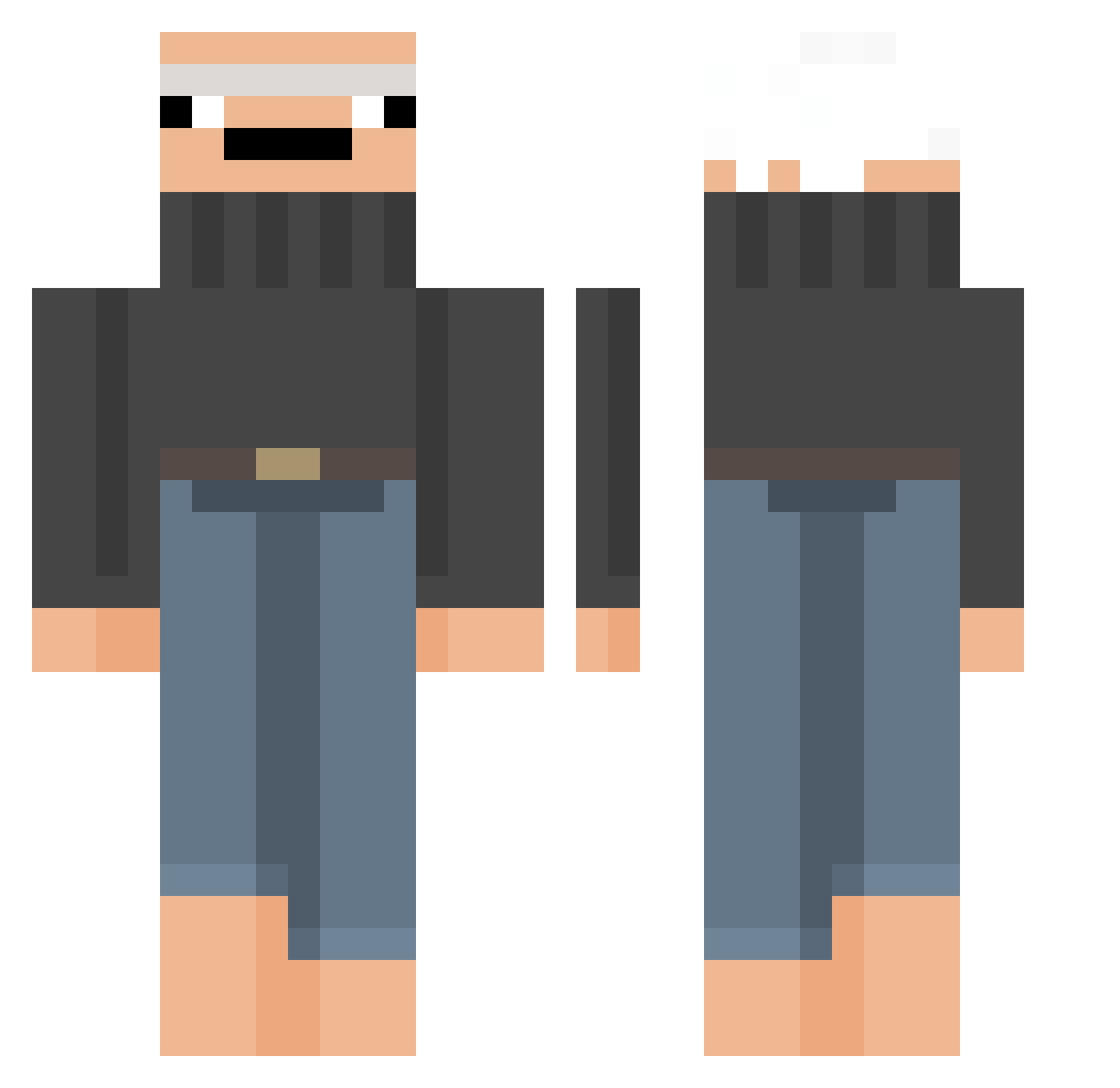
Current Minecraft skin of the player Greenbeez101, loaded from the official Mojang API. Rotate the 3D model with your mouse or finger, then download the skin as a PNG file and use it in Minecraft: Bedrock Edition or Java Edition for free. When Greenbeez101 changes their skin, this page updates automatically and the old skin stays in the history below.
Other players with this skin (381)
Greenbeez101 was the 345th player we have seen with this skin, first spotted on 11.11.2026. The same skin was seen on these players. Open a nickname to see their current skin and skin history.
 Rutholf Ungeklotzt Marvlord1 XenonCrusher CouillePulpeuse Swirly5000 asphalttts hakas_05 Maka_Paka papydelastreet tinfoili FattyStone Lolk1n CPol50 Vig00 Clem_LaChossette Patoutatote GekooBoosted humpeur Jbidds ___Pixel_ GeTlYnChE Ginzaza123 samupoopyhead Hericules BobZgig GREGOR_EK coldbeaans s69f Goelize slowcan Cavalin UweFischer Ronnylele H561069 Miless1 Creanos BelgianBites Wiind05 Salzmeister beepya Uffenox BrigitteSaGlisse et0s381 GnatWull WolfishBigD LillyBonnie Kiaruchann Rervan1 Ro_thepro ChasePlayd qwertyuiop50 ggirthquake xxMILOxxx _______MR_______ Traubenmann Teunvr1 Alonko GameHamster1 CrypticStatus
More Baldi Minecraft skins
How to install the Greenbeez101 skin
- Press the Download button above to save the skin as a PNG file.
- Minecraft: Bedrock Edition (PE): open the Dressing Room from the main menu (or tap your character → Edit Character), go to Classic Skins → Owned, press the + (new skin) button, choose the downloaded PNG and pick the Classic (Steve) model. Works on PC and mobile; consoles cannot import custom skins.
- Minecraft: Java Edition: open the Minecraft Launcher, go to the Skins tab, click New Skin, load the PNG, pick the Classic (Steve) model and press Save & Use. You can also upload it at minecraft.net → Profile → Change Skin.
The skin does not show up after import - what should I do?
Restart Minecraft and open the Dressing Room again - imported skins sometimes appear only after a restart. Also make sure you selected the imported skin and picked the Classic (Steve) model.
Which model should I choose, Classic or Slim?
This skin is designed for the Classic (Steve) model. If you pick the wrong model, the arms of the skin will look stretched or squeezed.
Is the skin of Greenbeez101 free to download?
Yes. Press Download, save the PNG file and use it in Minecraft: Bedrock Edition or Java Edition - no payment or registration needed. The skin also works on multiplayer servers and Realms.
More skins
Looking for more? Go back to all Minecraft skins and check the top skins of the week, month and all time, or find any player's skin by nickname.