
GreenArrow_PvP - Minecraft Skins & Skin History
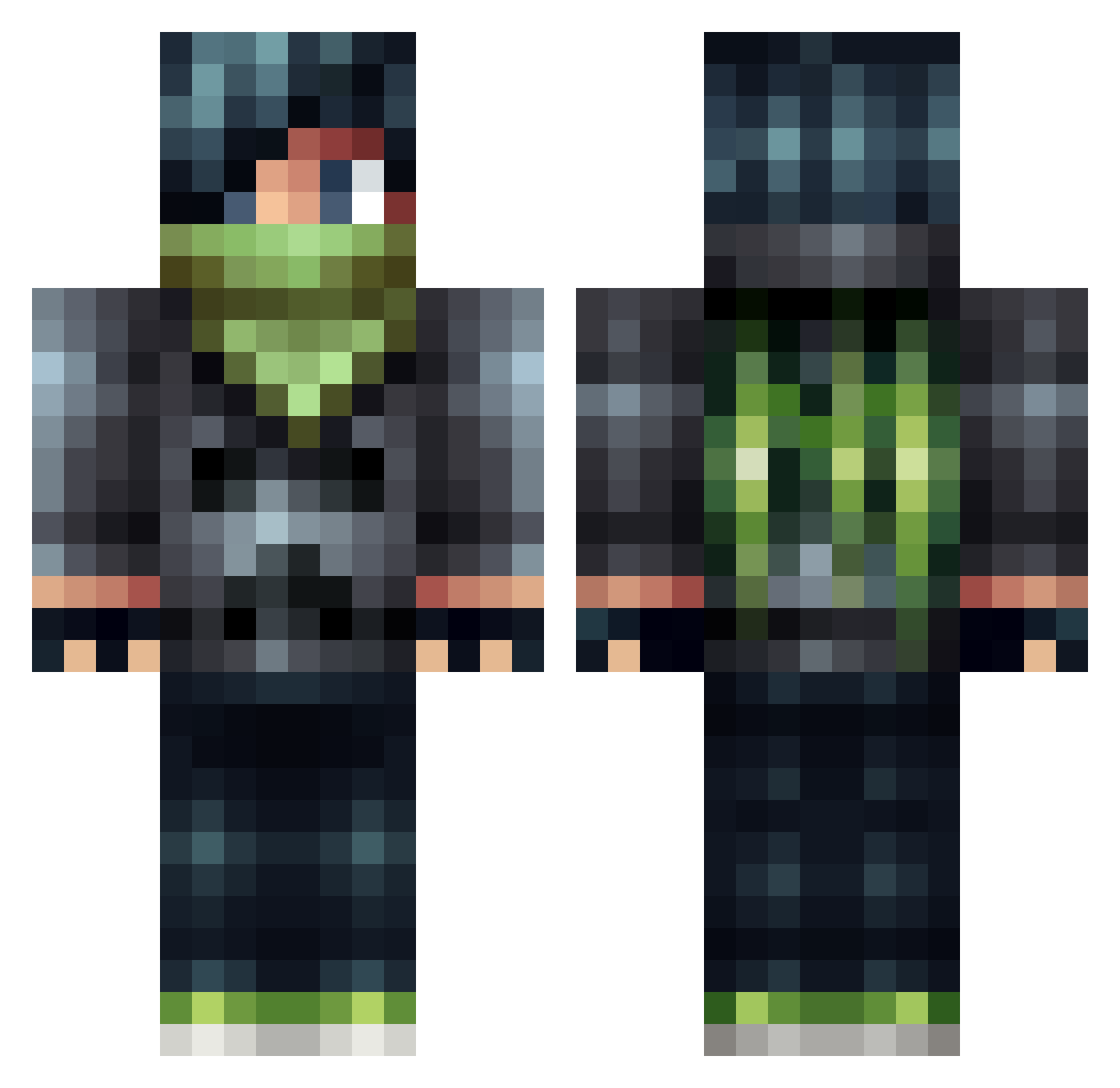
Current Minecraft skin of the player GreenArrow_PvP, loaded from the official Mojang API. Rotate the 3D model with your mouse or finger, then download the skin as a PNG file and use it in Minecraft: Bedrock Edition or Java Edition for free. When GreenArrow_PvP changes their skin, this page updates automatically and the old skin stays in the history below.
Other players with this skin (566)
GreenArrow_PvP was the 543rd player we have seen with this skin, first spotted on 07.11.2026. The same skin was seen on these players. Open a nickname to see their current skin and skin history.
 Captain_Kaiser22 Space_Meister ViPOverkill Inariu jlukej_2003 quinnbyus Master_Liam13 NY0N AVALANCHE194 realKmartKid wenrouzhuzai fabian_zapf whoareyou200 jakebyrne2002 NIDHOGG13579 Dat_one_dark_guy musicalpiffle lozano1125 chici12 ctstefan boykey buenn riguyrules benji54611 questboy101 Lokonto dylan_money zboi1994 xX_CatBoy_Xx Av0k32 Tormentor_24 UnfriendlyNicca Xx_DarkMan_xX Anieyu CaptainSamboWins superstarstoner Limrik pegi12 rocket444 rocket16 WinterForestWolf hunkydory12 playermarkk kerppele Lucian1230 itsuki1026 scoobydooing MISTER_BILLY terminator1009 EpicPieceOfToast cma_ninja paypalme_SacBo ztrooper44 DestroyerOfTanks NewZealandHori FioRa_Joker DeathByNutts Ryoma1226 Schizophrenya DivineDem0n
More Bandit Minecraft skins
How to install the GreenArrow_PvP skin
- Press the Download button above to save the skin as a PNG file.
- Minecraft: Bedrock Edition (PE): open the Dressing Room from the main menu (or tap your character → Edit Character), go to Classic Skins → Owned, press the + (new skin) button, choose the downloaded PNG and pick the Classic (Steve) model. Works on PC and mobile; consoles cannot import custom skins.
- Minecraft: Java Edition: open the Minecraft Launcher, go to the Skins tab, click New Skin, load the PNG, pick the Classic (Steve) model and press Save & Use. You can also upload it at minecraft.net → Profile → Change Skin.
The skin does not show up after import - what should I do?
Restart Minecraft and open the Dressing Room again - imported skins sometimes appear only after a restart. Also make sure you selected the imported skin and picked the Classic (Steve) model.
Which model should I choose, Classic or Slim?
This skin is designed for the Classic (Steve) model. If you pick the wrong model, the arms of the skin will look stretched or squeezed.
Is the skin of GreenArrow_PvP free to download?
Yes. Press Download, save the PNG file and use it in Minecraft: Bedrock Edition or Java Edition - no payment or registration needed. The skin also works on multiplayer servers and Realms.
More skins
Looking for more? Go back to all Minecraft skins and check the top skins of the week, month and all time, or find any player's skin by nickname.