
GrandZio - Minecraft Skins & Skin History
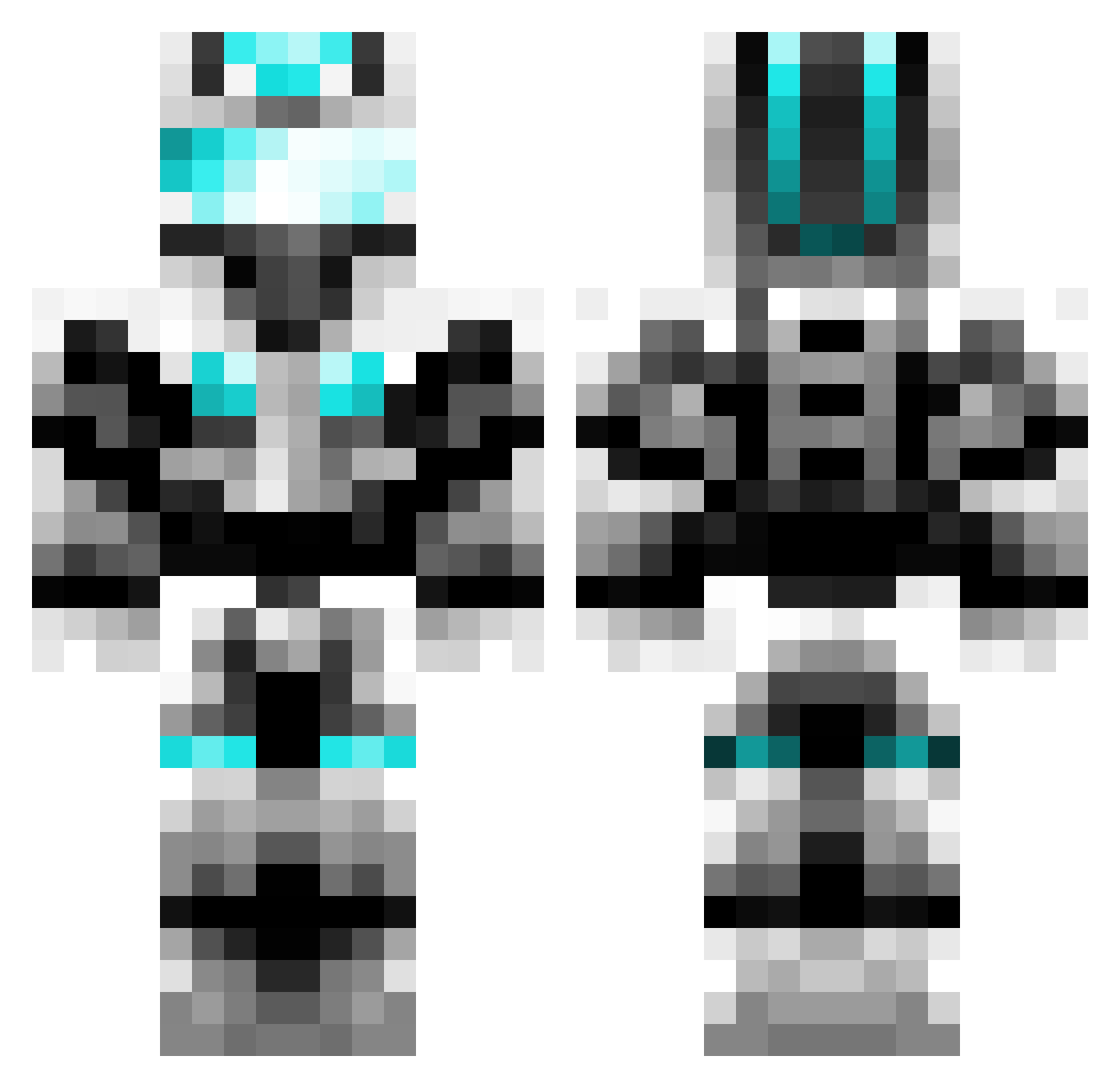
Current Minecraft skin of the player GrandZio, loaded from the official Mojang API. Rotate the 3D model with your mouse or finger, then download the skin as a PNG file and use it in Minecraft: Bedrock Edition or Java Edition for free. When GrandZio changes their skin, this page updates automatically and the old skin stays in the history below.
Other players with this skin (777)
GrandZio was the 666th player we have seen with this skin, first spotted on 28.10.2026. The same skin was seen on these players. Open a nickname to see their current skin and skin history.
 jdizzle99 Kenneth654 butternutjunior Eretheus Danielwooney1 scraper192 neilish Manamentra dswizel Restah rsojk krugs0628 gamax13 MattTse maxbox1234 Death_Hawk04 FlyingVman Carey555 Jaybuilding J_king2005 killercowboy123 FallenGod42 McDummy UnTamedRedneck Flo_Forest albo26 Spised enderdragon163 ericwalsh01 sofia_20 fizgigg hgtigers25 Zziyi qasd566 Poschikoo ahaskin C_vitamin Quinten227 cheese210148 IMD123 Rkane Toxicstarfish5 cheesehead0717 DDX_121 a7x526 NikolaiCrawford nicnik2000 Gamareth Tiger2303 Lucas1317 StrikeBack51 FixLeoGS JUFRAy japanman64 FrankAdler jnamesno flash8079 xiao_xie ThatMinus technojunki
More Cyber Soldier Minecraft skins
See all 50 Cyber Soldier skins
How to install the GrandZio skin
- Press the Download button above to save the skin as a PNG file.
- Minecraft: Bedrock Edition (PE): open the Dressing Room from the main menu (or tap your character → Edit Character), go to Classic Skins → Owned, press the + (new skin) button, choose the downloaded PNG and pick the Classic (Steve) model. Works on PC and mobile; consoles cannot import custom skins.
- Minecraft: Java Edition: open the Minecraft Launcher, go to the Skins tab, click New Skin, load the PNG, pick the Classic (Steve) model and press Save & Use. You can also upload it at minecraft.net → Profile → Change Skin.
The skin does not show up after import - what should I do?
Restart Minecraft and open the Dressing Room again - imported skins sometimes appear only after a restart. Also make sure you selected the imported skin and picked the Classic (Steve) model.
Which model should I choose, Classic or Slim?
This skin is designed for the Classic (Steve) model. If you pick the wrong model, the arms of the skin will look stretched or squeezed.
Is the skin of GrandZio free to download?
Yes. Press Download, save the PNG file and use it in Minecraft: Bedrock Edition or Java Edition - no payment or registration needed. The skin also works on multiplayer servers and Realms.
More skins
Looking for more? Go back to all Minecraft skins and check the top skins of the week, month and all time, or find any player's skin by nickname.