
Gradek3 - Minecraft Skins & Skin History
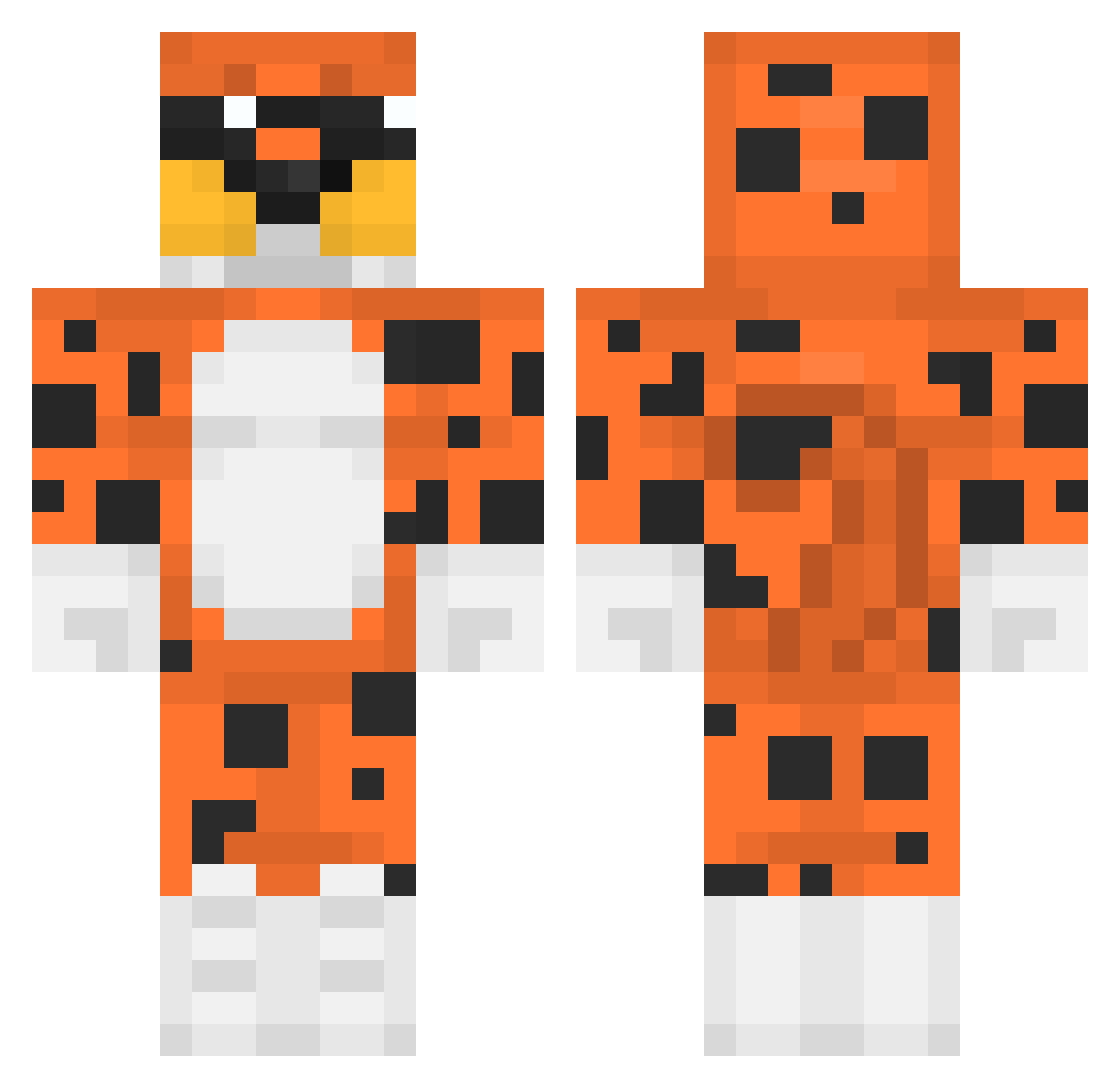
Current Minecraft skin of the player Gradek3, loaded from the official Mojang API. Rotate the 3D model with your mouse or finger, then download the skin as a PNG file and use it in Minecraft: Bedrock Edition or Java Edition for free. When Gradek3 changes their skin, this page updates automatically and the old skin stays in the history below.
Other players with this skin (394)
Gradek3 was the 227th player we have seen with this skin, first spotted on 26.09.2026. The same skin was seen on these players. Open a nickname to see their current skin and skin history.
 Rolty26 MaRiiO118 snow346 NaomiLeah Edgiittar__ Dallal Gat0rald3Xd Guipinheiro10 Hampola KoziToJa kishoo Rafciu2 mdaplayz DorienCTM seounggil2 Fr0styJr Sunderxx doboo2002 VALDIS72 P1NP0NSK13S squarecheetos LuckyTiger54 ZucchiniFuzz Amb3a pgc_kzO25_0307 David_McCall Makariusking Didillo779 Galloclaudio_69 myks3011 RajeefStinky Matigc HardPloppa Calegare ly_QBOpS_0301 Bia_14 AlexRenner HectorIglesias Reconlord57 Xarachau Dysnaties Teo_exe DreamsLeftNut BRBRLY WhySkyFyntik 12Kio0 Kzin33 Galhandor Raiderin Finnbak_ francine11 briska777 tomiokaS2 Malquin Mikey64209 yeonghyun0319 MINECRAFTBOSS104 SkoopyDoopy TheRealJimBob MarceliniI07
More Leopard Minecraft skins
How to install the Gradek3 skin
- Press the Download button above to save the skin as a PNG file.
- Minecraft: Bedrock Edition (PE): open the Dressing Room from the main menu (or tap your character → Edit Character), go to Classic Skins → Owned, press the + (new skin) button, choose the downloaded PNG and pick the Classic (Steve) model. Works on PC and mobile; consoles cannot import custom skins.
- Minecraft: Java Edition: open the Minecraft Launcher, go to the Skins tab, click New Skin, load the PNG, pick the Classic (Steve) model and press Save & Use. You can also upload it at minecraft.net → Profile → Change Skin.
The skin does not show up after import - what should I do?
Restart Minecraft and open the Dressing Room again - imported skins sometimes appear only after a restart. Also make sure you selected the imported skin and picked the Classic (Steve) model.
Which model should I choose, Classic or Slim?
This skin is designed for the Classic (Steve) model. If you pick the wrong model, the arms of the skin will look stretched or squeezed.
Is the skin of Gradek3 free to download?
Yes. Press Download, save the PNG file and use it in Minecraft: Bedrock Edition or Java Edition - no payment or registration needed. The skin also works on multiplayer servers and Realms.
More skins
Looking for more? Go back to all Minecraft skins and check the top skins of the week, month and all time, or find any player's skin by nickname.