
Gr0wli - Minecraft Skins & Skin History
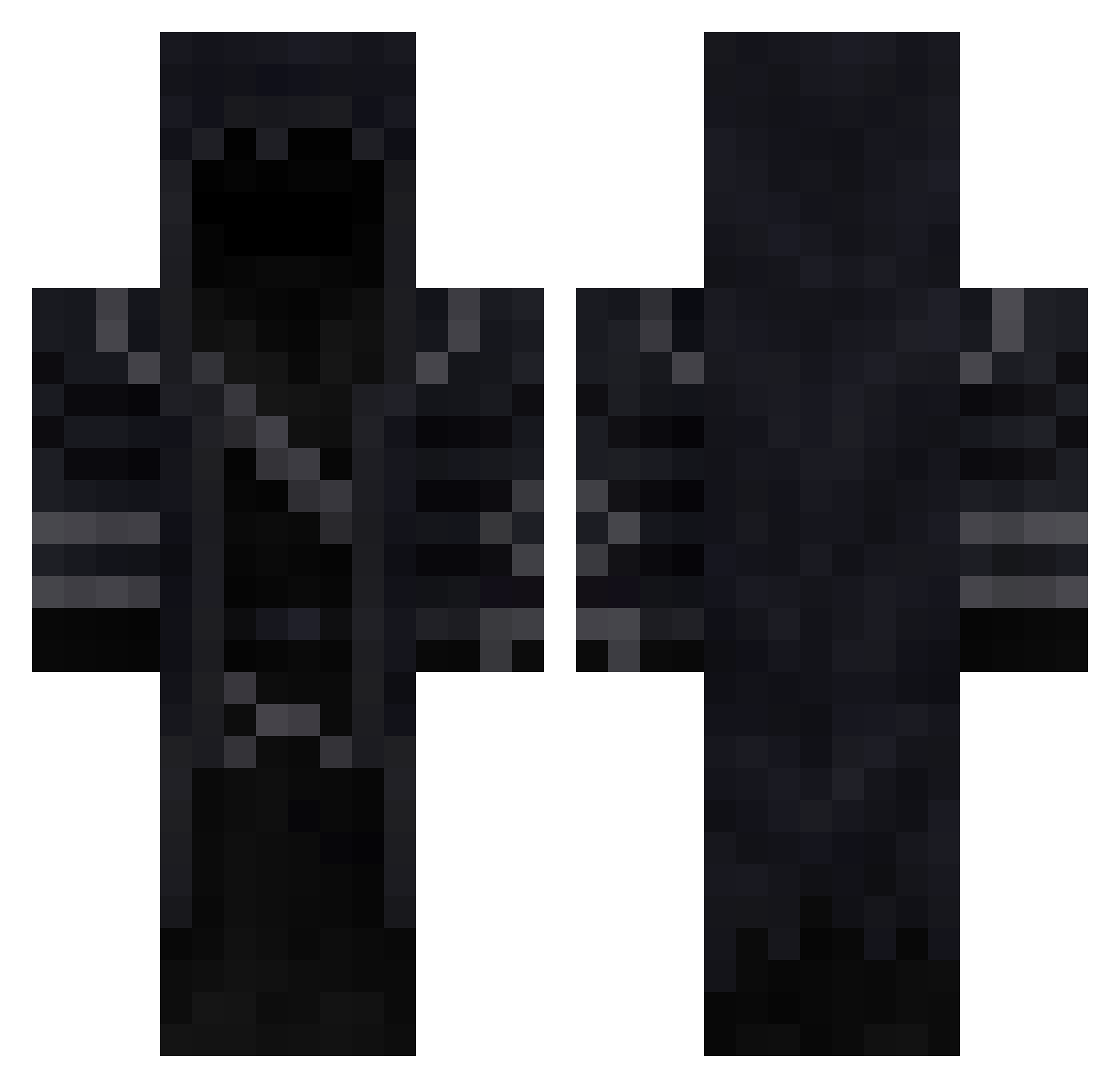
Current Minecraft skin of the player Gr0wli, loaded from the official Mojang API. Rotate the 3D model with your mouse or finger, then download the skin as a PNG file and use it in Minecraft: Bedrock Edition or Java Edition for free. When Gr0wli changes their skin, this page updates automatically and the old skin stays in the history below.
Other players with this skin (291)
Gr0wli was the 273rd player we have seen with this skin, first spotted on 26.10.2026. The same skin was seen on these players. Open a nickname to see their current skin and skin history.
 JaneczekIHUJ Tendozz _Ogster_ DuHastGelost ItzShadowStrike THE_ADM omgboyz TomolusHD AresJava Hycer2 Tymhuz KartToon_YT TallyOneTango Maciek918x B12V DragonSenshi wippel Johnny_Burn omerekrem12365yt Gusoynw Ubanthor albertn771 Vortimer Myzz67 KING_OF_THE_V0ID kaddwwsh Rderp_The_Red _CAP0_ BalloonMateo vyanry Rarexd Whitex780 Mecomandisert _HEHEQQ_ rakiTRICEPS Paulinhozz Krol_Al_Kahidy HVV4N Askdaf0147 tikiggs Faison okcj31 hateham Cuevas12 Kokai17 Greendudeprime paandaa1999 AvocadoPatrick kokonambo Kieran879 mooksa Feddish 175092 Pangan007 JRgamer707 DarkStorm18 JacobKannon Dharke000Soniclu SPOQTT OmarElsayed
More Rogue Minecraft skins
How to install the Gr0wli skin
- Press the Download button above to save the skin as a PNG file.
- Minecraft: Bedrock Edition (PE): open the Dressing Room from the main menu (or tap your character → Edit Character), go to Classic Skins → Owned, press the + (new skin) button, choose the downloaded PNG and pick the Classic (Steve) model. Works on PC and mobile; consoles cannot import custom skins.
- Minecraft: Java Edition: open the Minecraft Launcher, go to the Skins tab, click New Skin, load the PNG, pick the Classic (Steve) model and press Save & Use. You can also upload it at minecraft.net → Profile → Change Skin.
The skin does not show up after import - what should I do?
Restart Minecraft and open the Dressing Room again - imported skins sometimes appear only after a restart. Also make sure you selected the imported skin and picked the Classic (Steve) model.
Which model should I choose, Classic or Slim?
This skin is designed for the Classic (Steve) model. If you pick the wrong model, the arms of the skin will look stretched or squeezed.
Is the skin of Gr0wli free to download?
Yes. Press Download, save the PNG file and use it in Minecraft: Bedrock Edition or Java Edition - no payment or registration needed. The skin also works on multiplayer servers and Realms.
More skins
Looking for more? Go back to all Minecraft skins and check the top skins of the week, month and all time, or find any player's skin by nickname.