
Gougoone - Minecraft Skins & Skin History
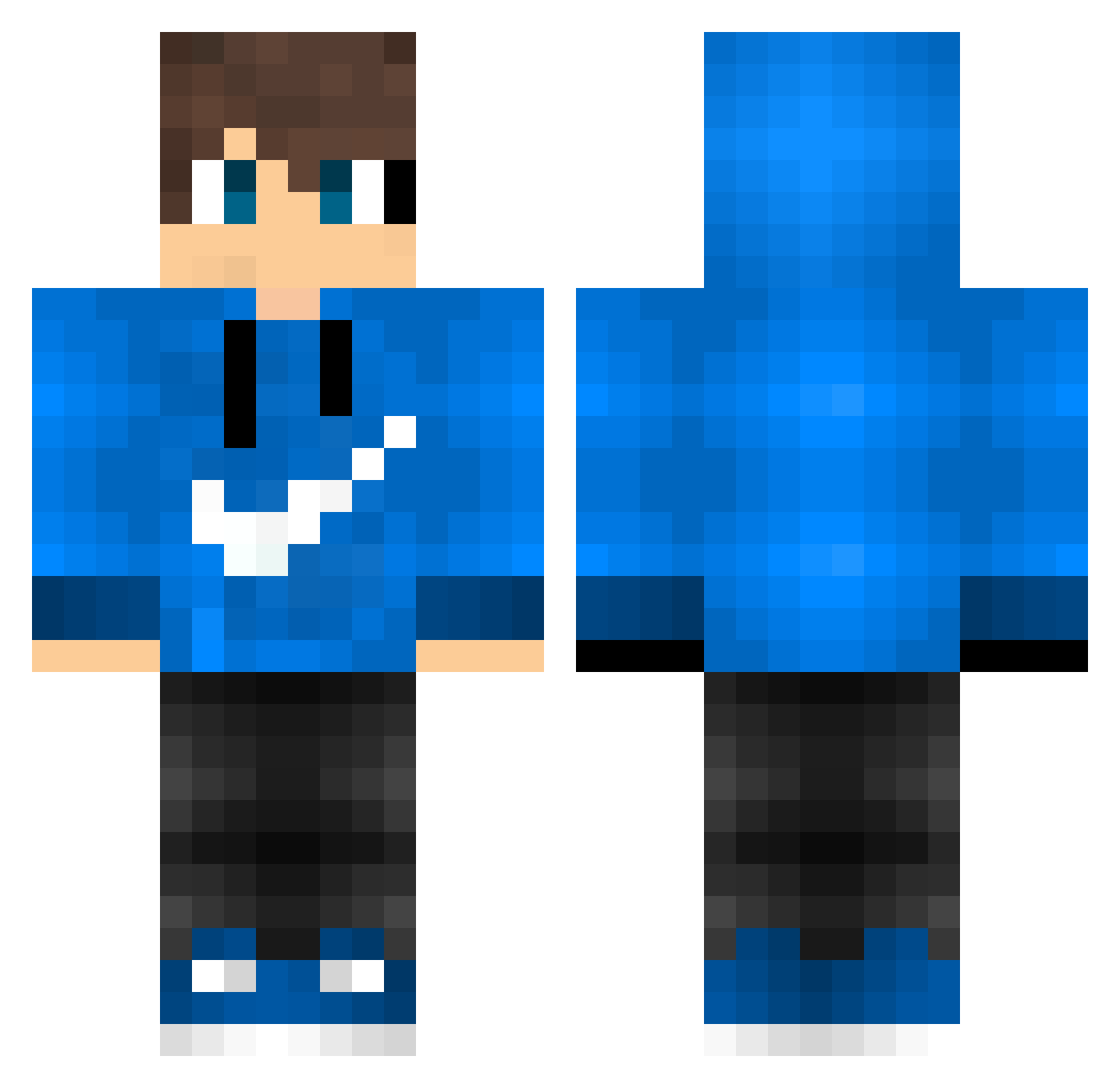
Current Minecraft skin of the player Gougoone, loaded from the official Mojang API. Rotate the 3D model with your mouse or finger, then download the skin as a PNG file and use it in Minecraft: Bedrock Edition or Java Edition for free. When Gougoone changes their skin, this page updates automatically and the old skin stays in the history below.
Other players with this skin (595)
Gougoone was the 215th player we have seen with this skin, first spotted on 11.09.2026. The same skin was seen on these players. Open a nickname to see their current skin and skin history.
 Pinhatron tera_guild Naruzinn Leo_Il_Leo vitorn ItsMike01 Stanley6 ryohei0702 zandielgamer XAngelzzxx ZanderZane Dhergy KRG_ADEL_M4 _Dettis_ Ghost_Cruz banjodaanny Xx_zan0_xX Mtkmyyyyyy kamilkamilpl MVM_ mick_cruz Kashiwa_XR Airwolf90009 xJuliGD Nifou09 girisyarikugame guenther_e stryker_29 NICKSONFIRE MatheusLpgames xXAlekXx OLoopes DarkImmo95 mrpoosha Vereshblack DavidF0319 MAster0011 Jamesbond021 zorkg47 Danielur Pittsyy ghost_skiller007 MuhammetTosun Vitinh000000 Tylex_84 WexZeUs marcolino157 Valiant_Waffle71 mingmingsmile PipocaMB Sixer74 MatrixMati11 bredipiti BJK_1903_BJK Yuri_Darhk_PvP WillyTheNOOB lhszotka Paeppchen007 swezinni Kubix_112
How to install the Gougoone skin
- Press the Download button above to save the skin as a PNG file.
- Minecraft: Bedrock Edition (PE): open the Dressing Room from the main menu (or tap your character → Edit Character), go to Classic Skins → Owned, press the + (new skin) button, choose the downloaded PNG and pick the Classic (Steve) model. Works on PC and mobile; consoles cannot import custom skins.
- Minecraft: Java Edition: open the Minecraft Launcher, go to the Skins tab, click New Skin, load the PNG, pick the Classic (Steve) model and press Save & Use. You can also upload it at minecraft.net → Profile → Change Skin.
The skin does not show up after import - what should I do?
Restart Minecraft and open the Dressing Room again - imported skins sometimes appear only after a restart. Also make sure you selected the imported skin and picked the Classic (Steve) model.
Which model should I choose, Classic or Slim?
This skin is designed for the Classic (Steve) model. If you pick the wrong model, the arms of the skin will look stretched or squeezed.
Is the skin of Gougoone free to download?
Yes. Press Download, save the PNG file and use it in Minecraft: Bedrock Edition or Java Edition - no payment or registration needed. The skin also works on multiplayer servers and Realms.
More skins
Looking for more? Go back to all Minecraft skins and check the top skins of the week, month and all time, or find any player's skin by nickname.