
GottiWorthIt_ - Minecraft Skins & Skin History
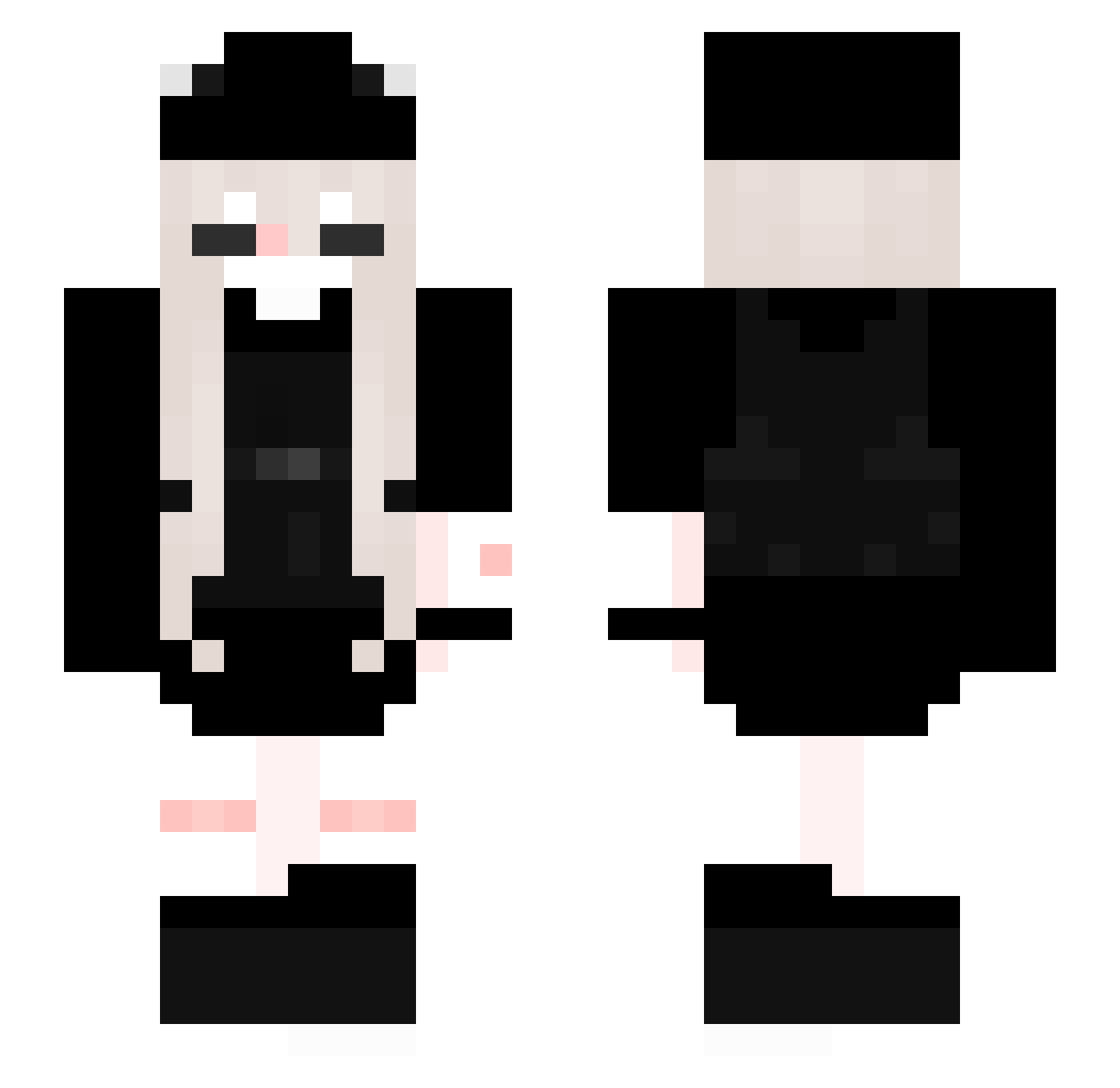
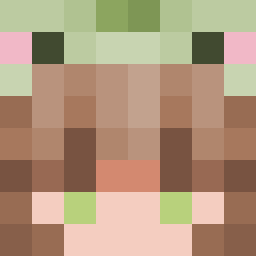
Current Minecraft skin of the player GottiWorthIt_, loaded from the official Mojang API. Rotate the 3D model with your mouse or finger, then download the skin as a PNG file and use it in Minecraft: Bedrock Edition or Java Edition for free. When GottiWorthIt_ changes their skin, this page updates automatically and the old skin stays in the history below.
Other players with this skin (205)
GottiWorthIt_ was the 52nd player we have seen with this skin, first spotted on 21.08.2026. The same skin was seen on these players. Open a nickname to see their current skin and skin history.
 qlxsl4sh Darkaee _kimcream_ Maa_SF isy_galaxy Eluuuz KoumaHina DELAMARRE AsoulB minchwi NurKolik tqlt MimiAmongus Mina_002 9sr8 majuz__ DatDudeFormless ReptileGIRL08 Andrisyc mommykxtty
 Friost Hayrushv akami514 Sunarln nievipowaa X1xss Alcixx99 Baidi2020 YuyuGames
 xxqvyc H4neull urfavkitten rdss0 NanJin_1455 zainishot haizi1221 Emma1268
 XoticLxna itzmaryh_ akarisaika rowbeeeee okokmynoob svky
 dapyooper123 Toriix_x angie_L Lenoreek janetjr Bunnniiii wye haruo0314 bbang_chan 888pau Suyeooon anni2803 Trapzinha_chan nAoxide95 ToeNibblerr yaoyaozka TheOtter3
More Backpack Minecraft skins
How to install the GottiWorthIt_ skin
- Press the Download button above to save the skin as a PNG file.
- Minecraft: Bedrock Edition (PE): open the Dressing Room from the main menu (or tap your character → Edit Character), go to Classic Skins → Owned, press the + (new skin) button, choose the downloaded PNG and pick the Slim (Alex) model. Works on PC and mobile; consoles cannot import custom skins.
- Minecraft: Java Edition: open the Minecraft Launcher, go to the Skins tab, click New Skin, load the PNG, pick the Slim (Alex) model and press Save & Use. You can also upload it at minecraft.net → Profile → Change Skin.
The skin does not show up after import - what should I do?
Restart Minecraft and open the Dressing Room again - imported skins sometimes appear only after a restart. Also make sure you selected the imported skin and picked the Slim (Alex) model.
Which model should I choose, Classic or Slim?
This skin is designed for the Slim (Alex) model. If you pick the wrong model, the arms of the skin will look stretched or squeezed.
Is the skin of GottiWorthIt_ free to download?
Yes. Press Download, save the PNG file and use it in Minecraft: Bedrock Edition or Java Edition - no payment or registration needed. The skin also works on multiplayer servers and Realms.
More skins
Looking for more? Go back to all Minecraft skins and check the top skins of the week, month and all time, or find any player's skin by nickname.