
Gordzy - Minecraft Skins & Skin History
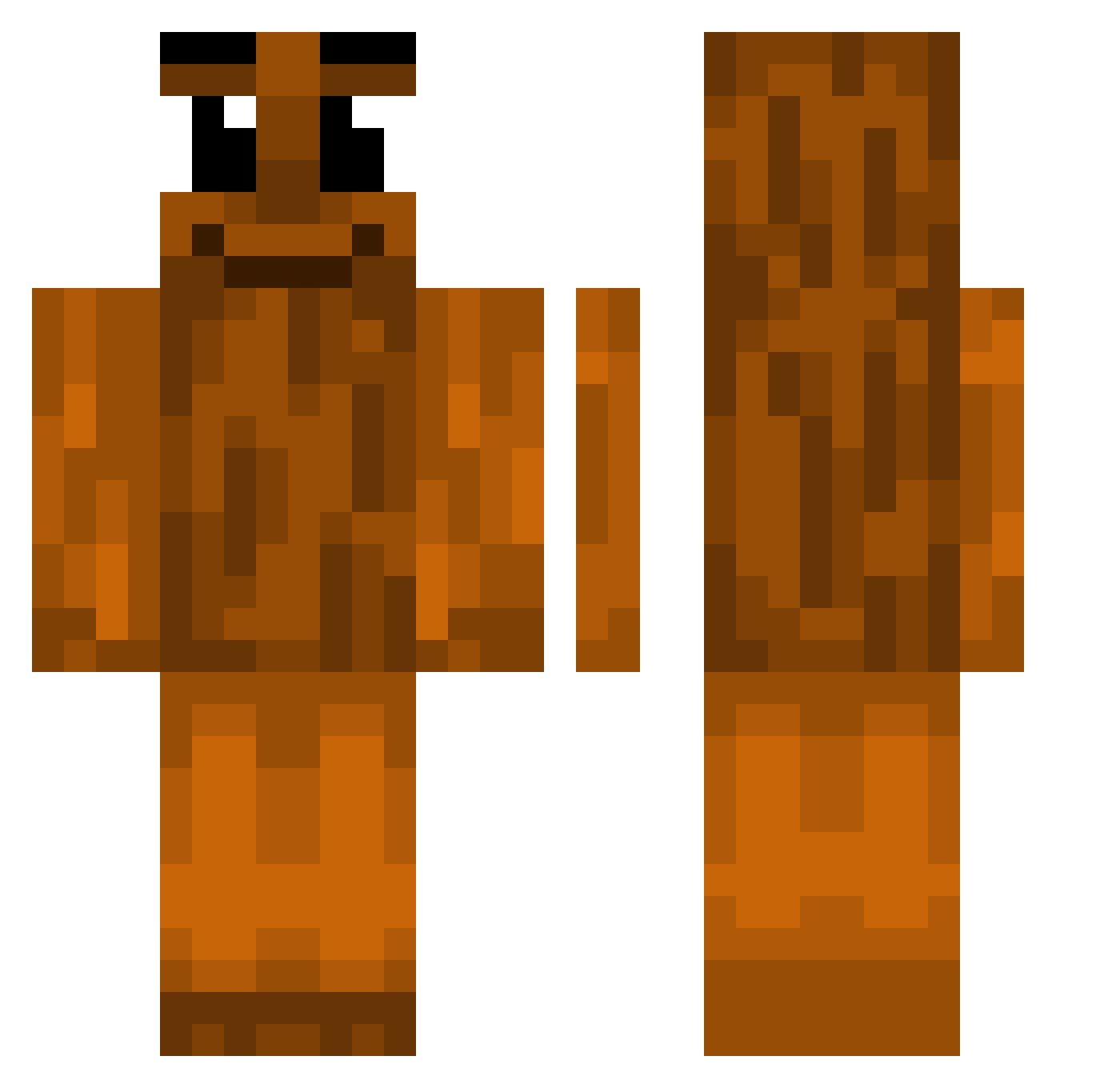
Current Minecraft skin of the player Gordzy, loaded from the official Mojang API. Rotate the 3D model with your mouse or finger, then download the skin as a PNG file and use it in Minecraft: Bedrock Edition or Java Edition for free. When Gordzy changes their skin, this page updates automatically and the old skin stays in the history below.
Other players with this skin (446)
Gordzy was the 400th player we have seen with this skin, first spotted on 07.11.2026. The same skin was seen on these players. Open a nickname to see their current skin and skin history.
 allshen ICantM7 what_the_sigma DerLuk2606 LukyK__ h1ocAostly petarnaggy Musash1_Miyamoto vinick01 duddnjs_00 Gorytia iyoupeeti cashjulo Jadeb1ade Stemmy eihp KlaQu123 pixth NotABigFan swatuki kubxon1 TUNGTUNGTUNGSAHX Noob0420 steav777 Mr_Creeps_Jr ShaD0wYEAH PhoenixONKBM StableEli kc3001 okrenoi 67KaptajnDeb67 Tungx3_Sahur P0RKYGAMING7 Mordekaiiez Gros_Teckel PinkGooner Dungphamm stableguy dana_doner tgghj777 Saberek Kanuii lilketchupbozo qctp 00guapo Capsell Greenqm Dana_White poopswag7 Sigma_Arnold Kibiiinho Pipdep iheartkc Nozvaa Sigma_TungTung thiskidisdog918 58umuty Yasar57 Totes17 c4elan
More Oak Log Minecraft skins
How to install the Gordzy skin
- Press the Download button above to save the skin as a PNG file.
- Minecraft: Bedrock Edition (PE): open the Dressing Room from the main menu (or tap your character → Edit Character), go to Classic Skins → Owned, press the + (new skin) button, choose the downloaded PNG and pick the Classic (Steve) model. Works on PC and mobile; consoles cannot import custom skins.
- Minecraft: Java Edition: open the Minecraft Launcher, go to the Skins tab, click New Skin, load the PNG, pick the Classic (Steve) model and press Save & Use. You can also upload it at minecraft.net → Profile → Change Skin.
The skin does not show up after import - what should I do?
Restart Minecraft and open the Dressing Room again - imported skins sometimes appear only after a restart. Also make sure you selected the imported skin and picked the Classic (Steve) model.
Which model should I choose, Classic or Slim?
This skin is designed for the Classic (Steve) model. If you pick the wrong model, the arms of the skin will look stretched or squeezed.
Is the skin of Gordzy free to download?
Yes. Press Download, save the PNG file and use it in Minecraft: Bedrock Edition or Java Edition - no payment or registration needed. The skin also works on multiplayer servers and Realms.
More skins
Looking for more? Go back to all Minecraft skins and check the top skins of the week, month and all time, or find any player's skin by nickname.