
GoldfishWarrior - Minecraft Skins & Skin History
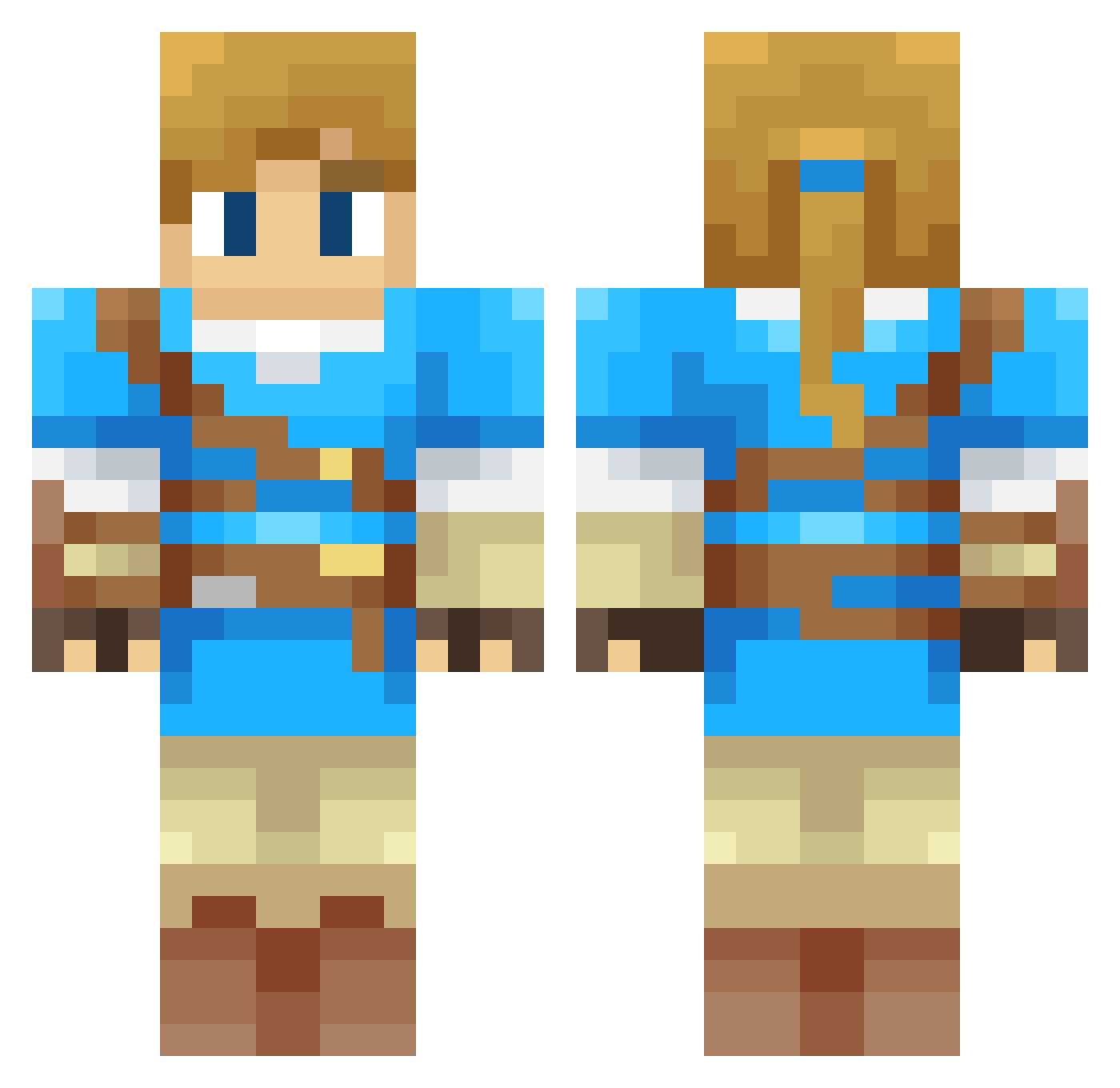
Current Minecraft skin of the player GoldfishWarrior, loaded from the official Mojang API. Rotate the 3D model with your mouse or finger, then download the skin as a PNG file and use it in Minecraft: Bedrock Edition or Java Edition for free. When GoldfishWarrior changes their skin, this page updates automatically and the old skin stays in the history below.
Other players with this skin (374)
GoldfishWarrior was the 341st player we have seen with this skin, first spotted on 08.11.2026. The same skin was seen on these players. Open a nickname to see their current skin and skin history.
 Aurac0lt bebbebop Archaon59 Beic0 serialmonogamist tkntty SINO8411 Krilark MINECAT43 Dwynox Wong_1017 metallic11 OCTOPINE Chamonis OlekQk Daemon_333 mark33334 GrandePuffo25655 Ganondorf49 Darto19 ripper365 Craft5258 Kylisora Guiigs Honeypipo WorstPokeBattler Lefaiseurdetrou roikym626 SpanishMoose Shawnathan5000 OjSimpson1968 Cuber_Momentus redpepper26 Krystal30 Jbow210 david0296 ChiaF NobleFoxes Felix201b2 Shawn20006 _Bux_G_ Pedrovafa Loraleos Laryomex_ Hastol siraxtas Dimkin_kgd jordifu Biaspa Cxamor Yeoyape jpmaciasm Matt_R0 Inf4m3_01 Welloness CL1005 Nico3317 dom380 Jan22045 ntrxas
More Breath Of The Wild Minecraft skins
See all 170 Breath Of The Wild skins
How to install the GoldfishWarrior skin
- Press the Download button above to save the skin as a PNG file.
- Minecraft: Bedrock Edition (PE): open the Dressing Room from the main menu (or tap your character → Edit Character), go to Classic Skins → Owned, press the + (new skin) button, choose the downloaded PNG and pick the Classic (Steve) model. Works on PC and mobile; consoles cannot import custom skins.
- Minecraft: Java Edition: open the Minecraft Launcher, go to the Skins tab, click New Skin, load the PNG, pick the Classic (Steve) model and press Save & Use. You can also upload it at minecraft.net → Profile → Change Skin.
The skin does not show up after import - what should I do?
Restart Minecraft and open the Dressing Room again - imported skins sometimes appear only after a restart. Also make sure you selected the imported skin and picked the Classic (Steve) model.
Which model should I choose, Classic or Slim?
This skin is designed for the Classic (Steve) model. If you pick the wrong model, the arms of the skin will look stretched or squeezed.
Is the skin of GoldfishWarrior free to download?
Yes. Press Download, save the PNG file and use it in Minecraft: Bedrock Edition or Java Edition - no payment or registration needed. The skin also works on multiplayer servers and Realms.
More skins
Looking for more? Go back to all Minecraft skins and check the top skins of the week, month and all time, or find any player's skin by nickname.