
GohanSSBlue - Minecraft Skins & Skin History
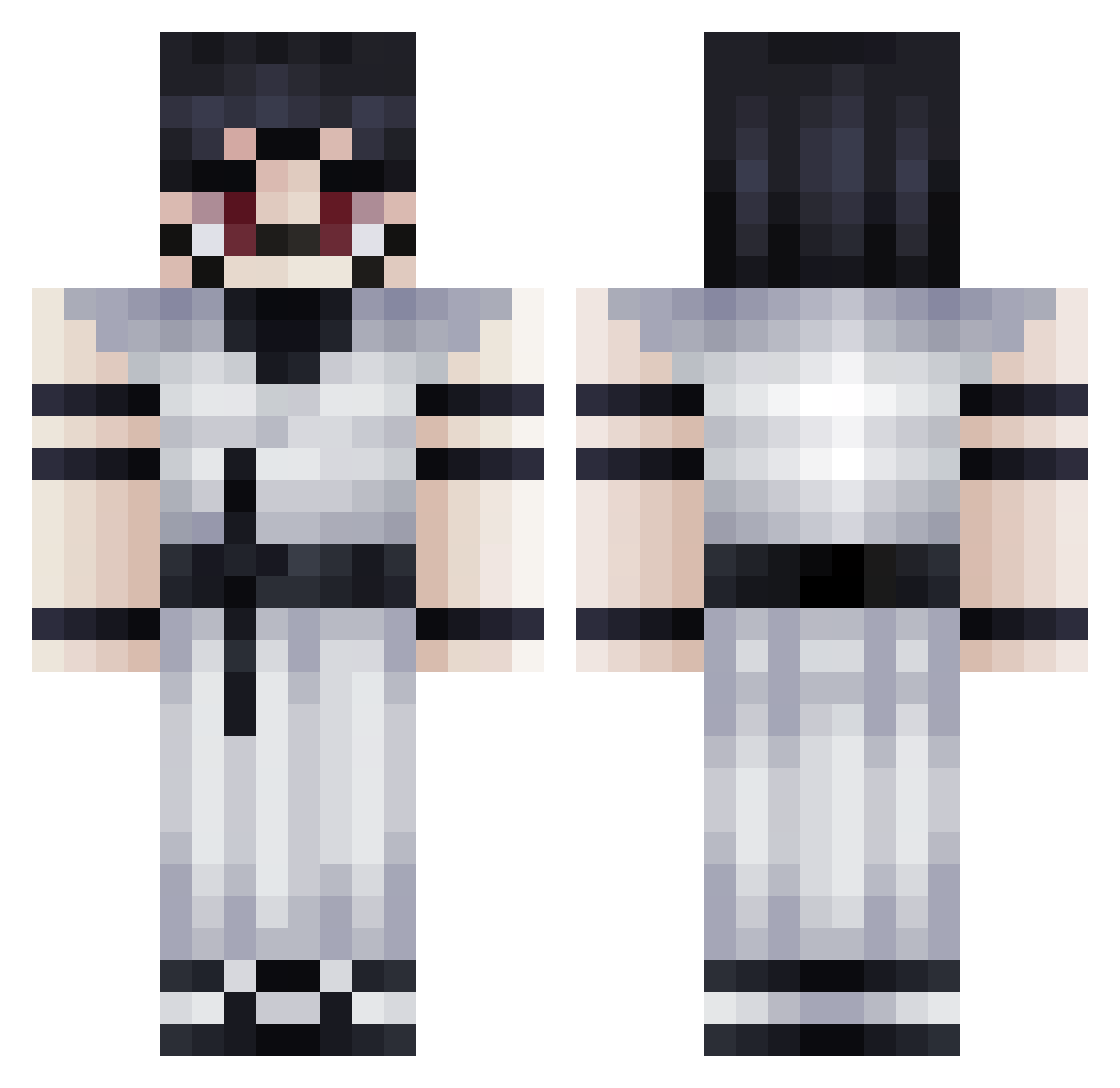
Current Minecraft skin of the player GohanSSBlue, loaded from the official Mojang API. Rotate the 3D model with your mouse or finger, then download the skin as a PNG file and use it in Minecraft: Bedrock Edition or Java Edition for free. When GohanSSBlue changes their skin, this page updates automatically and the old skin stays in the history below.
Other players with this skin (271)
GohanSSBlue was the 77th player we have seen with this skin, first spotted on 15.08.2026. The same skin was seen on these players. Open a nickname to see their current skin and skin history.
 TheoTheBaldAss memegame1222
 Mateocelrau08 D41y6au9 pesciolon Nebbybruh SutiravZ AzmanFC1 1_AV_1 Megaaaaaaa ThugHunter699 GioHack12 fabian911911 lucho1503 BigDonut849 Franroyale Mohamed333 Jaiklar S9uashy
 Kakkanatos Yonaki Tony12_34 09RoastBacon Gpzt Kesopoto_ blade_of_pvp
 Birkan6lm thepariss Solidrock365 Fcuk0rek UrkanF
 phonex1234611 Baku007 DVCJANL anxo12344
 Petyaa6666 ThatGuy7746 LeMito_ADF Chnky_Chck
 Hxy_7 esellson Kingboi77763 troller_ftw
 Ryusei_tho mustafass1gt ThatNotMyName00 DeadworldPNG NAGANIACZ_PL Charzard2025 awsdwdbsaj Endproo
 ImTheMagician Shogunthunder56 Sv2v6FLo4UbZRSv2 Iroas7 XoR_Edition Lexar246 xiao____________
 DanteCARP ____Sukuna____
More Oni Minecraft skins
How to install the GohanSSBlue skin
- Press the Download button above to save the skin as a PNG file.
- Minecraft: Bedrock Edition (PE): open the Dressing Room from the main menu (or tap your character → Edit Character), go to Classic Skins → Owned, press the + (new skin) button, choose the downloaded PNG and pick the Classic (Steve) model. Works on PC and mobile; consoles cannot import custom skins.
- Minecraft: Java Edition: open the Minecraft Launcher, go to the Skins tab, click New Skin, load the PNG, pick the Classic (Steve) model and press Save & Use. You can also upload it at minecraft.net → Profile → Change Skin.
The skin does not show up after import - what should I do?
Restart Minecraft and open the Dressing Room again - imported skins sometimes appear only after a restart. Also make sure you selected the imported skin and picked the Classic (Steve) model.
Which model should I choose, Classic or Slim?
This skin is designed for the Classic (Steve) model. If you pick the wrong model, the arms of the skin will look stretched or squeezed.
Is the skin of GohanSSBlue free to download?
Yes. Press Download, save the PNG file and use it in Minecraft: Bedrock Edition or Java Edition - no payment or registration needed. The skin also works on multiplayer servers and Realms.
More skins
Looking for more? Go back to all Minecraft skins and check the top skins of the week, month and all time, or find any player's skin by nickname.