
Gmoneyswag002 - Minecraft Skins & Skin History
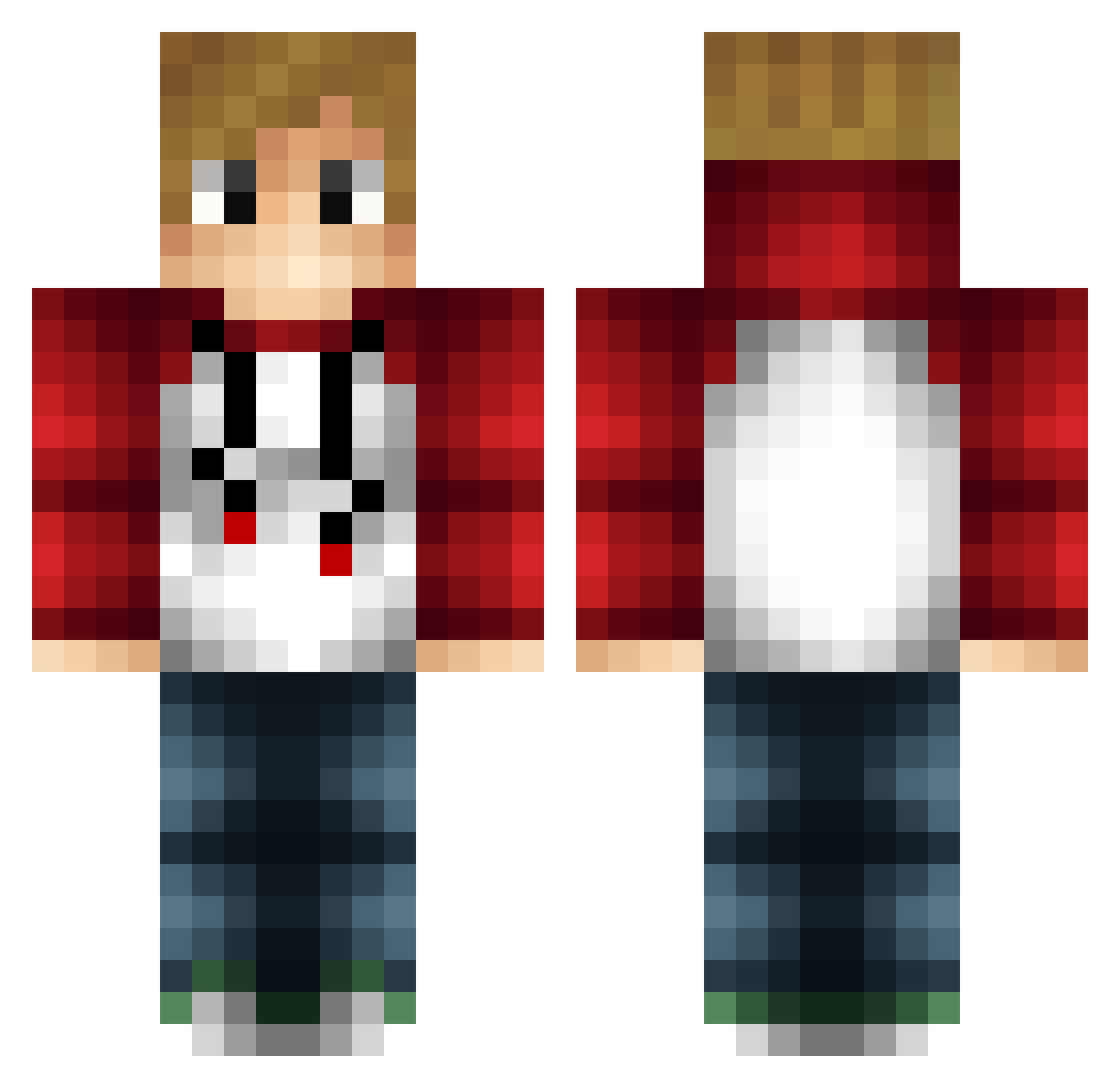
Current Minecraft skin of the player Gmoneyswag002, loaded from the official Mojang API. Rotate the 3D model with your mouse or finger, then download the skin as a PNG file and use it in Minecraft: Bedrock Edition or Java Edition for free. When Gmoneyswag002 changes their skin, this page updates automatically and the old skin stays in the history below.
Other players with this skin (284)
Gmoneyswag002 was the 204th player we have seen with this skin, first spotted on 14.10.2026. The same skin was seen on these players. Open a nickname to see their current skin and skin history.
 jrfgtv5 Asger_Meibom minimatt77 XxAbdullahSAADxX Slunksy Snake499 JV125 iTzLoGaN006 Benn0_37 XelTV JordanDavo GoogleProgramer Lugo666 robinrietkerk 25cmslak Bondorf1 IchMagToast007 Zachigamer BlockSim Flamingotwo kptjorka Basically_Cringe BallisticLaser Erlyees Schmityyyy Draconian__ _1nput ahler GTZapper Bs711 thegamer12344 Aeon_fantom jrox8 KALQ1000 peppe27 Mr_Pomfrit2 ObiWanKenobi11 sYmphonix TeruRoth Javithoox Warthog4502 SB1304 TLogan28 xPow3r gesbian kaaskoek1234 Tomb_Hanks 14irv Merody7 Cynan11 sandtrolden iuroo crankygamesnl hi3d CriticalBeast PickleNite Superboss474 hi837431 RelaxinVocal epicev17
How to install the Gmoneyswag002 skin
- Press the Download button above to save the skin as a PNG file.
- Minecraft: Bedrock Edition (PE): open the Dressing Room from the main menu (or tap your character → Edit Character), go to Classic Skins → Owned, press the + (new skin) button, choose the downloaded PNG and pick the Classic (Steve) model. Works on PC and mobile; consoles cannot import custom skins.
- Minecraft: Java Edition: open the Minecraft Launcher, go to the Skins tab, click New Skin, load the PNG, pick the Classic (Steve) model and press Save & Use. You can also upload it at minecraft.net → Profile → Change Skin.
The skin does not show up after import - what should I do?
Restart Minecraft and open the Dressing Room again - imported skins sometimes appear only after a restart. Also make sure you selected the imported skin and picked the Classic (Steve) model.
Which model should I choose, Classic or Slim?
This skin is designed for the Classic (Steve) model. If you pick the wrong model, the arms of the skin will look stretched or squeezed.
Is the skin of Gmoneyswag002 free to download?
Yes. Press Download, save the PNG file and use it in Minecraft: Bedrock Edition or Java Edition - no payment or registration needed. The skin also works on multiplayer servers and Realms.
More skins
Looking for more? Go back to all Minecraft skins and check the top skins of the week, month and all time, or find any player's skin by nickname.