
Glitchcat24 - Minecraft Skins & Skin History
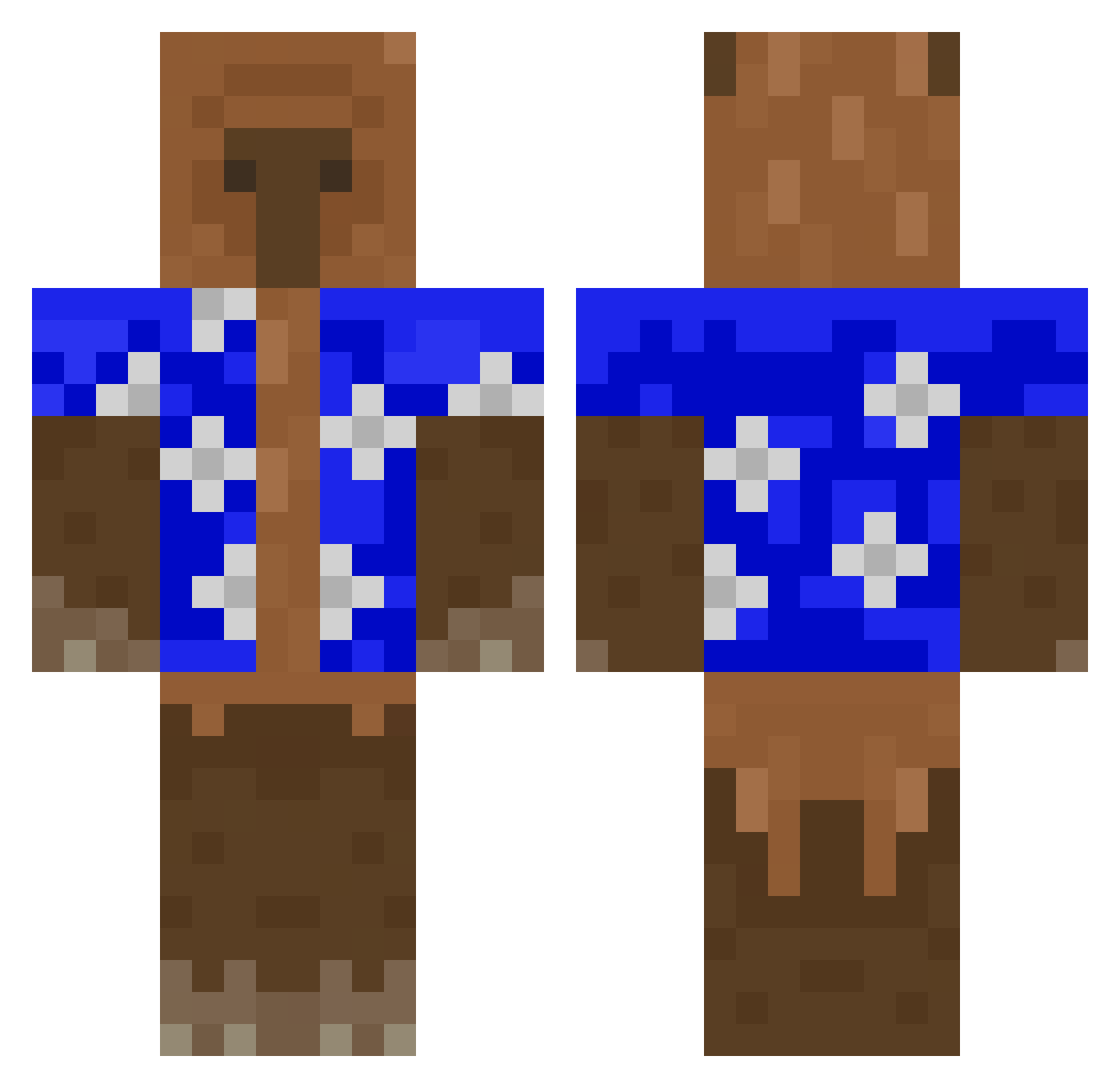
Current Minecraft skin of the player Glitchcat24, loaded from the official Mojang API. Rotate the 3D model with your mouse or finger, then download the skin as a PNG file and use it in Minecraft: Bedrock Edition or Java Edition for free. When Glitchcat24 changes their skin, this page updates automatically and the old skin stays in the history below.
Other players with this skin (427)
Glitchcat24 was the 313th player we have seen with this skin, first spotted on 08.10.2026. The same skin was seen on these players. Open a nickname to see their current skin and skin history.
 SpanglyPen25033 twin_tower2 SnejM Wizardfex marchewka_2010 bigbIackmonkiboi tallior lukahhhhhhh JCVaskz TudorMW tupabann ItsFrezix EunJi3 capitaine427 LeadJewel934057 Jack41109 G0ldenC0ast23 iddebile Lavawither brandongetas Kacper_1423 Krmsvs silly_silvy esoqe jasio2115 hackerfilip2009 Nahualsalas03 FunnySoyer Lupito0_0 ZioLory DonoYann _482 Boozinh0 DouglxsD Fdelmonte Calabriaonfire FloppaAmogus Kelly_SuS directionally J_bee6 badubudibejs dominik3ds FilipXD100 maaaariiiii XzAvazX MateLavado BOSSETTI17 1MoreOtaku pantlessWAFFLE jojo_678 Kaizen222 FelisCatus_ badillouPvP Grumpl42 COMEPIJAS Bostinha3336 Dodam222 simo_minecrafter Idkbutiampumpkin SimpForKymp
More Bear Minecraft skins
How to install the Glitchcat24 skin
- Press the Download button above to save the skin as a PNG file.
- Minecraft: Bedrock Edition (PE): open the Dressing Room from the main menu (or tap your character → Edit Character), go to Classic Skins → Owned, press the + (new skin) button, choose the downloaded PNG and pick the Classic (Steve) model. Works on PC and mobile; consoles cannot import custom skins.
- Minecraft: Java Edition: open the Minecraft Launcher, go to the Skins tab, click New Skin, load the PNG, pick the Classic (Steve) model and press Save & Use. You can also upload it at minecraft.net → Profile → Change Skin.
The skin does not show up after import - what should I do?
Restart Minecraft and open the Dressing Room again - imported skins sometimes appear only after a restart. Also make sure you selected the imported skin and picked the Classic (Steve) model.
Which model should I choose, Classic or Slim?
This skin is designed for the Classic (Steve) model. If you pick the wrong model, the arms of the skin will look stretched or squeezed.
Is the skin of Glitchcat24 free to download?
Yes. Press Download, save the PNG file and use it in Minecraft: Bedrock Edition or Java Edition - no payment or registration needed. The skin also works on multiplayer servers and Realms.
More skins
Looking for more? Go back to all Minecraft skins and check the top skins of the week, month and all time, or find any player's skin by nickname.