
Glitch_Artist - Minecraft Skins & Skin History
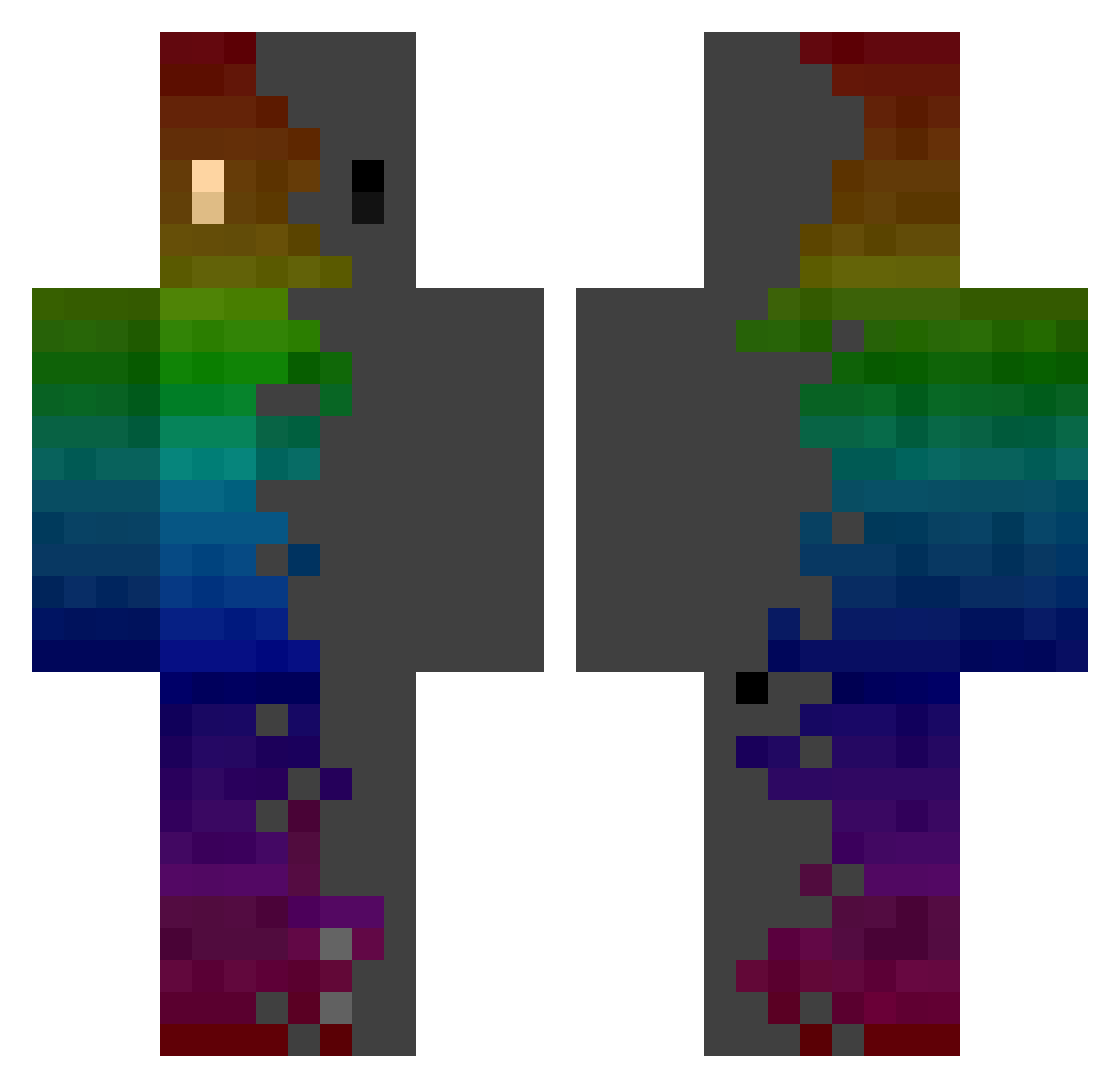
Current Minecraft skin of the player Glitch_Artist, loaded from the official Mojang API. Rotate the 3D model with your mouse or finger, then download the skin as a PNG file and use it in Minecraft: Bedrock Edition or Java Edition for free. When Glitch_Artist changes their skin, this page updates automatically and the old skin stays in the history below.
Other players with this skin (1063)
Glitch_Artist was the 1010th player we have seen with this skin, first spotted on 14.11.2026. The same skin was seen on these players. Open a nickname to see their current skin and skin history.
 yeongmog Djent313 kris0512 Ruitik jk9awesome RulxXD Inaly0722 Dogma05 Holaris WaseokE Potato0654 Eliaaz_ Shynory Khreokin swez_your_dad GG2EZWP SHAWNCHIU01 Luc4sYT CruddyHD Dragonshark4 12138hhh Apache_101 Hirudex Dryops Witpickles1 HeimRick vanichka22 Halmao Crumpets19 MeisCalled0scar shi_zheng_xiang TkedownMDSD Rochambro Tees1 member04 MERONG626 Okamisensei Scraqe Mint_MC l1ldamon Knushgar TazzToGo Reignower_HOGEPi Ga9437 Trykyl LowkeyyMiNi cmdr_mozart AphiroX1 JayB1rd02 weichi0319 laika7739 bbatsy DeeMuuL Wokaway Urza024 MrMelzs Niwerman Zaedran ProbablyonMars Zardhe
How to install the Glitch_Artist skin
- Press the Download button above to save the skin as a PNG file.
- Minecraft: Bedrock Edition (PE): open the Dressing Room from the main menu (or tap your character → Edit Character), go to Classic Skins → Owned, press the + (new skin) button, choose the downloaded PNG and pick the Classic (Steve) model. Works on PC and mobile; consoles cannot import custom skins.
- Minecraft: Java Edition: open the Minecraft Launcher, go to the Skins tab, click New Skin, load the PNG, pick the Classic (Steve) model and press Save & Use. You can also upload it at minecraft.net → Profile → Change Skin.
The skin does not show up after import - what should I do?
Restart Minecraft and open the Dressing Room again - imported skins sometimes appear only after a restart. Also make sure you selected the imported skin and picked the Classic (Steve) model.
Which model should I choose, Classic or Slim?
This skin is designed for the Classic (Steve) model. If you pick the wrong model, the arms of the skin will look stretched or squeezed.
Is the skin of Glitch_Artist free to download?
Yes. Press Download, save the PNG file and use it in Minecraft: Bedrock Edition or Java Edition - no payment or registration needed. The skin also works on multiplayer servers and Realms.
More skins
Looking for more? Go back to all Minecraft skins and check the top skins of the week, month and all time, or find any player's skin by nickname.