
Gk616 - Minecraft Skins & Skin History
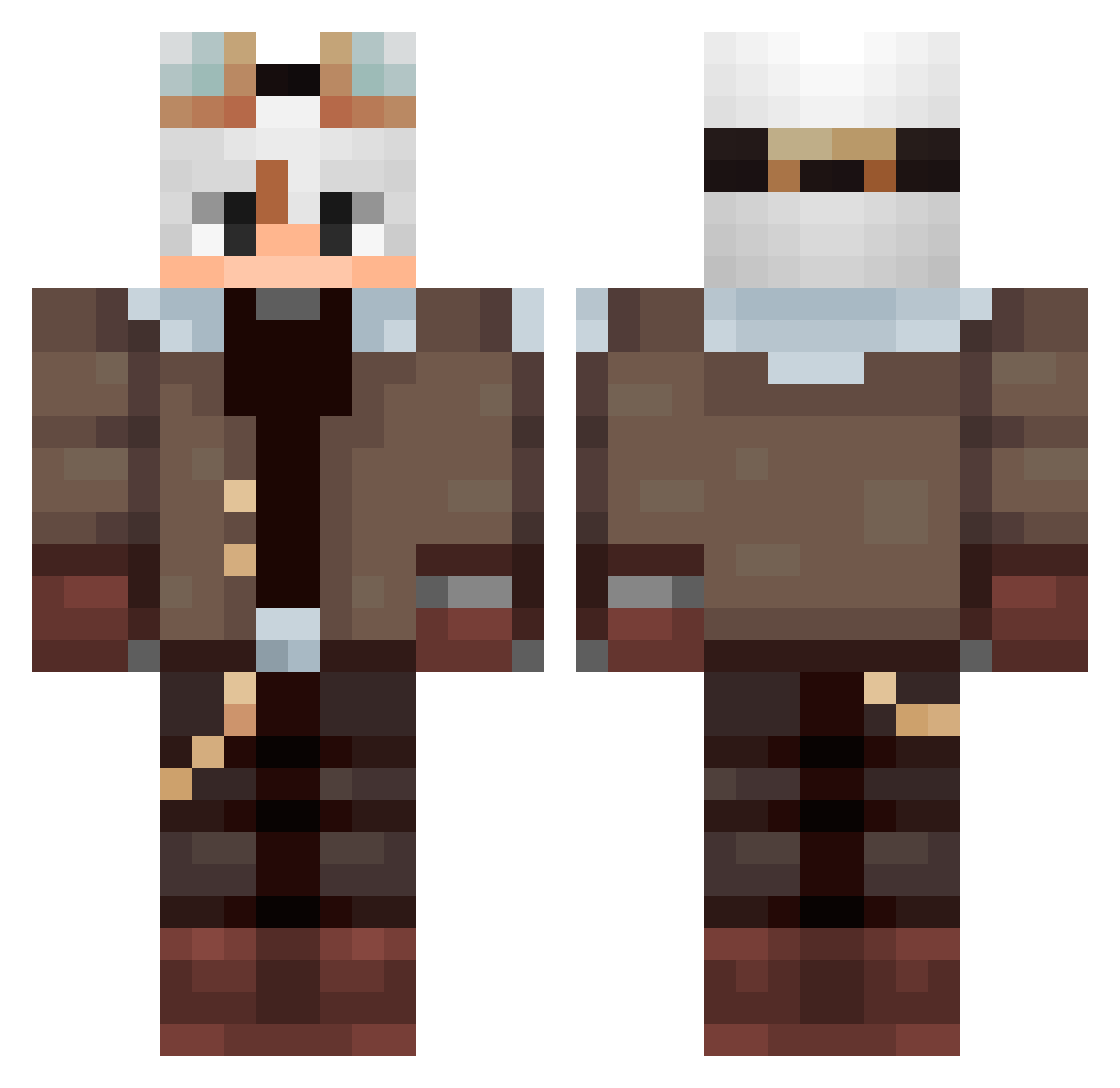
Current Minecraft skin of the player Gk616, loaded from the official Mojang API. Rotate the 3D model with your mouse or finger, then download the skin as a PNG file and use it in Minecraft: Bedrock Edition or Java Edition for free. When Gk616 changes their skin, this page updates automatically and the old skin stays in the history below.
Other players with this skin (94)
Gk616 was the 85th player we have seen with this skin, first spotted on 12.10.2026. The same skin was seen on these players. Open a nickname to see their current skin and skin history.
 Matiaspg03 Sn0wyQc emmm_Crash Neywarzz Deccay_77 felicissim0 SavageCabbage671 zJulioo marekcz676 FDAbyss Vo1dAnomaly Wle_ey Fox_ma PoProstuNatan Mlvps Tatane8 auramachine67 Alejoooooel flamejs101 SayDux Durckish Mwuczus TotalOrganFailur KikiovO_77 Davs27 m4rk_6 MintCoco jovemricky IFQI Fabore amazing_baldi SalFetKaaa MaralonHj uykumc lovelysixx Saint_Morning354 Sr_Manii ArtezPL SukaDura padowan4381 Jazien_ Francisco_San zievelourfog DeltaKill ARuRiRoRu DomDooSi lazydreamss BigElros ElioRax Maciek1811 chendawan Pyr8angl84 Xuxuaa veraazard HappeeMarco Uanilla Alphadrache Krm_y juxyxy Pedrox85
More Aviator Minecraft skins
How to install the Gk616 skin
- Press the Download button above to save the skin as a PNG file.
- Minecraft: Bedrock Edition (PE): open the Dressing Room from the main menu (or tap your character → Edit Character), go to Classic Skins → Owned, press the + (new skin) button, choose the downloaded PNG and pick the Classic (Steve) model. Works on PC and mobile; consoles cannot import custom skins.
- Minecraft: Java Edition: open the Minecraft Launcher, go to the Skins tab, click New Skin, load the PNG, pick the Classic (Steve) model and press Save & Use. You can also upload it at minecraft.net → Profile → Change Skin.
The skin does not show up after import - what should I do?
Restart Minecraft and open the Dressing Room again - imported skins sometimes appear only after a restart. Also make sure you selected the imported skin and picked the Classic (Steve) model.
Which model should I choose, Classic or Slim?
This skin is designed for the Classic (Steve) model. If you pick the wrong model, the arms of the skin will look stretched or squeezed.
Is the skin of Gk616 free to download?
Yes. Press Download, save the PNG file and use it in Minecraft: Bedrock Edition or Java Edition - no payment or registration needed. The skin also works on multiplayer servers and Realms.
More skins
Looking for more? Go back to all Minecraft skins and check the top skins of the week, month and all time, or find any player's skin by nickname.