
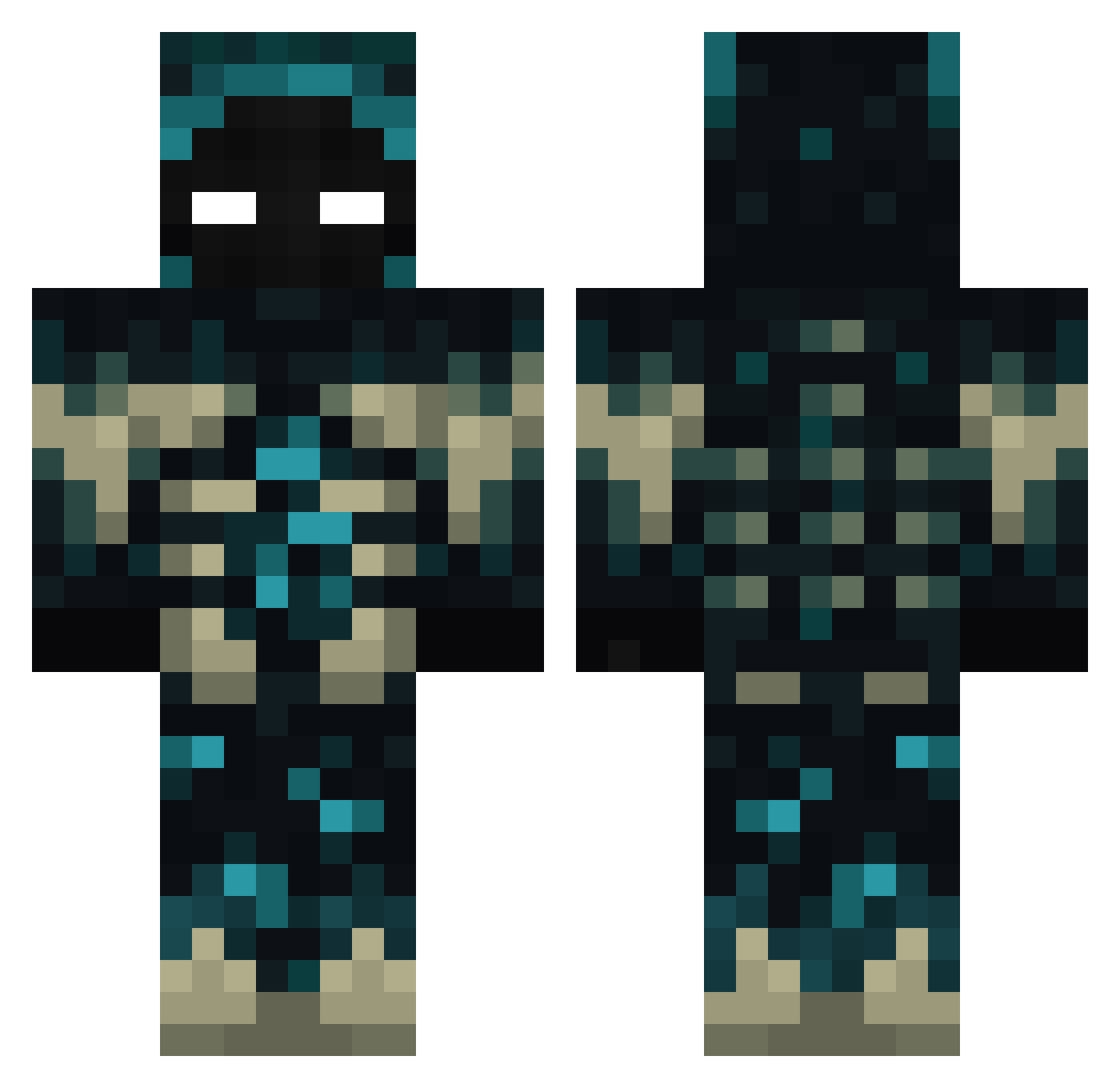
Current Minecraft skin of the player Gixard, loaded from the official Mojang API. Rotate the 3D model with your mouse or finger, then download the skin as a PNG file and use it in Minecraft: Bedrock Edition or Java Edition for free. When Gixard changes their skin, this page updates automatically and the old skin stays in the history below.
Other players with this skin (309)
Gixard was the 136th player we have seen with this skin, first spotted on 01.09.2026. The same skin was seen on these players. Open a nickname to see their current skin and skin history.
 Rentrik EHT410 SerIllidan LukinhaSapeca Minecraft101034 SteelyVase85925 Zfelix_x IRaydeNI darla2101 PalDiego Tony940211 iVaziik SiirZack w1rden_ EntyCom Cordesounta Sahselim lowcloudy tancriko rmwjrmfjsdlfma DueDuckling6194 Kapelusz6 R3ll1k_ MrDan06 ItzShyam Nussio EDCAUwu Zantoo PotatonioN Agusful02 simmax2010 Elias_3a joggelfritz Makiavely02 Mordercaxxx LordGooglyEyes AmadeusCURSED nhp00 NightReila FLYBOORD jugo10 mysterydogg Grap3_S0da GABS974 MisKun Talarica luis2706 smallre Mxyonnaise Marvelking529 ItzKrezz CheerioMate14 _MrHack truntex ztmztreamy LdFafik nashy_XV Petgar100 SASTIANSS erick112390
More Sculk Minecraft skins
How to install the Gixard skin
- Press the Download button above to save the skin as a PNG file.
- Minecraft: Bedrock Edition (PE): open the Dressing Room from the main menu (or tap your character → Edit Character), go to Classic Skins → Owned, press the + (new skin) button, choose the downloaded PNG and pick the Classic (Steve) model. Works on PC and mobile; consoles cannot import custom skins.
- Minecraft: Java Edition: open the Minecraft Launcher, go to the Skins tab, click New Skin, load the PNG, pick the Classic (Steve) model and press Save & Use. You can also upload it at minecraft.net → Profile → Change Skin.
The skin does not show up after import - what should I do?
Restart Minecraft and open the Dressing Room again - imported skins sometimes appear only after a restart. Also make sure you selected the imported skin and picked the Classic (Steve) model.
Which model should I choose, Classic or Slim?
This skin is designed for the Classic (Steve) model. If you pick the wrong model, the arms of the skin will look stretched or squeezed.
Is the skin of Gixard free to download?
Yes. Press Download, save the PNG file and use it in Minecraft: Bedrock Edition or Java Edition - no payment or registration needed. The skin also works on multiplayer servers and Realms.
More skins
Looking for more? Go back to all Minecraft skins and check the top skins of the week, month and all time, or find any player's skin by nickname.