
GinexOG - Minecraft Skins & Skin History
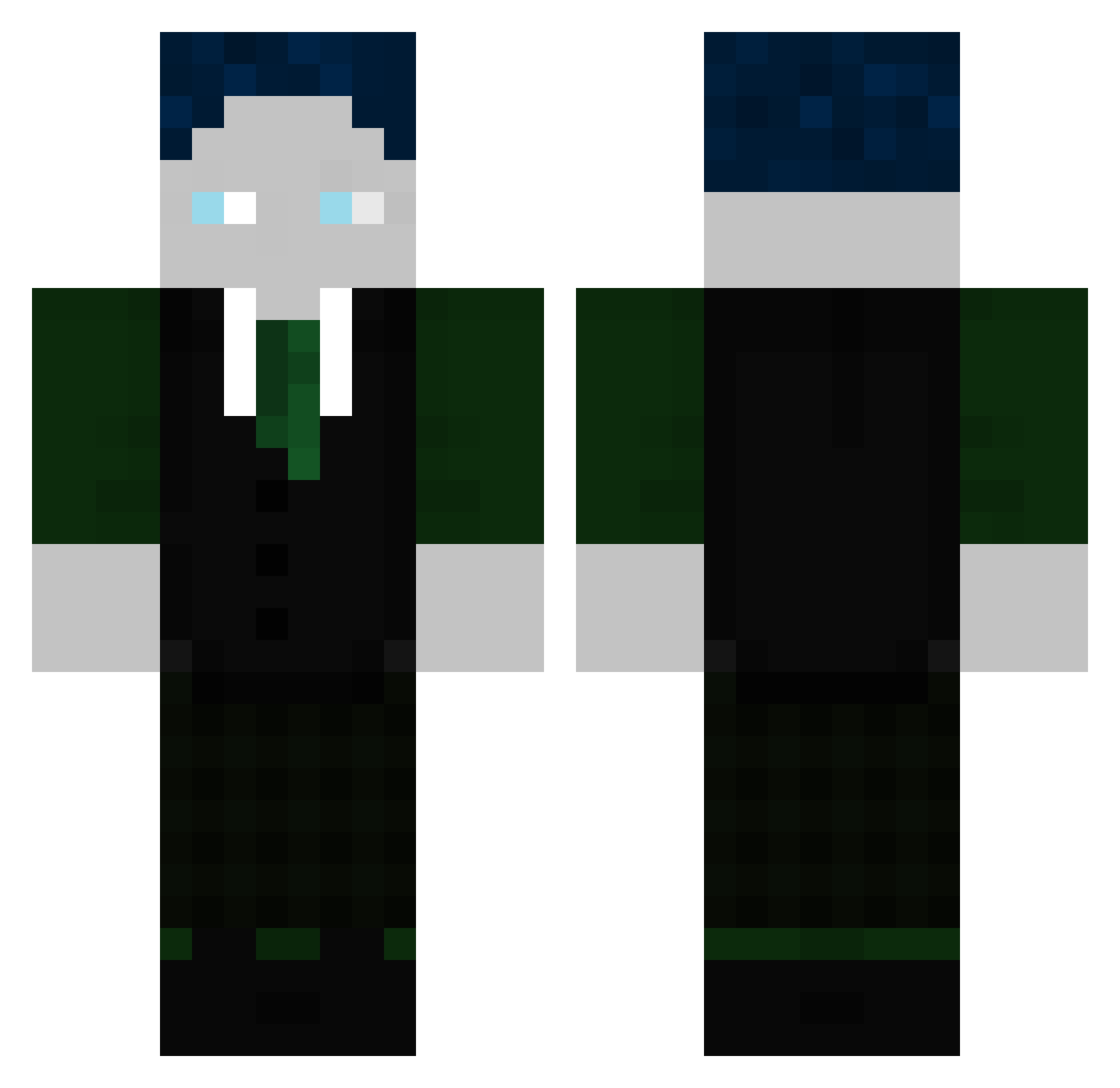
Current Minecraft skin of the player GinexOG, loaded from the official Mojang API. Rotate the 3D model with your mouse or finger, then download the skin as a PNG file and use it in Minecraft: Bedrock Edition or Java Edition for free. When GinexOG changes their skin, this page updates automatically and the old skin stays in the history below.
Other players with this skin (299)
GinexOG was the 37th player we have seen with this skin, first spotted on 04.08.2026. The same skin was seen on these players. Open a nickname to see their current skin and skin history.
 _Aschkobar_
 uhu1234567899 MeowAlts_9643AI2 Gibbrox FelixH226 TheBossMan42 44taalha Kahti01 xTayro
 Slimi787 traubibauz zAidenEschLost TeaCat_J Mallinsane GamerBasti123
 Zenova71 Vengator
 DomDynamic Deutzfahrer2008 DR_SOCKENBART McCedaping NiiCosta Thori0815 mikaghgetbetter7 Ichheiseluis Rafaelo2911 zcoldz
 Txmato787 Tzuki04 Michaelnerf44 Kek_10 PCD7
 multi_kracher PhilippeSenderos Mrenx4 Ryzen_GHG EvilMaster_303 Etienne_Rot
 Lucky88_ Lebakas_enjoyer Joschi_zwei Alex_ey1 MaxMucktAuf TR1OL3 Msanaa25 Enton605 Rizzlord087 FeuerAG SweatyBiscuit
 kilink11 1001Ben O_Oxuwo Lukas13246 KrAnKe_NoNnE Rembaum akuji237 juliisgeil FEIGEROTTER Crafter09 AvalonMaster
More Ender Dragon Minecraft skins
See all 649 Ender Dragon skins
How to install the GinexOG skin
- Press the Download button above to save the skin as a PNG file.
- Minecraft: Bedrock Edition (PE): open the Dressing Room from the main menu (or tap your character → Edit Character), go to Classic Skins → Owned, press the + (new skin) button, choose the downloaded PNG and pick the Classic (Steve) model. Works on PC and mobile; consoles cannot import custom skins.
- Minecraft: Java Edition: open the Minecraft Launcher, go to the Skins tab, click New Skin, load the PNG, pick the Classic (Steve) model and press Save & Use. You can also upload it at minecraft.net → Profile → Change Skin.
The skin does not show up after import - what should I do?
Restart Minecraft and open the Dressing Room again - imported skins sometimes appear only after a restart. Also make sure you selected the imported skin and picked the Classic (Steve) model.
Which model should I choose, Classic or Slim?
This skin is designed for the Classic (Steve) model. If you pick the wrong model, the arms of the skin will look stretched or squeezed.
Is the skin of GinexOG free to download?
Yes. Press Download, save the PNG file and use it in Minecraft: Bedrock Edition or Java Edition - no payment or registration needed. The skin also works on multiplayer servers and Realms.
More skins
Looking for more? Go back to all Minecraft skins and check the top skins of the week, month and all time, or find any player's skin by nickname.