
Gila1 - Minecraft Skins & Skin History
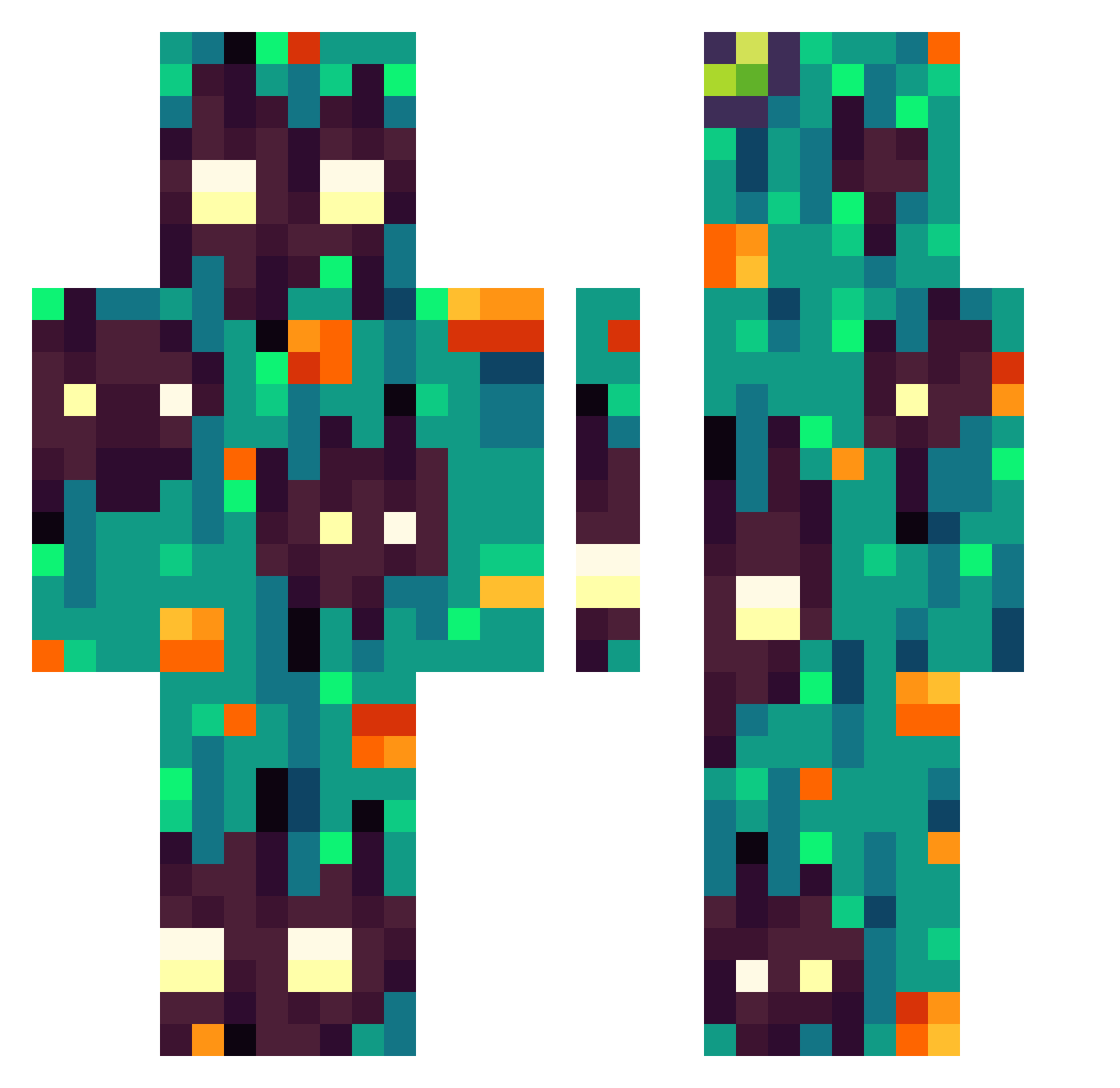
Current Minecraft skin of the player Gila1, loaded from the official Mojang API. Rotate the 3D model with your mouse or finger, then download the skin as a PNG file and use it in Minecraft: Bedrock Edition or Java Edition for free. When Gila1 changes their skin, this page updates automatically and the old skin stays in the history below.
Other players with this skin (305)
Gila1 was the 62nd player we have seen with this skin, first spotted on 15.08.2026. The same skin was seen on these players. Open a nickname to see their current skin and skin history.
 DanKo2014
 yagrechi Bertatos TheAnn1ty BloodyEthelVane Zuzeido SuperbiaVenatus Segsk Tigerlilly2931
 LadyPatar MohaSleeps caralun4 MindlessClamp36 FatedWolf12345 TaughtGolf29614 MattiaMine14 Skidonox Haaigamer100 PJNDZ xbyy KrissWasHere StitchEm hacker_by_114514 Wokil RaQ4007 LightOfficial14 calebinhos_ Davasquezca TheHeadGay Werewolfnux1 PericoGratis Kusuu LadyLeidy GeorgieTlacuache Cambouis IBonkie IANTENG12345 DestinysHyper CmDoggy Paint3DYT SputnikFalke Daxi10_20 oloide Pierozek8156 xChabo Stargazeing Drigzor32 tanoshimisoda Sungam005 AlexxiHno adeahantargaryen kushycat Rett_R krlos25 Xontaro GROOTSEED DrawSnow Alex83b
 bebus14 thenewkiller
How to install the Gila1 skin
- Press the Download button above to save the skin as a PNG file.
- Minecraft: Bedrock Edition (PE): open the Dressing Room from the main menu (or tap your character → Edit Character), go to Classic Skins → Owned, press the + (new skin) button, choose the downloaded PNG and pick the Classic (Steve) model. Works on PC and mobile; consoles cannot import custom skins.
- Minecraft: Java Edition: open the Minecraft Launcher, go to the Skins tab, click New Skin, load the PNG, pick the Classic (Steve) model and press Save & Use. You can also upload it at minecraft.net → Profile → Change Skin.
The skin does not show up after import - what should I do?
Restart Minecraft and open the Dressing Room again - imported skins sometimes appear only after a restart. Also make sure you selected the imported skin and picked the Classic (Steve) model.
Which model should I choose, Classic or Slim?
This skin is designed for the Classic (Steve) model. If you pick the wrong model, the arms of the skin will look stretched or squeezed.
Is the skin of Gila1 free to download?
Yes. Press Download, save the PNG file and use it in Minecraft: Bedrock Edition or Java Edition - no payment or registration needed. The skin also works on multiplayer servers and Realms.
More skins
Looking for more? Go back to all Minecraft skins and check the top skins of the week, month and all time, or find any player's skin by nickname.