
GigaTrems - Minecraft Skins & Skin History
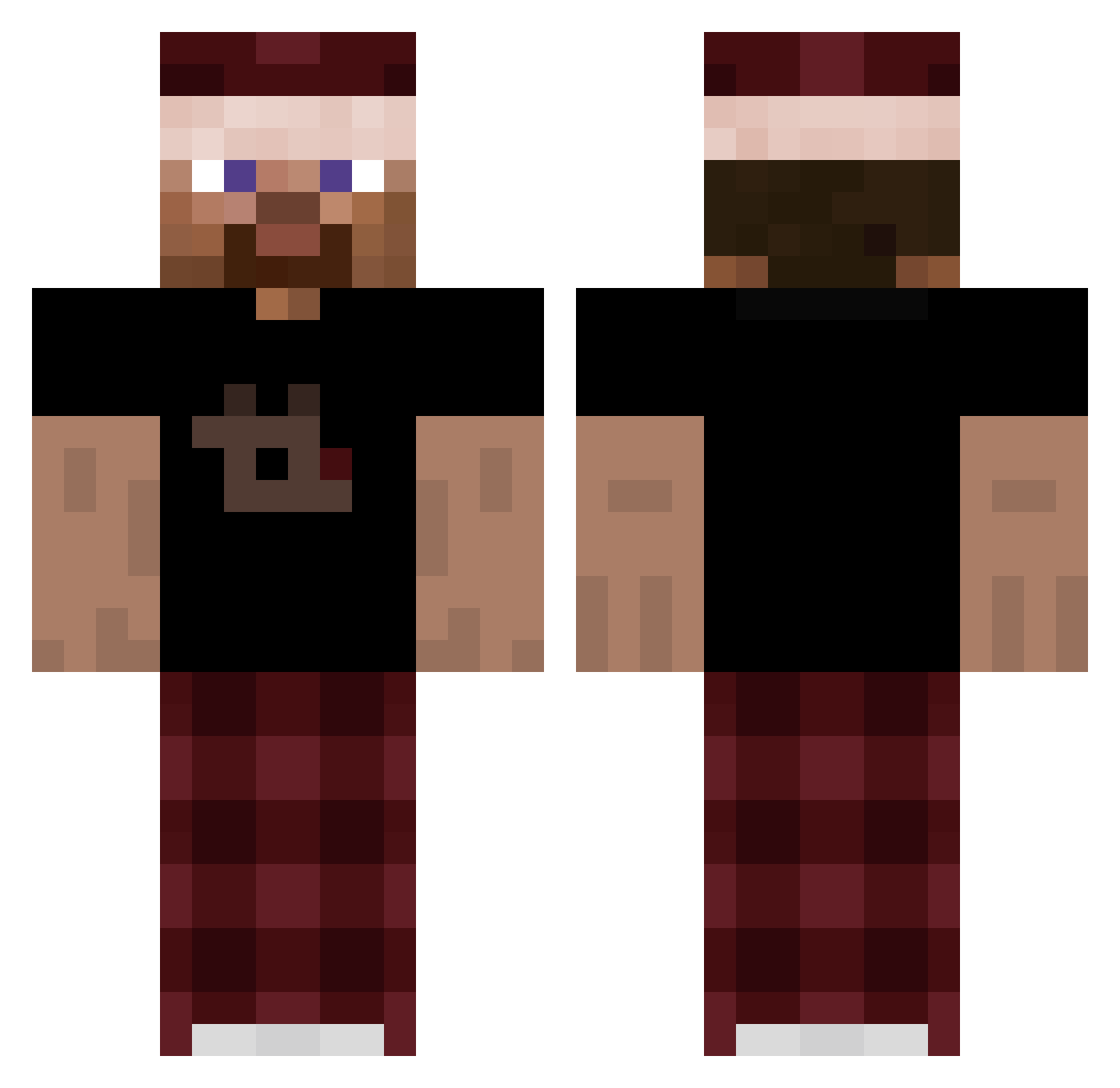
Current Minecraft skin of the player GigaTrems, loaded from the official Mojang API. Rotate the 3D model with your mouse or finger, then download the skin as a PNG file and use it in Minecraft: Bedrock Edition or Java Edition for free. When GigaTrems changes their skin, this page updates automatically and the old skin stays in the history below.
Other players with this skin (264)
GigaTrems was the 201st player we have seen with this skin, first spotted on 09.10.2026. The same skin was seen on these players. Open a nickname to see their current skin and skin history.
 Airidux2498 KEN4N14 CORDME LeNainLP Tultsitult Lory8492 Niclasbree rykersix RifLoom Gamer_sav999 Combatballs MrS1mple ecnd cleanFYI Xavaaa Putr1ke1mms Benyxval oASweat Hansli_1 ALEX0075350 Snebss duckbedwars76 xtrimp henes2751251 rarezzzz Nonanko w3rdix golzx Jahxyn Simores vxszvx philhildmann HoDiacz pxul_10 Selekis1 WallayBillayEvan 1124jayden zrs_ PulseBlythe HelmutRahn MagicThiefx worthyq Freazey Nukes_Only17 Esto_crudo VaDer248 Gedzo10 Sumogreif Blakey_1 swazeylol Ktosha ChipReel lemowiut Kukus00 Tdouble2 MaikonMacedo aurelxy22 Altaclysm alfonzo1118 cloudzyoo
How to install the GigaTrems skin
- Press the Download button above to save the skin as a PNG file.
- Minecraft: Bedrock Edition (PE): open the Dressing Room from the main menu (or tap your character → Edit Character), go to Classic Skins → Owned, press the + (new skin) button, choose the downloaded PNG and pick the Classic (Steve) model. Works on PC and mobile; consoles cannot import custom skins.
- Minecraft: Java Edition: open the Minecraft Launcher, go to the Skins tab, click New Skin, load the PNG, pick the Classic (Steve) model and press Save & Use. You can also upload it at minecraft.net → Profile → Change Skin.
The skin does not show up after import - what should I do?
Restart Minecraft and open the Dressing Room again - imported skins sometimes appear only after a restart. Also make sure you selected the imported skin and picked the Classic (Steve) model.
Which model should I choose, Classic or Slim?
This skin is designed for the Classic (Steve) model. If you pick the wrong model, the arms of the skin will look stretched or squeezed.
Is the skin of GigaTrems free to download?
Yes. Press Download, save the PNG file and use it in Minecraft: Bedrock Edition or Java Edition - no payment or registration needed. The skin also works on multiplayer servers and Realms.
More skins
Looking for more? Go back to all Minecraft skins and check the top skins of the week, month and all time, or find any player's skin by nickname.