
Gibby_got_smoked - Minecraft Skins & Skin History
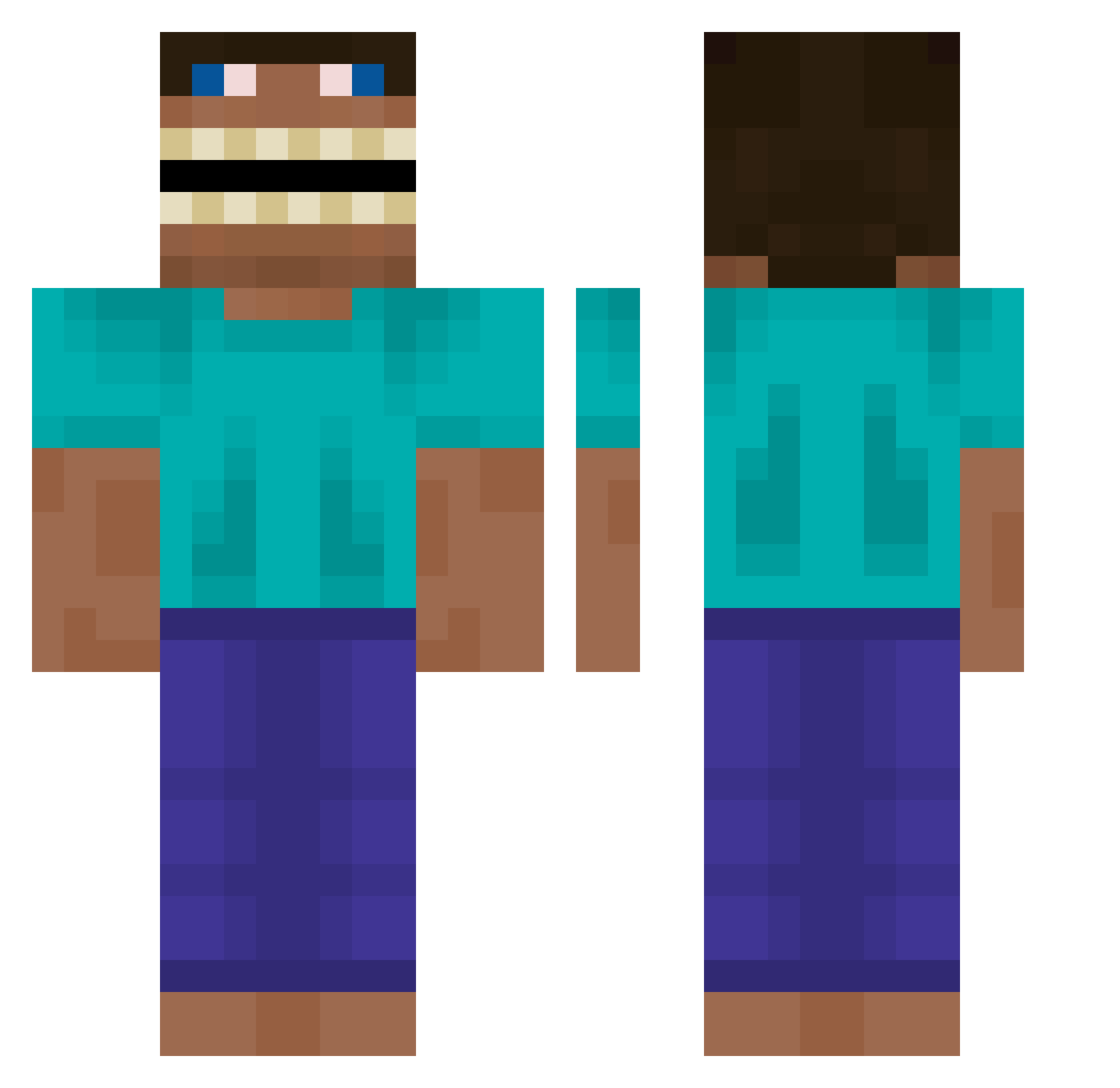
Current Minecraft skin of the player Gibby_got_smoked, loaded from the official Mojang API. Rotate the 3D model with your mouse or finger, then download the skin as a PNG file and use it in Minecraft: Bedrock Edition or Java Edition for free. When Gibby_got_smoked changes their skin, this page updates automatically and the old skin stays in the history below.
Other players with this skin (619)
Gibby_got_smoked was the 507th player we have seen with this skin, first spotted on 19.10.2026. The same skin was seen on these players. Open a nickname to see their current skin and skin history.
 Tesco__ Young0923 Glandorff Daddydoracrocs 6900000IQ undecay estralinho43 lildrocha CruelG Matateu JJaykoo BierTrinker5000 ilovebombelki DyaDya_Serejaa Renato528 Sizje ItsJoeybrah Juanmi2503 EinhornFloh C93 Jwir Showerrug RanRanFarAway Astrocats Zobbman shkeako UnderaveragePick DewrAlv FireDeathRing her_ondry BexusNT childstar21 AqeHU3 MrWalsted Xoot Kaiiiiii_ KroskerKronger FactureMojang cono_c swagcoolgirl JimsAlcoholism EzCaps BigPoppaa__ GKSA Aquaboy105 Ukaesz Matetos JohnSa234 bigha_rn Sora_76 fanfan0206 NoahJB4 bglllk afterlauqhter casaforme sumorenito197868 not_good_name KidTaxi2 Mesichikito6933 Landa
More Funny Minecraft skins
How to install the Gibby_got_smoked skin
- Press the Download button above to save the skin as a PNG file.
- Minecraft: Bedrock Edition (PE): open the Dressing Room from the main menu (or tap your character → Edit Character), go to Classic Skins → Owned, press the + (new skin) button, choose the downloaded PNG and pick the Classic (Steve) model. Works on PC and mobile; consoles cannot import custom skins.
- Minecraft: Java Edition: open the Minecraft Launcher, go to the Skins tab, click New Skin, load the PNG, pick the Classic (Steve) model and press Save & Use. You can also upload it at minecraft.net → Profile → Change Skin.
The skin does not show up after import - what should I do?
Restart Minecraft and open the Dressing Room again - imported skins sometimes appear only after a restart. Also make sure you selected the imported skin and picked the Classic (Steve) model.
Which model should I choose, Classic or Slim?
This skin is designed for the Classic (Steve) model. If you pick the wrong model, the arms of the skin will look stretched or squeezed.
Is the skin of Gibby_got_smoked free to download?
Yes. Press Download, save the PNG file and use it in Minecraft: Bedrock Edition or Java Edition - no payment or registration needed. The skin also works on multiplayer servers and Realms.
More skins
Looking for more? Go back to all Minecraft skins and check the top skins of the week, month and all time, or find any player's skin by nickname.