
GhostScout12 - Minecraft Skins & Skin History
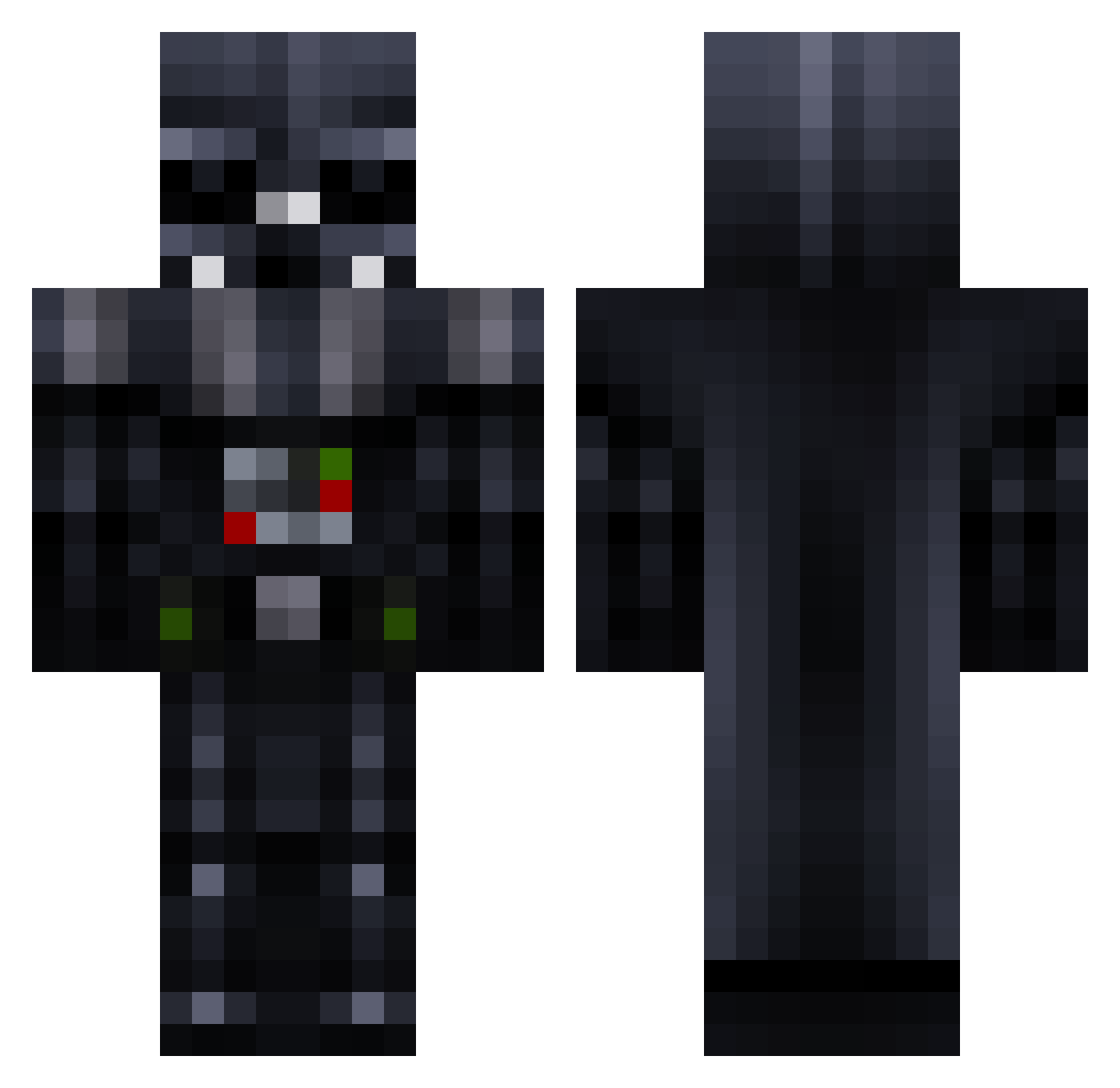
Current Minecraft skin of the player GhostScout12, loaded from the official Mojang API. Rotate the 3D model with your mouse or finger, then download the skin as a PNG file and use it in Minecraft: Bedrock Edition or Java Edition for free. When GhostScout12 changes their skin, this page updates automatically and the old skin stays in the history below.
Other players with this skin (781)
GhostScout12 was the 359th player we have seen with this skin, first spotted on 17.09.2026. The same skin was seen on these players. Open a nickname to see their current skin and skin history.
 douqiu Diucad Frinqaa Snoweagle_ JavaBuggins yourrealfather Nufxs MantillaRelativ AJonesy93 Artimis DevastructioN kinggazelle10 Lord_Vader_1_6 MrNacheitor MorlockMC rossturnbull grizil tanner_p05 Thrash26 HAYDENCRAIGO Belkincraft Sir_piggy_10 Dangerous13rent AlexMeek Ernee OleBromm lilweezie24 tyrdrop danykz GNAVUS moeezmughal123 ShiftyJesus_ NiksKing M1cr0d0t Austin_444 craftgod223 Xstream89 maritvalenti Pyr0tekn1x cman126499 BAW_Killer Pwnage_18 JohnathanTan PhaseNuke wisefao gem_etzel GoKuVeGeTaGoHaN B9N3Z Nitaria55 Wolfenlander IsisAllahuAkbar JFReady jacobman5000 michelin03 mariom222 TastyMeatcake longhorn7777 lilguy97 PedroMDantas anotherguy24
More Darth Vader Minecraft skins
How to install the GhostScout12 skin
- Press the Download button above to save the skin as a PNG file.
- Minecraft: Bedrock Edition (PE): open the Dressing Room from the main menu (or tap your character → Edit Character), go to Classic Skins → Owned, press the + (new skin) button, choose the downloaded PNG and pick the Classic (Steve) model. Works on PC and mobile; consoles cannot import custom skins.
- Minecraft: Java Edition: open the Minecraft Launcher, go to the Skins tab, click New Skin, load the PNG, pick the Classic (Steve) model and press Save & Use. You can also upload it at minecraft.net → Profile → Change Skin.
The skin does not show up after import - what should I do?
Restart Minecraft and open the Dressing Room again - imported skins sometimes appear only after a restart. Also make sure you selected the imported skin and picked the Classic (Steve) model.
Which model should I choose, Classic or Slim?
This skin is designed for the Classic (Steve) model. If you pick the wrong model, the arms of the skin will look stretched or squeezed.
Is the skin of GhostScout12 free to download?
Yes. Press Download, save the PNG file and use it in Minecraft: Bedrock Edition or Java Edition - no payment or registration needed. The skin also works on multiplayer servers and Realms.
More skins
Looking for more? Go back to all Minecraft skins and check the top skins of the week, month and all time, or find any player's skin by nickname.