
Gh0stK1ng3 - Minecraft Skins & Skin History
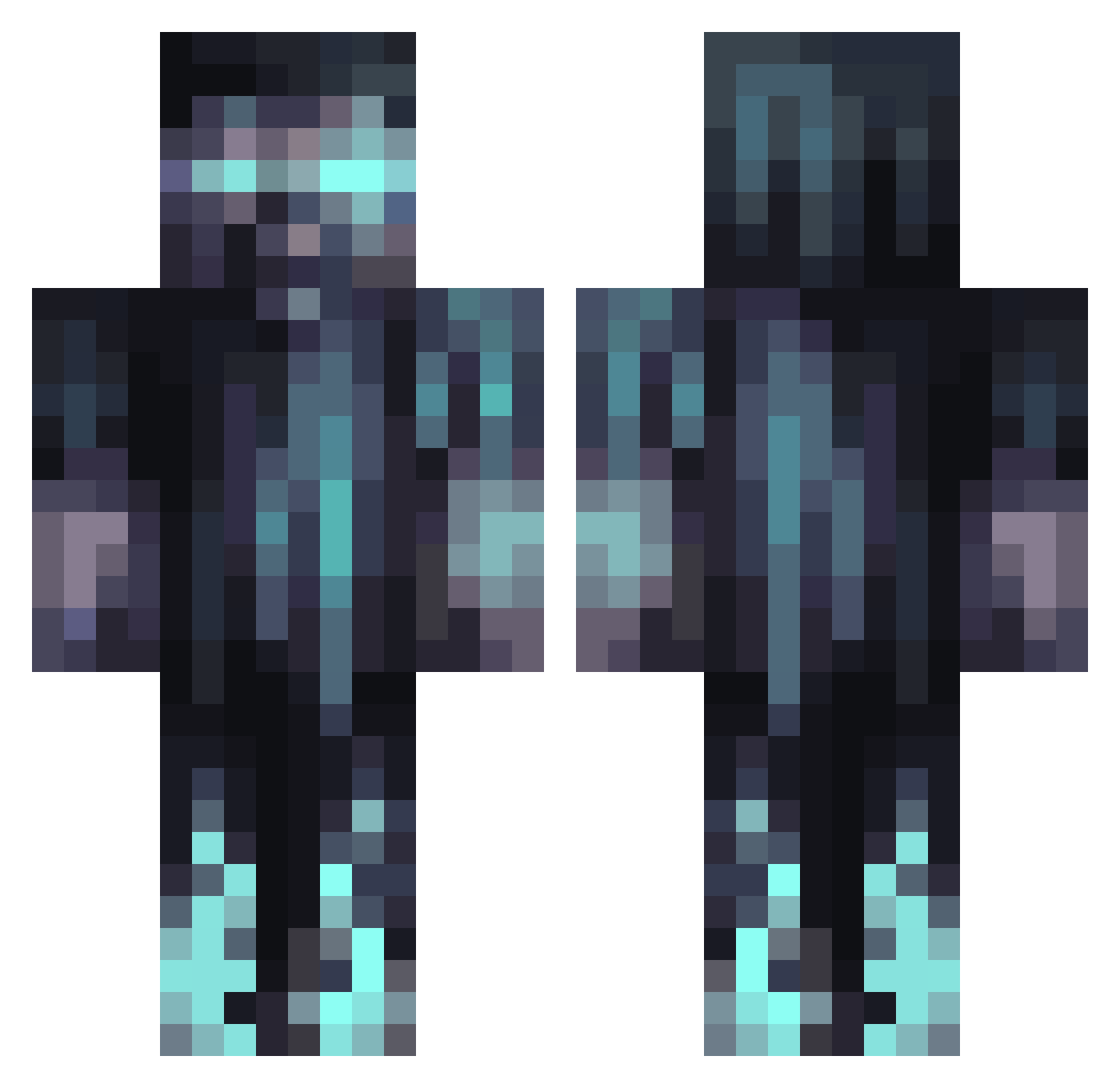
Current Minecraft skin of the player Gh0stK1ng3, loaded from the official Mojang API. Rotate the 3D model with your mouse or finger, then download the skin as a PNG file and use it in Minecraft: Bedrock Edition or Java Edition for free. When Gh0stK1ng3 changes their skin, this page updates automatically and the old skin stays in the history below.
Other players with this skin (1291)
Gh0stK1ng3 was the 1173rd player we have seen with this skin, first spotted on 08.11.2026. The same skin was seen on these players. Open a nickname to see their current skin and skin history.
 CoRuPtEd_KiD Mormell Stormclaw009 iReKKiT Biggy_Chicken Ryukamirai KON13GR shh4 MADmorrisCREW pingpongdude12 1_jacko olaf2323 flamers12112 Holzbuch_TV Torfind Donka_Shane Duey_Malik Noizor Faydee xVisible b00d1 Enruse JALA769 ptepte dogmatictea _Ghostified_ chris_120406 Wolfsdark303 Crash1357911 LegendaryMoth89 Llokor Slamij PogoSkate torxtor HighButHigh MikeOxLong33_ WulfCorps sigurdsson69 Bravery124 CheetahKWS14 Jordzx GavinGamingYT FANCY_PANCAKES VisitWolf Amuren Hcazxoc Ladauntless Ldolb_07 ShadowG6 Nacheit The__Phantom SuperNova2099 luxif_ ShhABush sbnielsen CodyJT platypusgale drkavnger99 Puktheincredible ThatOneGuyKoogs
More Warden Minecraft skins
How to install the Gh0stK1ng3 skin
- Press the Download button above to save the skin as a PNG file.
- Minecraft: Bedrock Edition (PE): open the Dressing Room from the main menu (or tap your character → Edit Character), go to Classic Skins → Owned, press the + (new skin) button, choose the downloaded PNG and pick the Classic (Steve) model. Works on PC and mobile; consoles cannot import custom skins.
- Minecraft: Java Edition: open the Minecraft Launcher, go to the Skins tab, click New Skin, load the PNG, pick the Classic (Steve) model and press Save & Use. You can also upload it at minecraft.net → Profile → Change Skin.
The skin does not show up after import - what should I do?
Restart Minecraft and open the Dressing Room again - imported skins sometimes appear only after a restart. Also make sure you selected the imported skin and picked the Classic (Steve) model.
Which model should I choose, Classic or Slim?
This skin is designed for the Classic (Steve) model. If you pick the wrong model, the arms of the skin will look stretched or squeezed.
Is the skin of Gh0stK1ng3 free to download?
Yes. Press Download, save the PNG file and use it in Minecraft: Bedrock Edition or Java Edition - no payment or registration needed. The skin also works on multiplayer servers and Realms.
More skins
Looking for more? Go back to all Minecraft skins and check the top skins of the week, month and all time, or find any player's skin by nickname.