
Get_Blunted - Minecraft Skins & Skin History
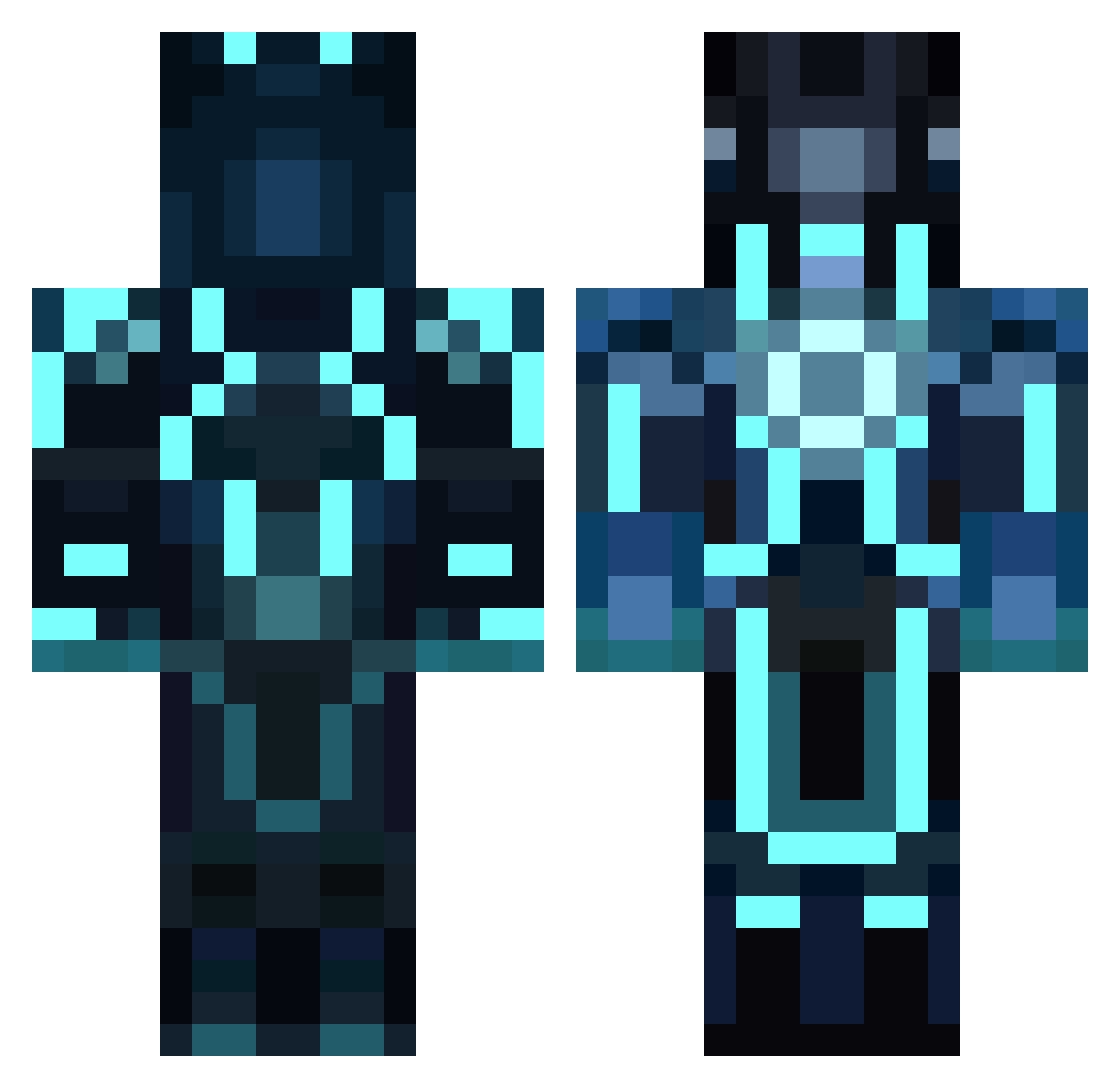
Current Minecraft skin of the player Get_Blunted, loaded from the official Mojang API. Rotate the 3D model with your mouse or finger, then download the skin as a PNG file and use it in Minecraft: Bedrock Edition or Java Edition for free. When Get_Blunted changes their skin, this page updates automatically and the old skin stays in the history below.
Other players with this skin (858)
Get_Blunted was the 400th player we have seen with this skin, first spotted on 15.09.2026. The same skin was seen on these players. Open a nickname to see their current skin and skin history.
 poison_ops pheonixstar13 SCjake Max_i8 MazraLite ZootiZ nandok03 Torcpro LeoGH02 chizzy44 bluefire0515 CrazyGeorge1003 superbuilder5 carr308 0Kolos r3v3m4n deucalion13 elite4261 SW4V4Y damfears Sanctuce _0BLIVION_ blondBooger CornyCorns Sturmvogel117 Master100000000 KarimPlayer55 AwesomeCake1213 Yanx043 MinerKid925 bdkobel Olliewally97 hyperboreen grave_digger_127 AsKo49 xXHiTeRXx Oxidase TheNeedForSneed leventis150 APEUVOT Tobi_198 Maleyan ehoskey1 Crystaldragon099 Peytonswapper handsolo CapeDispatcher conorcruise wiiareonfire5 Timon_479 dawinja Mjohnus NOVA_29 TomMacJ ertsi86 gugug pitepite76 RightUpMyAlleyF wolfrbk Demise0325
More Glowing Armor Minecraft skins
See all 60 Glowing Armor skins
How to install the Get_Blunted skin
- Press the Download button above to save the skin as a PNG file.
- Minecraft: Bedrock Edition (PE): open the Dressing Room from the main menu (or tap your character → Edit Character), go to Classic Skins → Owned, press the + (new skin) button, choose the downloaded PNG and pick the Classic (Steve) model. Works on PC and mobile; consoles cannot import custom skins.
- Minecraft: Java Edition: open the Minecraft Launcher, go to the Skins tab, click New Skin, load the PNG, pick the Classic (Steve) model and press Save & Use. You can also upload it at minecraft.net → Profile → Change Skin.
The skin does not show up after import - what should I do?
Restart Minecraft and open the Dressing Room again - imported skins sometimes appear only after a restart. Also make sure you selected the imported skin and picked the Classic (Steve) model.
Which model should I choose, Classic or Slim?
This skin is designed for the Classic (Steve) model. If you pick the wrong model, the arms of the skin will look stretched or squeezed.
Is the skin of Get_Blunted free to download?
Yes. Press Download, save the PNG file and use it in Minecraft: Bedrock Edition or Java Edition - no payment or registration needed. The skin also works on multiplayer servers and Realms.
More skins
Looking for more? Go back to all Minecraft skins and check the top skins of the week, month and all time, or find any player's skin by nickname.