
Gesu_Nazareno - Minecraft Skins & Skin History
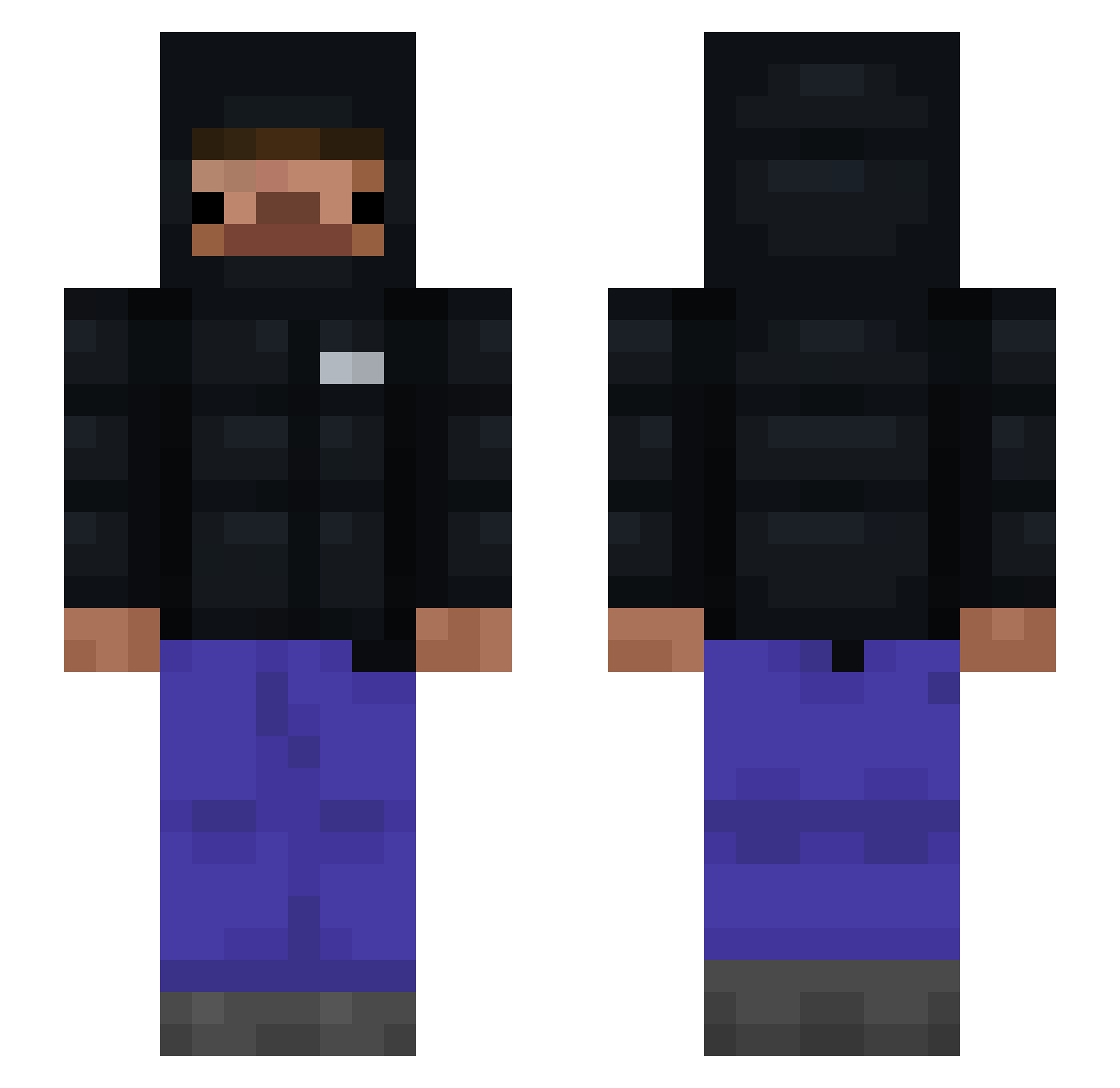
Current Minecraft skin of the player Gesu_Nazareno, loaded from the official Mojang API. Rotate the 3D model with your mouse or finger, then download the skin as a PNG file and use it in Minecraft: Bedrock Edition or Java Edition for free. When Gesu_Nazareno changes their skin, this page updates automatically and the old skin stays in the history below.
Other players with this skin (118)
Gesu_Nazareno was the 103rd player we have seen with this skin, first spotted on 04.11.2026. The same skin was seen on these players. Open a nickname to see their current skin and skin history.
 zCartir facukcs mrfire2196 dr3di Jacksgrap NSK0421 Wistboy antipax La0s basidevs framedchaos_ Companion404 IRUTENI MasterRoy007 Lucas110507 Rhaix jamemi Ackeling JuanmaPeke povres MarkedAsAbsent QuadBench4850 UnkownXxXT minnini0329 comphousebuilder ZIMEM sellim SolarNighty ccchari somsiad123 Maraskim nancynios 01px 123kgKrzymus22 NikolasJackson JooJiwoon Baremee itzzz_Filip3k139 Mrdigga LuBuSmash Blocker0511 Myke91 vax_Lnsss stay_slick mValentin125 Eryxil Qubotto25 mvzzx KingNothng pai2612 21_Servings Antex_456 PIETER_G xpedrxkx OKauxx niski2137 MarchOfDime1 Sasmul xitix91 SvK0
How to install the Gesu_Nazareno skin
- Press the Download button above to save the skin as a PNG file.
- Minecraft: Bedrock Edition (PE): open the Dressing Room from the main menu (or tap your character → Edit Character), go to Classic Skins → Owned, press the + (new skin) button, choose the downloaded PNG and pick the Slim (Alex) model. Works on PC and mobile; consoles cannot import custom skins.
- Minecraft: Java Edition: open the Minecraft Launcher, go to the Skins tab, click New Skin, load the PNG, pick the Slim (Alex) model and press Save & Use. You can also upload it at minecraft.net → Profile → Change Skin.
The skin does not show up after import - what should I do?
Restart Minecraft and open the Dressing Room again - imported skins sometimes appear only after a restart. Also make sure you selected the imported skin and picked the Slim (Alex) model.
Which model should I choose, Classic or Slim?
This skin is designed for the Slim (Alex) model. If you pick the wrong model, the arms of the skin will look stretched or squeezed.
Is the skin of Gesu_Nazareno free to download?
Yes. Press Download, save the PNG file and use it in Minecraft: Bedrock Edition or Java Edition - no payment or registration needed. The skin also works on multiplayer servers and Realms.
More skins
Looking for more? Go back to all Minecraft skins and check the top skins of the week, month and all time, or find any player's skin by nickname.