
George_IV - Minecraft Skins & Skin History
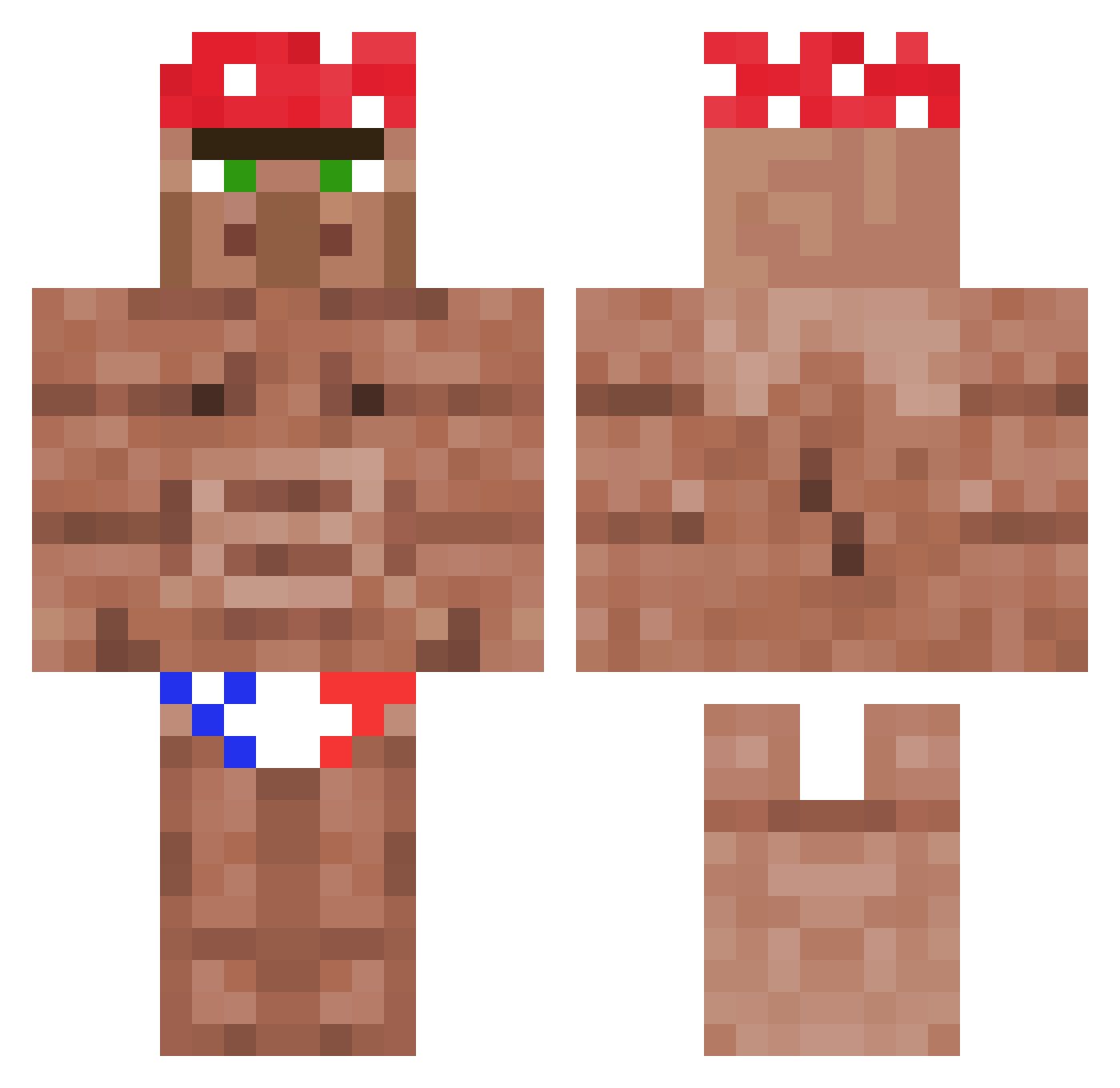
Current Minecraft skin of the player George_IV, loaded from the official Mojang API. Rotate the 3D model with your mouse or finger, then download the skin as a PNG file and use it in Minecraft: Bedrock Edition or Java Edition for free. When George_IV changes their skin, this page updates automatically and the old skin stays in the history below.
Other players with this skin (1361)
George_IV was the 1360th player we have seen with this skin, first spotted on 20.11.2026. The same skin was seen on these players. Open a nickname to see their current skin and skin history.
 MiNoRacisto LegendaryBill TooZe19 PreBakedBrownie Swellificent maximomardones Motyakr07 Balintb90 nicms R3L3NTL3SS11B viniprado KocourekAlco MaxtutKnaxhaben Sounderz Carman1112 This_potato ekinpx cullberg_ soshiandrew Razleplasm DemolitionDevil Eiriksson15 MrGandalf21 Fabbi_ sxDuck rice_mams YBPlan BTJIJIGE ScrimmyBungis Juanba808 Uncle_Jaz RobertoChan STIVEN14 LudoMaz Sloppy_Topp RonnieBunston BulkyBoy1 neRorik Despacito_12g TryhardPapi wendysmcchicken XileaV _maerio_ NotFound9487 1neven DarkRex69 xRene279 SirFunnyman coiy DEAD852 sbr4pup fragssss Conor_big_Brain OnurKeTen patch9k Waffleman159 Bumsdi1510 pruittXD Speisequack PhilRupp
More Ricardo Milos Minecraft skins
See all 113 Ricardo Milos skins
How to install the George_IV skin
- Press the Download button above to save the skin as a PNG file.
- Minecraft: Bedrock Edition (PE): open the Dressing Room from the main menu (or tap your character → Edit Character), go to Classic Skins → Owned, press the + (new skin) button, choose the downloaded PNG and pick the Classic (Steve) model. Works on PC and mobile; consoles cannot import custom skins.
- Minecraft: Java Edition: open the Minecraft Launcher, go to the Skins tab, click New Skin, load the PNG, pick the Classic (Steve) model and press Save & Use. You can also upload it at minecraft.net → Profile → Change Skin.
The skin does not show up after import - what should I do?
Restart Minecraft and open the Dressing Room again - imported skins sometimes appear only after a restart. Also make sure you selected the imported skin and picked the Classic (Steve) model.
Which model should I choose, Classic or Slim?
This skin is designed for the Classic (Steve) model. If you pick the wrong model, the arms of the skin will look stretched or squeezed.
Is the skin of George_IV free to download?
Yes. Press Download, save the PNG file and use it in Minecraft: Bedrock Edition or Java Edition - no payment or registration needed. The skin also works on multiplayer servers and Realms.
More skins
Looking for more? Go back to all Minecraft skins and check the top skins of the week, month and all time, or find any player's skin by nickname.