
Gehasster___ - Minecraft Skins & Skin History
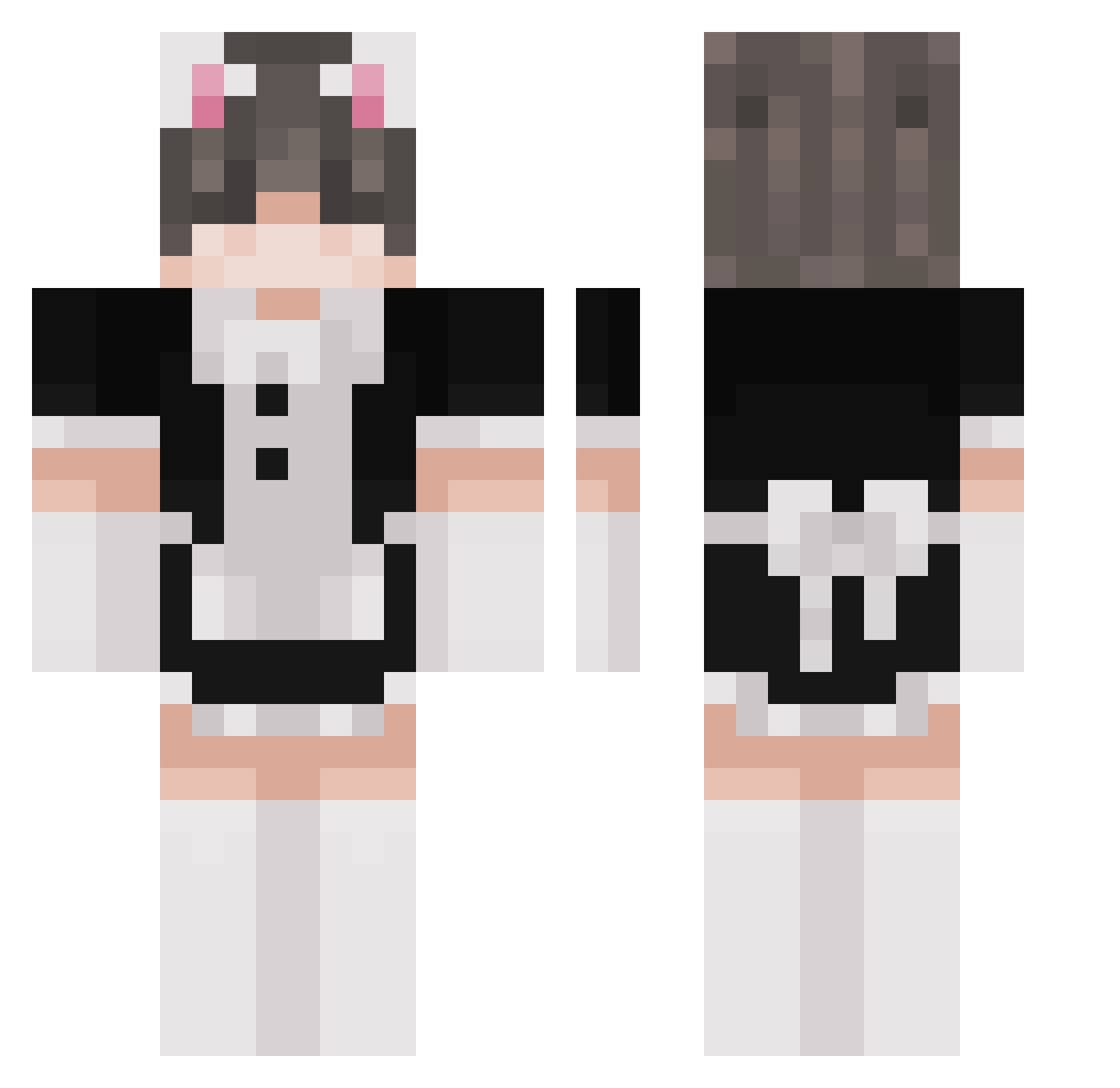
Current Minecraft skin of the player Gehasster___, loaded from the official Mojang API. Rotate the 3D model with your mouse or finger, then download the skin as a PNG file and use it in Minecraft: Bedrock Edition or Java Edition for free. When Gehasster___ changes their skin, this page updates automatically and the old skin stays in the history below.
Other players with this skin (313)
Gehasster___ was the 274th player we have seen with this skin, first spotted on 06.11.2026. The same skin was seen on these players. Open a nickname to see their current skin and skin history.
 Amino1100 Breathe76 filipdawidziuk _ugh_ Rip_Cel058 Femboy_Nate Kampfgeist31 imhussan JIMPANSE417 Nuhcilr eleusiniaa SuckWoyage _VMQ_UwU n16k_ yolomicbeast brookiewookie29 therealmarcy DapperDuckie ssuxamyblat catboyjoey l1anzu GachiWaitingRoom ThatDudeEko ZuryHU Liam_xyz SnickDude Preavim ranchmilk HQalien dwani1078 Florianchan sk0330 Lupiia IANZend leeuum batou850 vf8Ty Monsieurfinn Acks1337 Axo_OwO Lightningpi Riz1o1 comfy_tommy playb0nercole BestTank_8964 Imspook Windup_Whm RandomGuy234a242 neksuu3 Killuroki halve Laraah13 mountain189 Enwald repux_v Burplee 0v0sam Zuliqz xeucer pedroHOKA
More Maid Minecraft skins
How to install the Gehasster___ skin
- Press the Download button above to save the skin as a PNG file.
- Minecraft: Bedrock Edition (PE): open the Dressing Room from the main menu (or tap your character → Edit Character), go to Classic Skins → Owned, press the + (new skin) button, choose the downloaded PNG and pick the Classic (Steve) model. Works on PC and mobile; consoles cannot import custom skins.
- Minecraft: Java Edition: open the Minecraft Launcher, go to the Skins tab, click New Skin, load the PNG, pick the Classic (Steve) model and press Save & Use. You can also upload it at minecraft.net → Profile → Change Skin.
The skin does not show up after import - what should I do?
Restart Minecraft and open the Dressing Room again - imported skins sometimes appear only after a restart. Also make sure you selected the imported skin and picked the Classic (Steve) model.
Which model should I choose, Classic or Slim?
This skin is designed for the Classic (Steve) model. If you pick the wrong model, the arms of the skin will look stretched or squeezed.
Is the skin of Gehasster___ free to download?
Yes. Press Download, save the PNG file and use it in Minecraft: Bedrock Edition or Java Edition - no payment or registration needed. The skin also works on multiplayer servers and Realms.
More skins
Looking for more? Go back to all Minecraft skins and check the top skins of the week, month and all time, or find any player's skin by nickname.