
Gcismyusername - Minecraft Skins & Skin History
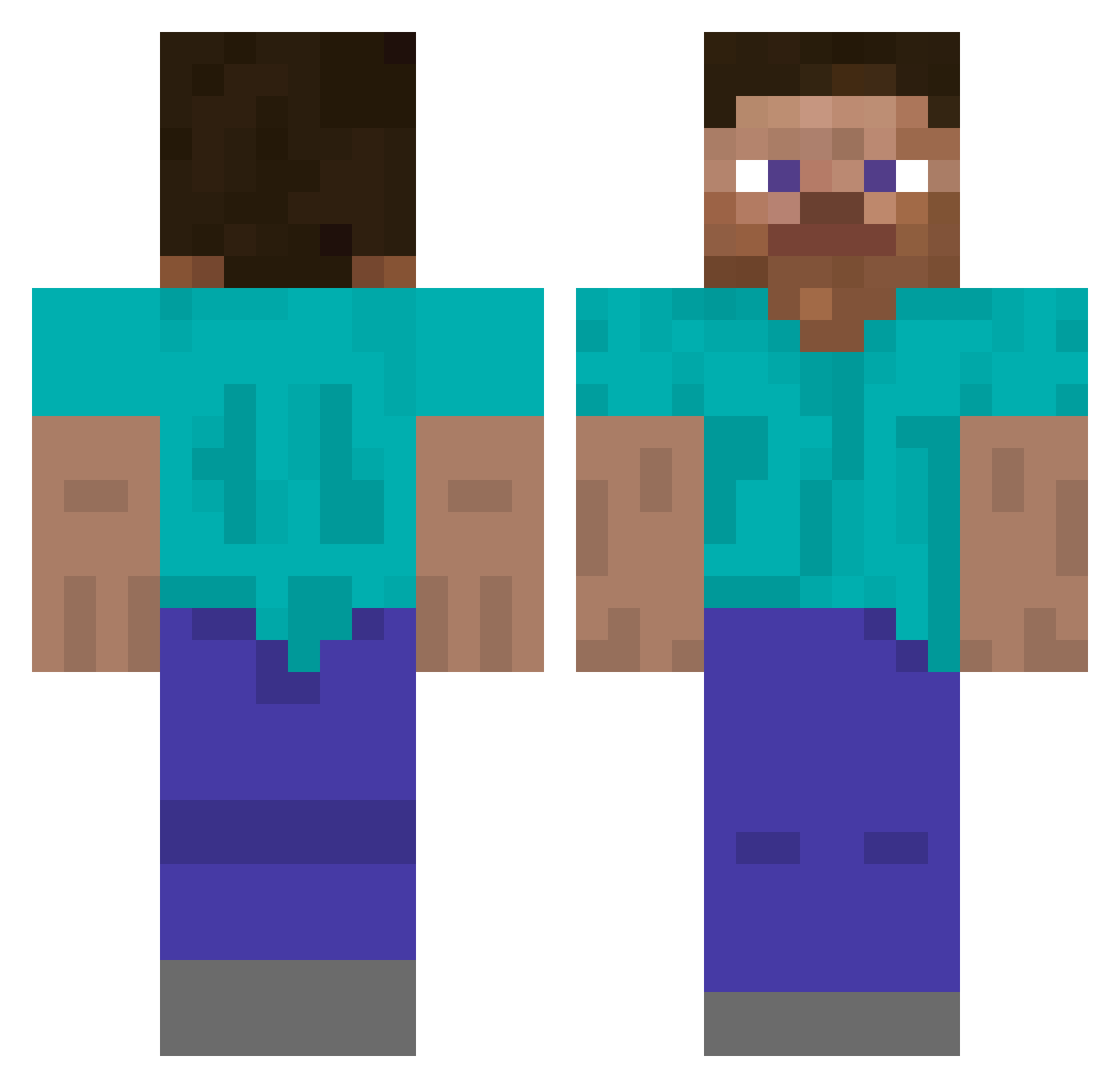
Current Minecraft skin of the player Gcismyusername, loaded from the official Mojang API. Rotate the 3D model with your mouse or finger, then download the skin as a PNG file and use it in Minecraft: Bedrock Edition or Java Edition for free. When Gcismyusername changes their skin, this page updates automatically and the old skin stays in the history below.
Other players with this skin (508)
Gcismyusername was the 474th player we have seen with this skin, first spotted on 17.10.2026. The same skin was seen on these players. Open a nickname to see their current skin and skin history.
 Matzipad cili007 JoinMyKit monrov kleitim_da_vboza dumdi_dumdi Ender_SlayerX nihko 8Eon2 BedRocBreaker aiueo7ooo LLlzy_y Ratkking Joaqstarr languidlinguine r4lyU WomanEater DerShayan88 AylaT2009 speedyminecart Ashvire feurAnarchy BIBBIBAP xxEtheral69xx Prolia coyotebuddy UHCOOH Fr4anklin Todovu jieloseping56 FOR514 springerUni epicpoomba deoseudeoseu skelejord ObamaBarack666 AWilderDoge xzk777 3WYY _Tokipado_ justjeffo7 NachoClap IcecreamLatte mrbanjooo ytowka_ Skidop 411SKT dalandan271828 crazycraft10706 Olafvds SK3L3T0NS Chadumx zProfeten lgrg Fxzal KwadCore Saramebr namazso bloodylake AlvinDLC
How to install the Gcismyusername skin
- Press the Download button above to save the skin as a PNG file.
- Minecraft: Bedrock Edition (PE): open the Dressing Room from the main menu (or tap your character → Edit Character), go to Classic Skins → Owned, press the + (new skin) button, choose the downloaded PNG and pick the Classic (Steve) model. Works on PC and mobile; consoles cannot import custom skins.
- Minecraft: Java Edition: open the Minecraft Launcher, go to the Skins tab, click New Skin, load the PNG, pick the Classic (Steve) model and press Save & Use. You can also upload it at minecraft.net → Profile → Change Skin.
The skin does not show up after import - what should I do?
Restart Minecraft and open the Dressing Room again - imported skins sometimes appear only after a restart. Also make sure you selected the imported skin and picked the Classic (Steve) model.
Which model should I choose, Classic or Slim?
This skin is designed for the Classic (Steve) model. If you pick the wrong model, the arms of the skin will look stretched or squeezed.
Is the skin of Gcismyusername free to download?
Yes. Press Download, save the PNG file and use it in Minecraft: Bedrock Edition or Java Edition - no payment or registration needed. The skin also works on multiplayer servers and Realms.
More skins
Looking for more? Go back to all Minecraft skins and check the top skins of the week, month and all time, or find any player's skin by nickname.