
Gau1211ne - Minecraft Skins & Skin History
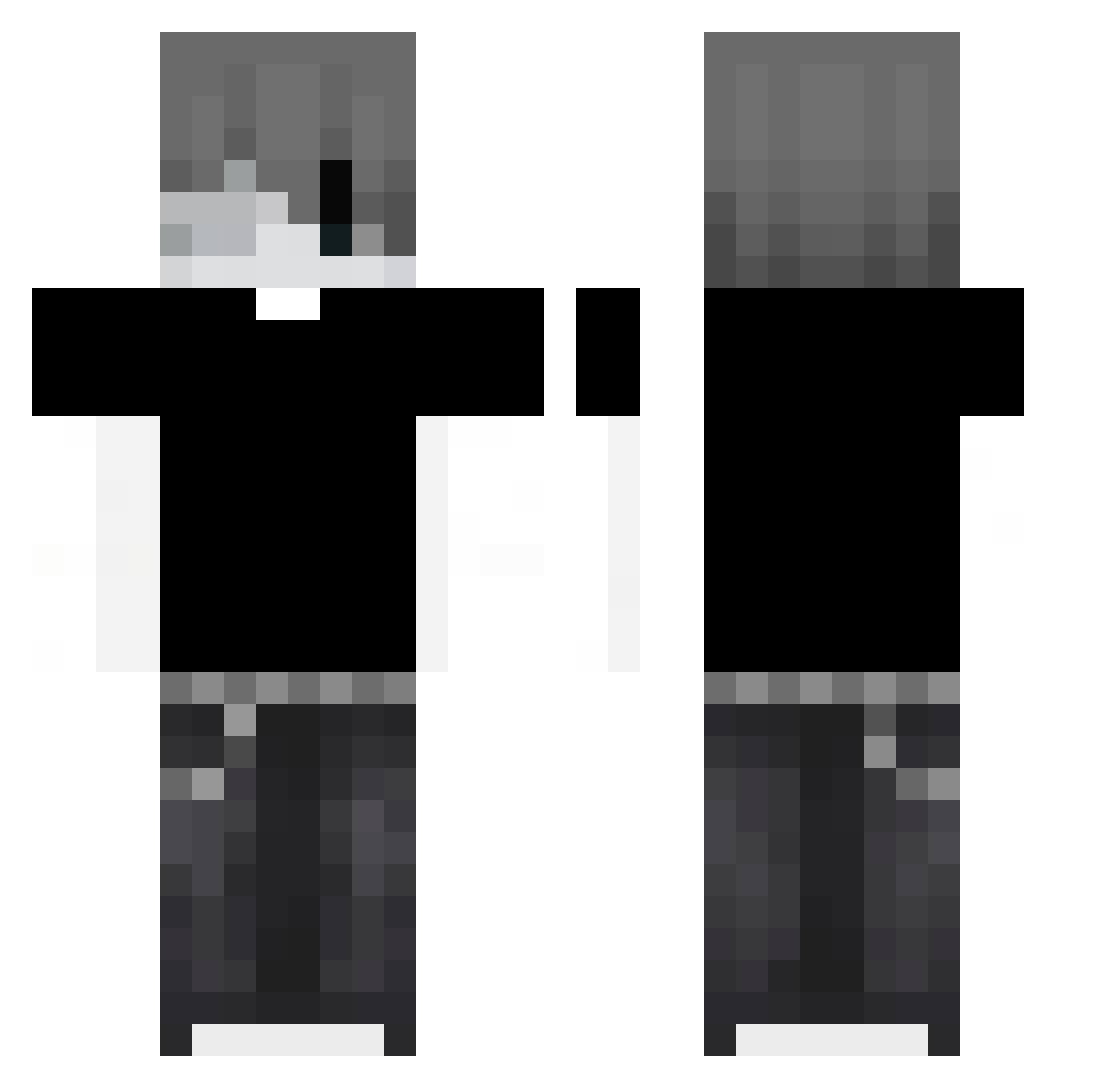
Current Minecraft skin of the player Gau1211ne, loaded from the official Mojang API. Rotate the 3D model with your mouse or finger, then download the skin as a PNG file and use it in Minecraft: Bedrock Edition or Java Edition for free. When Gau1211ne changes their skin, this page updates automatically and the old skin stays in the history below.
Other players with this skin (78)
Gau1211ne was the 34th player we have seen with this skin, first spotted on 29.08.2026. The same skin was seen on these players. Open a nickname to see their current skin and skin history.
 S_Nicolas_S iYizhi52 PlaninaKokaina oceansav
 leetifyy DziadekGienio fansiyang nehimoj2 viewsonic1234 F4xy_0
 ItsFluxyy yeahokaylol3443 PapaPitufo007 9JSF ni3znany colby9_ michalplay alessovqh nw4z mafakagog DSFFGDG Osaka390 ERR1212 davireck
 alantobaran xgod11 secret9803 yRaizer Forever0832 Piotrekszef4 VxpezX CollenX kaburo46 ziemniak3387 nonoxu Eizkey Kuzami _bogdi404 yy22aa Goodnight_ovo IBubbyl juanma111 Yun_Yan_Feng_Yu 666HEROBRINE69 higlyx ahxh Mr_Hrabia igoreczek09876 DemonInquisitor Givemeanickname T1mel3ss_MC DeepSeaMichal YangY1711 __VYROX__ Hoach ameryk cinekj123 821372 dislr_10 philantrapov
More Monochrome Minecraft skins
How to install the Gau1211ne skin
- Press the Download button above to save the skin as a PNG file.
- Minecraft: Bedrock Edition (PE): open the Dressing Room from the main menu (or tap your character → Edit Character), go to Classic Skins → Owned, press the + (new skin) button, choose the downloaded PNG and pick the Classic (Steve) model. Works on PC and mobile; consoles cannot import custom skins.
- Minecraft: Java Edition: open the Minecraft Launcher, go to the Skins tab, click New Skin, load the PNG, pick the Classic (Steve) model and press Save & Use. You can also upload it at minecraft.net → Profile → Change Skin.
The skin does not show up after import - what should I do?
Restart Minecraft and open the Dressing Room again - imported skins sometimes appear only after a restart. Also make sure you selected the imported skin and picked the Classic (Steve) model.
Which model should I choose, Classic or Slim?
This skin is designed for the Classic (Steve) model. If you pick the wrong model, the arms of the skin will look stretched or squeezed.
Is the skin of Gau1211ne free to download?
Yes. Press Download, save the PNG file and use it in Minecraft: Bedrock Edition or Java Edition - no payment or registration needed. The skin also works on multiplayer servers and Realms.
More skins
Looking for more? Go back to all Minecraft skins and check the top skins of the week, month and all time, or find any player's skin by nickname.