
Garj - Minecraft Skins & Skin History
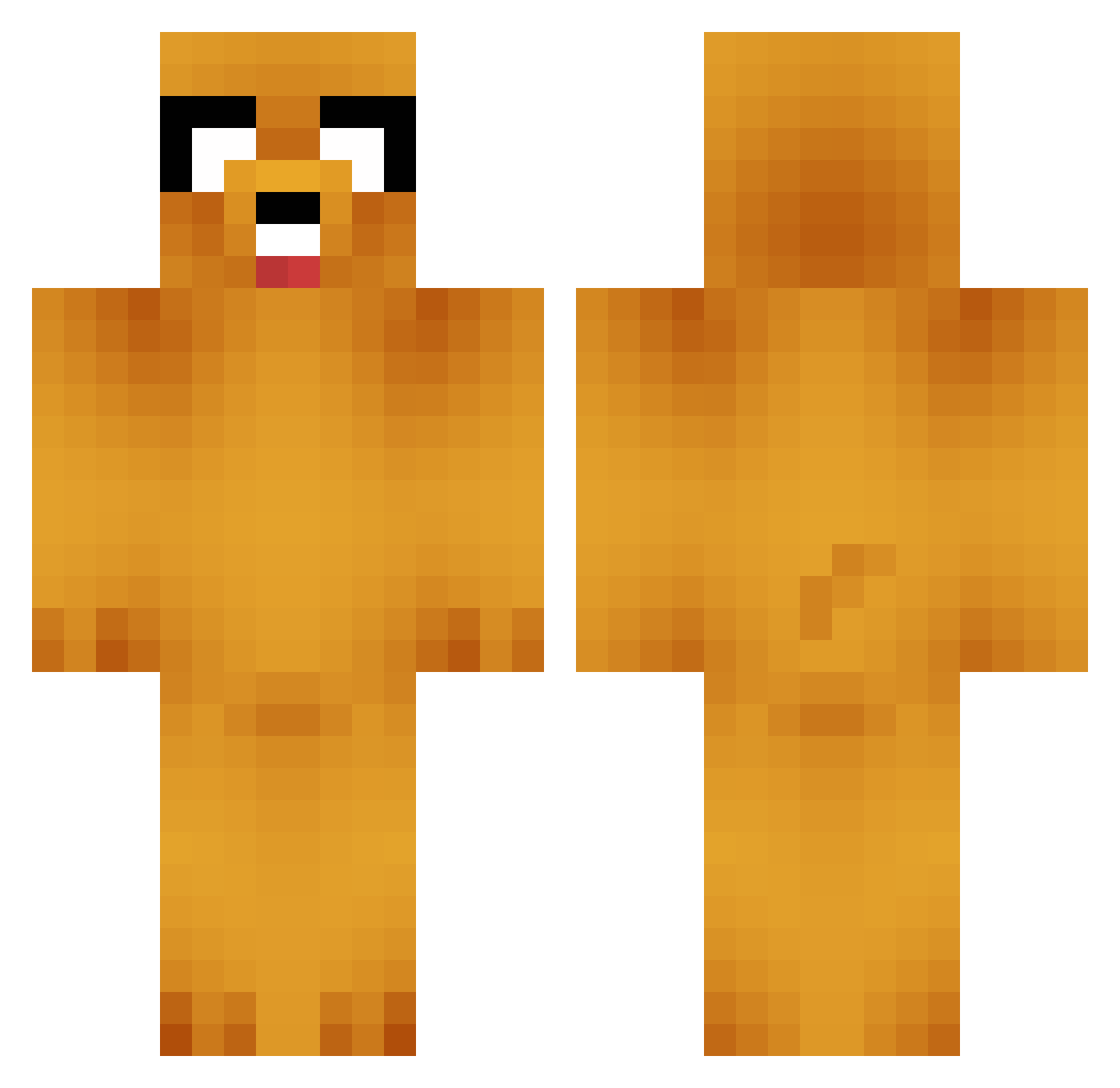
Current Minecraft skin of the player Garj, loaded from the official Mojang API. Rotate the 3D model with your mouse or finger, then download the skin as a PNG file and use it in Minecraft: Bedrock Edition or Java Edition for free. When Garj changes their skin, this page updates automatically and the old skin stays in the history below.
Other players with this skin (657)
Garj was the 193rd player we have seen with this skin, first spotted on 22.08.2026. The same skin was seen on these players. Open a nickname to see their current skin and skin history.
 ClockworkFish ThePickax3 fignuts00 Darckerts eWaugh707 Baddercloud tizzleb17 Haukelid Tw1tch86 Zuvweewee burnadebt Moggstar Lucky_Andy elcucuey loverofpandas Webby911 Salkiiin Daseiin xomega8 WOODYWOOWOO cfranke56 BeastMasterRick BR0skiEs madnessman55 woodulikefrys peachling Aquaholic Scattered_Pie realfunkychicken ofaolaia Gabrielwean bananman22 Gudinator Qaotl godjj1881 Guigen fadojonas Fishborg DarcksAngel GoTeamMongoose cyoung74 jackson2802 Amanda_1D brandonrowland Spacemonkey420 Erca06 tabixe Akilebo Nate_Dog12345 FlickMeBeanS Coyote556 happy_gay_ messi20022 Atron Snake965 zzzJOKERzzz kakaohood General_Jake Gadgek JustinCaparas
More Jake Minecraft skins
How to install the Garj skin
- Press the Download button above to save the skin as a PNG file.
- Minecraft: Bedrock Edition (PE): open the Dressing Room from the main menu (or tap your character → Edit Character), go to Classic Skins → Owned, press the + (new skin) button, choose the downloaded PNG and pick the Classic (Steve) model. Works on PC and mobile; consoles cannot import custom skins.
- Minecraft: Java Edition: open the Minecraft Launcher, go to the Skins tab, click New Skin, load the PNG, pick the Classic (Steve) model and press Save & Use. You can also upload it at minecraft.net → Profile → Change Skin.
The skin does not show up after import - what should I do?
Restart Minecraft and open the Dressing Room again - imported skins sometimes appear only after a restart. Also make sure you selected the imported skin and picked the Classic (Steve) model.
Which model should I choose, Classic or Slim?
This skin is designed for the Classic (Steve) model. If you pick the wrong model, the arms of the skin will look stretched or squeezed.
Is the skin of Garj free to download?
Yes. Press Download, save the PNG file and use it in Minecraft: Bedrock Edition or Java Edition - no payment or registration needed. The skin also works on multiplayer servers and Realms.
More skins
Looking for more? Go back to all Minecraft skins and check the top skins of the week, month and all time, or find any player's skin by nickname.