
GarfieldBZ - Minecraft Skins & Skin History
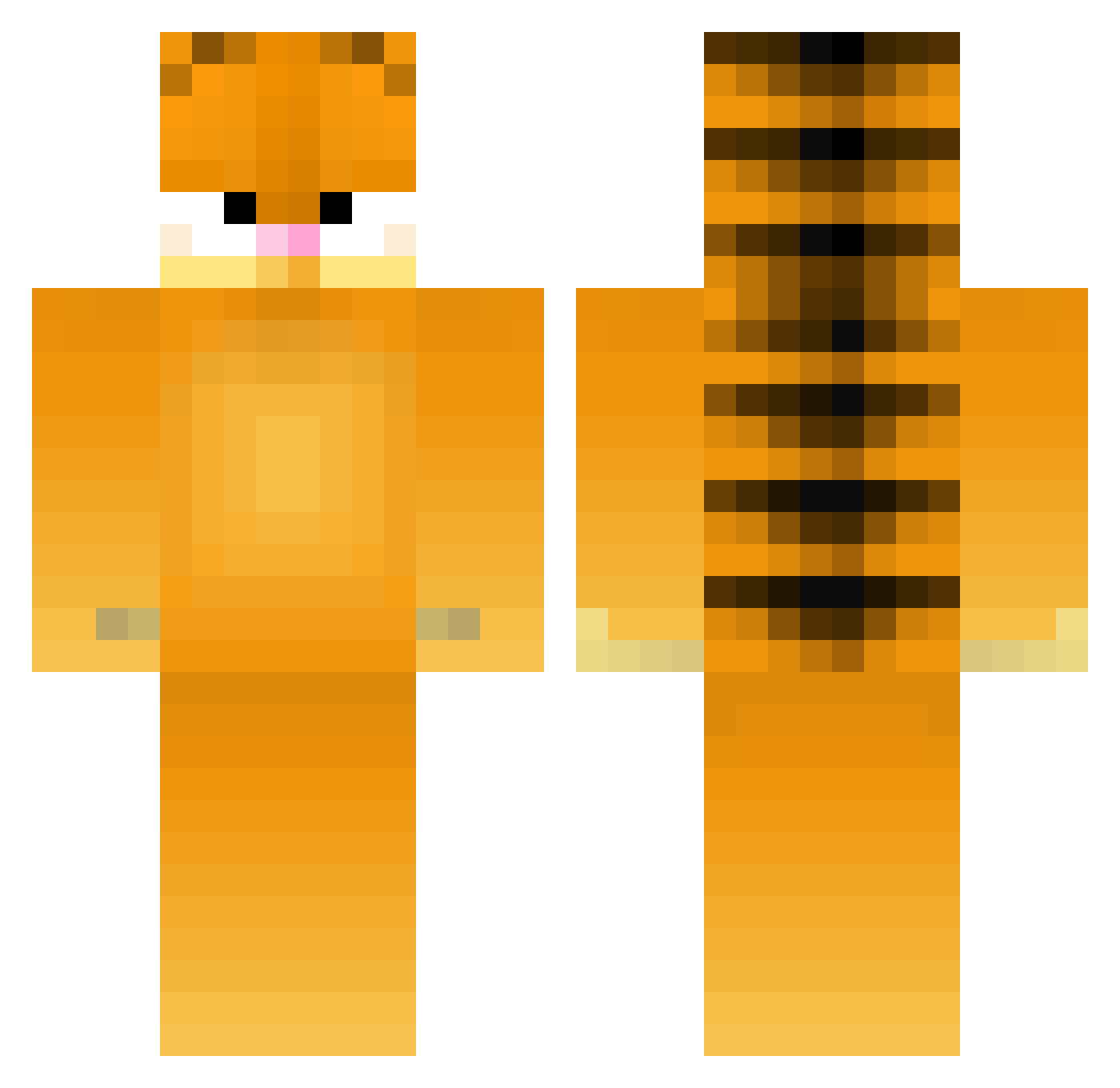
Current Minecraft skin of the player GarfieldBZ, loaded from the official Mojang API. Rotate the 3D model with your mouse or finger, then download the skin as a PNG file and use it in Minecraft: Bedrock Edition or Java Edition for free. When GarfieldBZ changes their skin, this page updates automatically and the old skin stays in the history below.
Other players with this skin (273)
GarfieldBZ was the 9th player we have seen with this skin, first spotted on 25.07.2026. The same skin was seen on these players. Open a nickname to see their current skin and skin history.
 robbiecooper567 VAredsox15 J0NW _wel kisycat FastandFurios10 Hercule_s Bongddak RockyShores12 JOPPIESAUS1408 CannonALT APGhost LeekoUkko terrorismjoe CrafterNiels maxthefinn airerik Lars_Lennart1337 Wightwick_Manner Leroynitus Lansh green_carrot Katmanduda DonDon5644 Im_Bronco Arkalisone DynamiteSheep2 Drew69 Potatotro DejlCZ BallsDeepInFicus KillStreak095 azmelpel Trackmaster2000 svoemmepigen simkas13 yoyokiwi101 SLP165 Sebhoste Sugardaddy annalou777 Raytard jiuccey GavTTV lasngngna Miniman30 gatyjhon Kevinlebeauf CharlesThe20th Lambotino Rowco2004 Rams ohZUMB Shooki1 minekoona majapusur Muo_ PretzelBoyJames Jara1123 chargerk
More Garfield Minecraft skins
How to install the GarfieldBZ skin
- Press the Download button above to save the skin as a PNG file.
- Minecraft: Bedrock Edition (PE): open the Dressing Room from the main menu (or tap your character → Edit Character), go to Classic Skins → Owned, press the + (new skin) button, choose the downloaded PNG and pick the Classic (Steve) model. Works on PC and mobile; consoles cannot import custom skins.
- Minecraft: Java Edition: open the Minecraft Launcher, go to the Skins tab, click New Skin, load the PNG, pick the Classic (Steve) model and press Save & Use. You can also upload it at minecraft.net → Profile → Change Skin.
The skin does not show up after import - what should I do?
Restart Minecraft and open the Dressing Room again - imported skins sometimes appear only after a restart. Also make sure you selected the imported skin and picked the Classic (Steve) model.
Which model should I choose, Classic or Slim?
This skin is designed for the Classic (Steve) model. If you pick the wrong model, the arms of the skin will look stretched or squeezed.
Is the skin of GarfieldBZ free to download?
Yes. Press Download, save the PNG file and use it in Minecraft: Bedrock Edition or Java Edition - no payment or registration needed. The skin also works on multiplayer servers and Realms.
More skins
Looking for more? Go back to all Minecraft skins and check the top skins of the week, month and all time, or find any player's skin by nickname.