
Gamerlife2009 - Minecraft Skins & Skin History
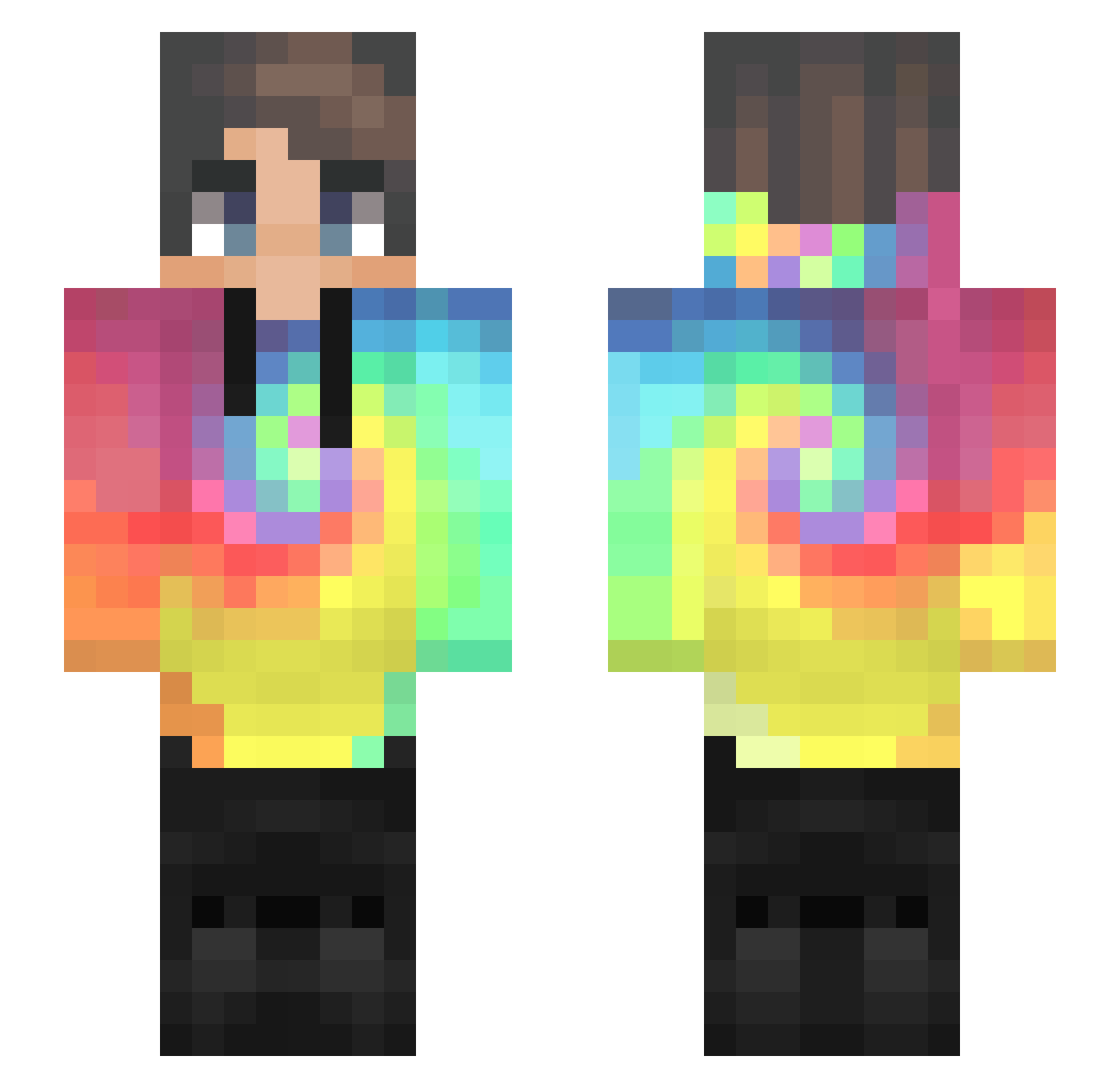
Current Minecraft skin of the player Gamerlife2009, loaded from the official Mojang API. Rotate the 3D model with your mouse or finger, then download the skin as a PNG file and use it in Minecraft: Bedrock Edition or Java Edition for free. When Gamerlife2009 changes their skin, this page updates automatically and the old skin stays in the history below.
Other players with this skin (435)
Gamerlife2009 was the 129th player we have seen with this skin, first spotted on 23.08.2026. The same skin was seen on these players. Open a nickname to see their current skin and skin history.
 JackPlays93 ED_G Lunaur VariableTuna981 GlowyFab vaisono JerryFz Zomok Ma7Mod_YT dddd3263 bbChqck Leonbaerchen peppiepower01 FERMAR05 gageisthename Morde2022 Music_Man_2012 Calldhuba Kotaro Pretty_Boyz GraceK711 grim_boy Txesp Lucaixxx ALshawty HeYMeR_ rizu0213 OriginalOkay n9w Phuukaokk Hasasy Nipoterek __OmmO__ Theloz Ashipa N1k0_tm pogbartus Ashiphire EkmeKkaFalIElmir xxrzulfxx LeonStash Senexotic MrKingsworth akullu mediumoyuncu Rvane ReXX_EU iamwho007 NinonnokiN D_Gogo Rolive30 Vee_14 Nickoez ErikHDx _BoiFiya_ jamesolinoGG iCouli shane0927 Da3gu HRHlove
How to install the Gamerlife2009 skin
- Press the Download button above to save the skin as a PNG file.
- Minecraft: Bedrock Edition (PE): open the Dressing Room from the main menu (or tap your character → Edit Character), go to Classic Skins → Owned, press the + (new skin) button, choose the downloaded PNG and pick the Slim (Alex) model. Works on PC and mobile; consoles cannot import custom skins.
- Minecraft: Java Edition: open the Minecraft Launcher, go to the Skins tab, click New Skin, load the PNG, pick the Slim (Alex) model and press Save & Use. You can also upload it at minecraft.net → Profile → Change Skin.
The skin does not show up after import - what should I do?
Restart Minecraft and open the Dressing Room again - imported skins sometimes appear only after a restart. Also make sure you selected the imported skin and picked the Slim (Alex) model.
Which model should I choose, Classic or Slim?
This skin is designed for the Slim (Alex) model. If you pick the wrong model, the arms of the skin will look stretched or squeezed.
Is the skin of Gamerlife2009 free to download?
Yes. Press Download, save the PNG file and use it in Minecraft: Bedrock Edition or Java Edition - no payment or registration needed. The skin also works on multiplayer servers and Realms.
More skins
Looking for more? Go back to all Minecraft skins and check the top skins of the week, month and all time, or find any player's skin by nickname.