
Gamer_Cupu - Minecraft Skins & Skin History
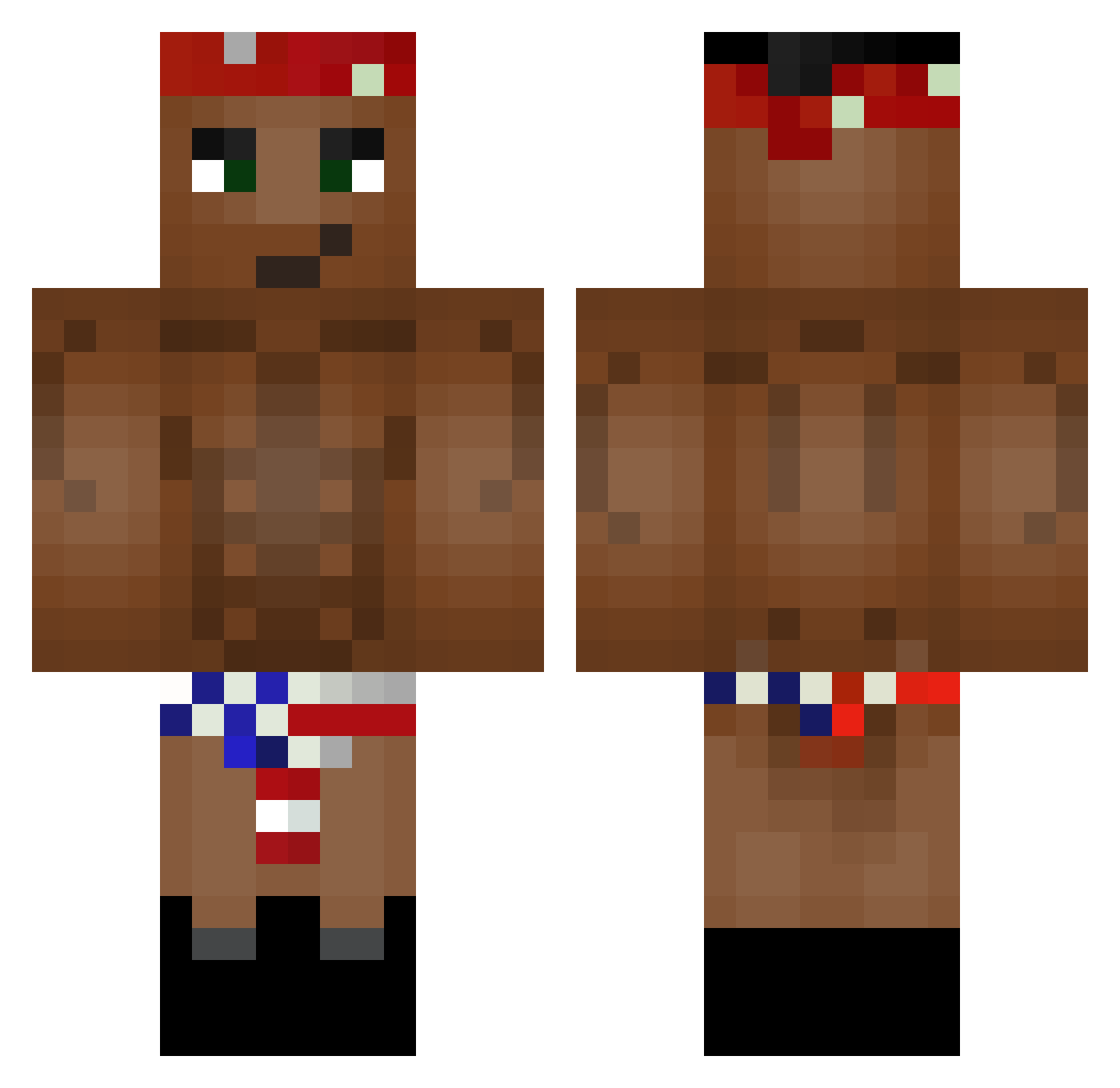
Current Minecraft skin of the player Gamer_Cupu, loaded from the official Mojang API. Rotate the 3D model with your mouse or finger, then download the skin as a PNG file and use it in Minecraft: Bedrock Edition or Java Edition for free. When Gamer_Cupu changes their skin, this page updates automatically and the old skin stays in the history below.
Other players with this skin (268)
Gamer_Cupu was the 231st player we have seen with this skin, first spotted on 03.11.2026. The same skin was seen on these players. Open a nickname to see their current skin and skin history.
 roronoazoro45 Maur222 williamsommer OptifineVersion TioDoTeuPai Cucaak tahitianlol xXdaniel6766Xx alexsan_33 Melaron BectorTime Zaluponec333 Kubix444 Steffen_Junker kubis555 check2115 dodo477 Bananagiver DeftDrop_ tut_Anton NICOCH5 lambojam itohai Dekkoto KiraDaFavela carlo_ss 119945 Neonexi DreamOfNexX the_kronk DiduCZ karagone74 Roltzi Dogehh nitroglycerine01 VladislavB1 Coach69 Tugaron _bods_ Onlyakuza Larsimore dzhin9 qubka orphanmangler Elgros Dutzuuuuu ScroopieNoopers Faralost Pozhiloy1488 LuCaXy77 GFunkyyy Oriminal Josh55x SULLEE_ lenafaq Mantajsz Ya4ik_420 berryallen7 XxMatte0xX messAround
More Tupac Shakur Minecraft skins
See all 207 Tupac Shakur skins
How to install the Gamer_Cupu skin
- Press the Download button above to save the skin as a PNG file.
- Minecraft: Bedrock Edition (PE): open the Dressing Room from the main menu (or tap your character → Edit Character), go to Classic Skins → Owned, press the + (new skin) button, choose the downloaded PNG and pick the Classic (Steve) model. Works on PC and mobile; consoles cannot import custom skins.
- Minecraft: Java Edition: open the Minecraft Launcher, go to the Skins tab, click New Skin, load the PNG, pick the Classic (Steve) model and press Save & Use. You can also upload it at minecraft.net → Profile → Change Skin.
The skin does not show up after import - what should I do?
Restart Minecraft and open the Dressing Room again - imported skins sometimes appear only after a restart. Also make sure you selected the imported skin and picked the Classic (Steve) model.
Which model should I choose, Classic or Slim?
This skin is designed for the Classic (Steve) model. If you pick the wrong model, the arms of the skin will look stretched or squeezed.
Is the skin of Gamer_Cupu free to download?
Yes. Press Download, save the PNG file and use it in Minecraft: Bedrock Edition or Java Edition - no payment or registration needed. The skin also works on multiplayer servers and Realms.
More skins
Looking for more? Go back to all Minecraft skins and check the top skins of the week, month and all time, or find any player's skin by nickname.