
Galbak - Minecraft Skins & Skin History
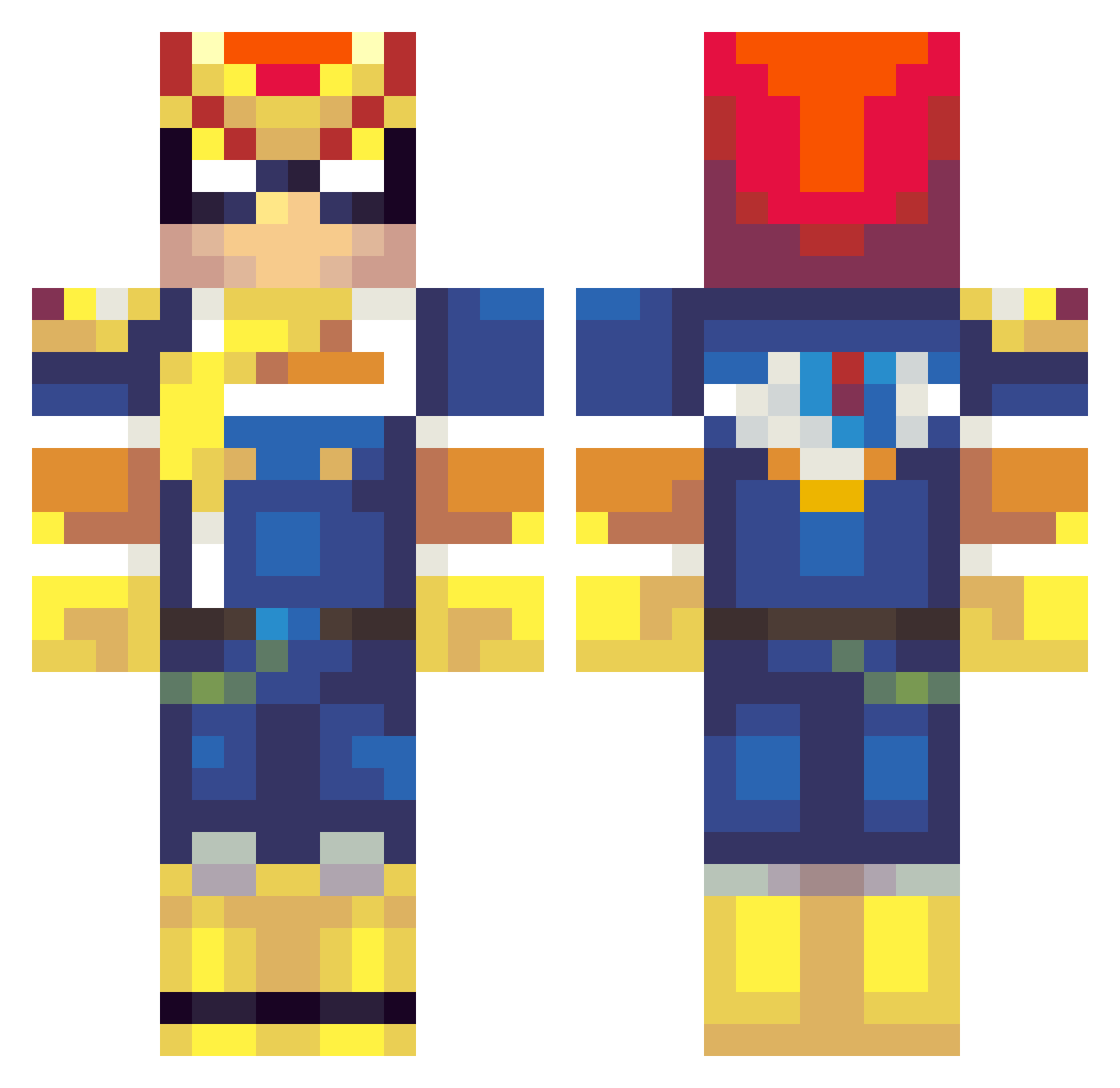
Current Minecraft skin of the player Galbak, loaded from the official Mojang API. Rotate the 3D model with your mouse or finger, then download the skin as a PNG file and use it in Minecraft: Bedrock Edition or Java Edition for free. When Galbak changes their skin, this page updates automatically and the old skin stays in the history below.
Other players with this skin (262)
Galbak was the 168th player we have seen with this skin, first spotted on 30.09.2026. The same skin was seen on these players. Open a nickname to see their current skin and skin history.
 silkwango Mcmuffmuff RockinAway02 PinkLion222 p_yosio poople4000 glewin7 Minerverse UltraMegaWeegee CryoBlades Zewzki JengaStallion DarkraiSR Sniper_Dog10 Vibby_01 Naddan320 Jeffskent Taxing Gh0s7Nappa Honz1992 xPanserbjorne aquamarine14 burto234 Krieglein Maccccca Arroganzio stuartblocks Bilbo0_0 ScrambyLambBam CptVollkorn AGreeneMachine Ahliee HighSaiyajin Ultimate_BlitZ19 OrangeFalcon Caelan08 Falcon_Punching BoatSlam Wille_Vemodig SpicyTacos_38 NiCaRa_ Kirc Frumpybojangles Monstermouse Tannamode Badunbar9999 Citizen_22 Jas54312 Mr_baken Nannakii keyno1 xJOBSDONEx Alex_InThe_Army CrocsWithSoxx TheMasterfulNOOB maxens starrwalker Master_Isolation Bolbol95 kefkef2121
More F Zero Minecraft skins
How to install the Galbak skin
- Press the Download button above to save the skin as a PNG file.
- Minecraft: Bedrock Edition (PE): open the Dressing Room from the main menu (or tap your character → Edit Character), go to Classic Skins → Owned, press the + (new skin) button, choose the downloaded PNG and pick the Classic (Steve) model. Works on PC and mobile; consoles cannot import custom skins.
- Minecraft: Java Edition: open the Minecraft Launcher, go to the Skins tab, click New Skin, load the PNG, pick the Classic (Steve) model and press Save & Use. You can also upload it at minecraft.net → Profile → Change Skin.
The skin does not show up after import - what should I do?
Restart Minecraft and open the Dressing Room again - imported skins sometimes appear only after a restart. Also make sure you selected the imported skin and picked the Classic (Steve) model.
Which model should I choose, Classic or Slim?
This skin is designed for the Classic (Steve) model. If you pick the wrong model, the arms of the skin will look stretched or squeezed.
Is the skin of Galbak free to download?
Yes. Press Download, save the PNG file and use it in Minecraft: Bedrock Edition or Java Edition - no payment or registration needed. The skin also works on multiplayer servers and Realms.
More skins
Looking for more? Go back to all Minecraft skins and check the top skins of the week, month and all time, or find any player's skin by nickname.