
Galaxyc_du56 - Minecraft Skins & Skin History
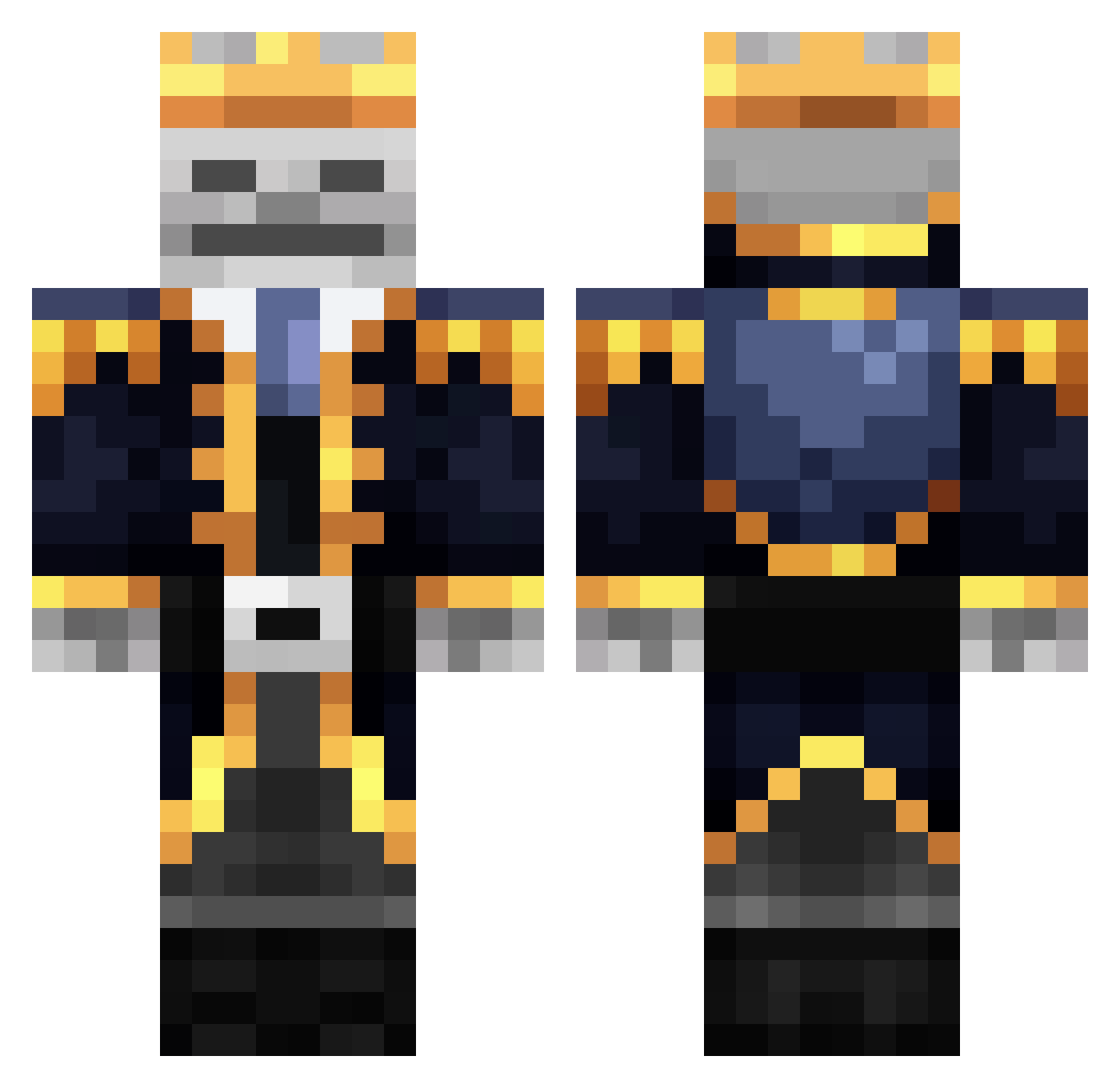
Current Minecraft skin of the player Galaxyc_du56, loaded from the official Mojang API. Rotate the 3D model with your mouse or finger, then download the skin as a PNG file and use it in Minecraft: Bedrock Edition or Java Edition for free. When Galaxyc_du56 changes their skin, this page updates automatically and the old skin stays in the history below.
Other players with this skin (377)
Galaxyc_du56 was the 302nd player we have seen with this skin, first spotted on 12.10.2026. The same skin was seen on these players. Open a nickname to see their current skin and skin history.
 Daka303 ehyrat Skynet007 MATIZU arp82851170ku DarkGioo MaltaGoya King_Gilgamesh14 SSSasha KilinRus BobPollard Sendoh777 MatiasSteinfort csjwlfl highone0924 YuanChen_TW Angelpfe wwwemiliocom Sseapp _Mantis_cz6471 AnJ2137 cheaalex Spagetor I_am_a_gnome651 harrypotteryeah Ezkl_7 Hunter739 CaptainBitbeard LUO0404 Michalolm DeathFu _Inxy_ Hugo_Hirt Hidy5 2Babu1 Sacracra Ghostrider0110 much98 KingBobby253e67 Deathborn83 Caiman_28 Jenerator418 Whiffedd PanKapitancio1 zelekar24 SleepyReaper07 69_Stitch_69 qlgrebo Poppingamer101 Dodohh CNDtaurtis henriqueabreu JosephW17 Eien_nbs lucifer4214 IanLeViking TheSkeletonK1ng Snownye nonyane WanMeister
More Skeleton King Minecraft skins
See all 27 Skeleton King skins
How to install the Galaxyc_du56 skin
- Press the Download button above to save the skin as a PNG file.
- Minecraft: Bedrock Edition (PE): open the Dressing Room from the main menu (or tap your character → Edit Character), go to Classic Skins → Owned, press the + (new skin) button, choose the downloaded PNG and pick the Classic (Steve) model. Works on PC and mobile; consoles cannot import custom skins.
- Minecraft: Java Edition: open the Minecraft Launcher, go to the Skins tab, click New Skin, load the PNG, pick the Classic (Steve) model and press Save & Use. You can also upload it at minecraft.net → Profile → Change Skin.
The skin does not show up after import - what should I do?
Restart Minecraft and open the Dressing Room again - imported skins sometimes appear only after a restart. Also make sure you selected the imported skin and picked the Classic (Steve) model.
Which model should I choose, Classic or Slim?
This skin is designed for the Classic (Steve) model. If you pick the wrong model, the arms of the skin will look stretched or squeezed.
Is the skin of Galaxyc_du56 free to download?
Yes. Press Download, save the PNG file and use it in Minecraft: Bedrock Edition or Java Edition - no payment or registration needed. The skin also works on multiplayer servers and Realms.
More skins
Looking for more? Go back to all Minecraft skins and check the top skins of the week, month and all time, or find any player's skin by nickname.