
Galahad47 - Minecraft Skins & Skin History
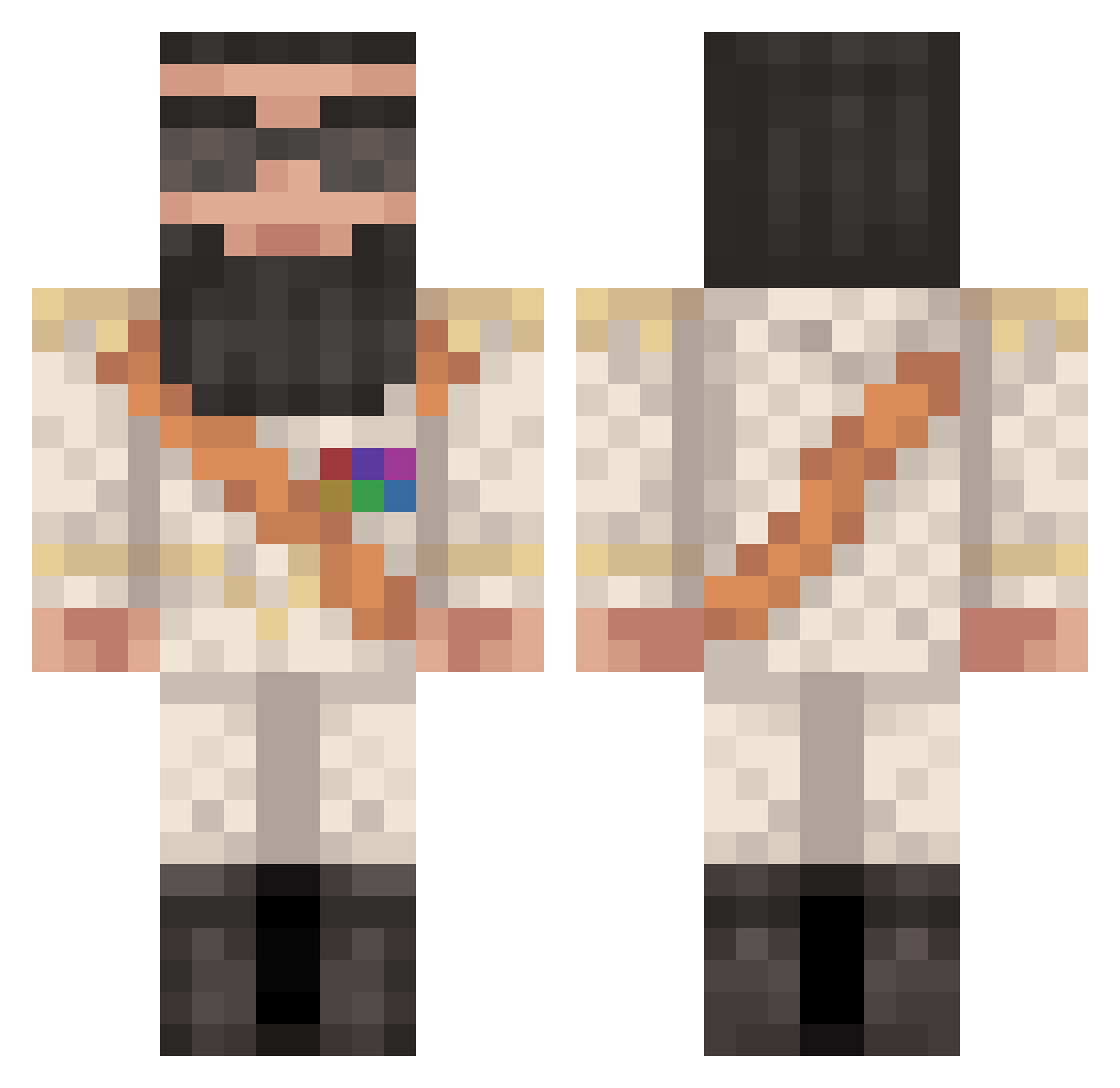
Current Minecraft skin of the player Galahad47, loaded from the official Mojang API. Rotate the 3D model with your mouse or finger, then download the skin as a PNG file and use it in Minecraft: Bedrock Edition or Java Edition for free. When Galahad47 changes their skin, this page updates automatically and the old skin stays in the history below.
Other players with this skin (370)
Galahad47 was the 72nd player we have seen with this skin, first spotted on 11.08.2026. The same skin was seen on these players. Open a nickname to see their current skin and skin history.
 LeifSuarez Arnasboo SharkBoy__ Fr3ightTrain SirJavax BlackoUUt2 kielieman powerswag1232 xpress_panda Ahstar7 EvoAdam96 Hasebeer D1CTATOR thiroc poetsgg SheikhDenz Owen1967 akramak456 CreeperKiller720 vildere12 FreeRondogg Fauniiik thebigspark2000 YAMBORGHINI kaya771 Exilesith KillerCake99 frozzydog jeandada05 DirtyBlackNan KingCraftie GetWrecked1999 itamari Nikzie Patet GAME_LORT Savvy31 Laavobar Seanus1 ShippWreck29 Lowleske Leggy208 PresidentAladeen barpan2001 haiman5000 ScezHunter AskRR sandaigo BenUnicum rofferedbull Army5128 assator tingeling1 JurrassicGucci abir121 dadadar m1chiFPS Taratt afidefoe Wildthing92001
More General Minecraft skins
How to install the Galahad47 skin
- Press the Download button above to save the skin as a PNG file.
- Minecraft: Bedrock Edition (PE): open the Dressing Room from the main menu (or tap your character → Edit Character), go to Classic Skins → Owned, press the + (new skin) button, choose the downloaded PNG and pick the Classic (Steve) model. Works on PC and mobile; consoles cannot import custom skins.
- Minecraft: Java Edition: open the Minecraft Launcher, go to the Skins tab, click New Skin, load the PNG, pick the Classic (Steve) model and press Save & Use. You can also upload it at minecraft.net → Profile → Change Skin.
The skin does not show up after import - what should I do?
Restart Minecraft and open the Dressing Room again - imported skins sometimes appear only after a restart. Also make sure you selected the imported skin and picked the Classic (Steve) model.
Which model should I choose, Classic or Slim?
This skin is designed for the Classic (Steve) model. If you pick the wrong model, the arms of the skin will look stretched or squeezed.
Is the skin of Galahad47 free to download?
Yes. Press Download, save the PNG file and use it in Minecraft: Bedrock Edition or Java Edition - no payment or registration needed. The skin also works on multiplayer servers and Realms.
More skins
Looking for more? Go back to all Minecraft skins and check the top skins of the week, month and all time, or find any player's skin by nickname.