
GabyDaBaby - Minecraft Skins & Skin History
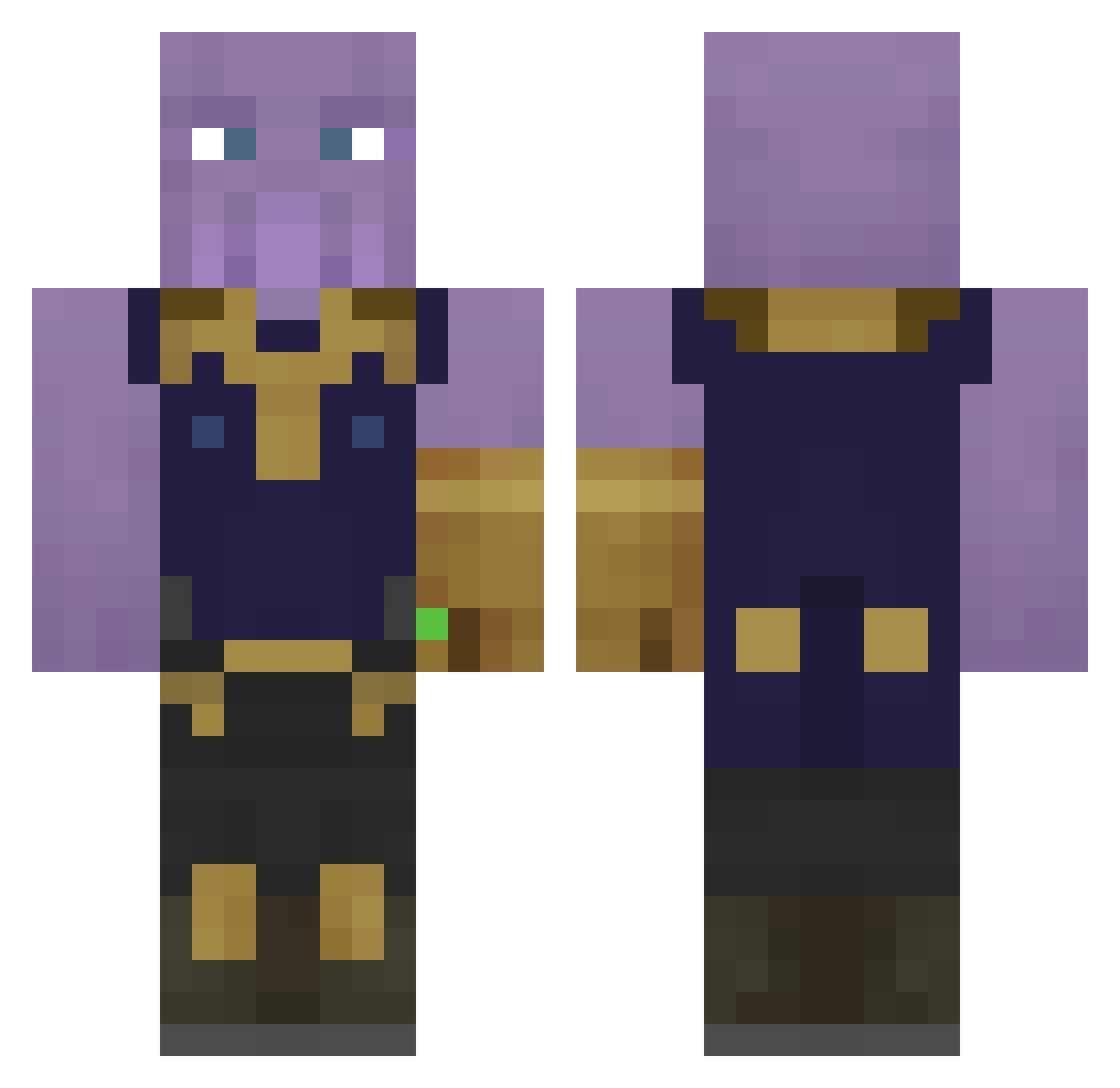
Current Minecraft skin of the player GabyDaBaby, loaded from the official Mojang API. Rotate the 3D model with your mouse or finger, then download the skin as a PNG file and use it in Minecraft: Bedrock Edition or Java Edition for free. When GabyDaBaby changes their skin, this page updates automatically and the old skin stays in the history below.
Other players with this skin (406)
GabyDaBaby was the 332nd player we have seen with this skin, first spotted on 23.10.2026. The same skin was seen on these players. Open a nickname to see their current skin and skin history.
 Nivlac310 Haminy0401 BossKollegah stella2029 Ridoubt Bantozzz Dacaffres MJXSU lolic33 virgo_20 MARKKLEE Maxayoo Hsiao228 Thanos2k23 AlekPx thanos3958 SliimDog TOQUEBECIClTTE ShaBrown_PvP matthewz67 detamagoshy riiiiles RiceMan56 nZm915 Rapptune _chuni_ Kristoffer9270 Axstro1x MessexUzumaki StrongestWills Luna20ay Jcnaas Kasparcy HinataGame Riatric Romanium Half_Face_Wolf ChugWisconsinbly LeMilkerJames lForsakenAngel xoduskim Like908 orr100112 ZarkNegative Kazimelo TVJoker265 P0inis tskacchan MythGaming123 ____CJ____ Yiazmat_XII Zemdaa Mop321 Kendamas fatman4 Ruznnn ThanosGaming39 hightiersimp Shindingju Zai13
More Infinity Gauntlet Minecraft skins
See all 650 Infinity Gauntlet skins
How to install the GabyDaBaby skin
- Press the Download button above to save the skin as a PNG file.
- Minecraft: Bedrock Edition (PE): open the Dressing Room from the main menu (or tap your character → Edit Character), go to Classic Skins → Owned, press the + (new skin) button, choose the downloaded PNG and pick the Classic (Steve) model. Works on PC and mobile; consoles cannot import custom skins.
- Minecraft: Java Edition: open the Minecraft Launcher, go to the Skins tab, click New Skin, load the PNG, pick the Classic (Steve) model and press Save & Use. You can also upload it at minecraft.net → Profile → Change Skin.
The skin does not show up after import - what should I do?
Restart Minecraft and open the Dressing Room again - imported skins sometimes appear only after a restart. Also make sure you selected the imported skin and picked the Classic (Steve) model.
Which model should I choose, Classic or Slim?
This skin is designed for the Classic (Steve) model. If you pick the wrong model, the arms of the skin will look stretched or squeezed.
Is the skin of GabyDaBaby free to download?
Yes. Press Download, save the PNG file and use it in Minecraft: Bedrock Edition or Java Edition - no payment or registration needed. The skin also works on multiplayer servers and Realms.
More skins
Looking for more? Go back to all Minecraft skins and check the top skins of the week, month and all time, or find any player's skin by nickname.