
GaX1ng - Minecraft Skins & Skin History
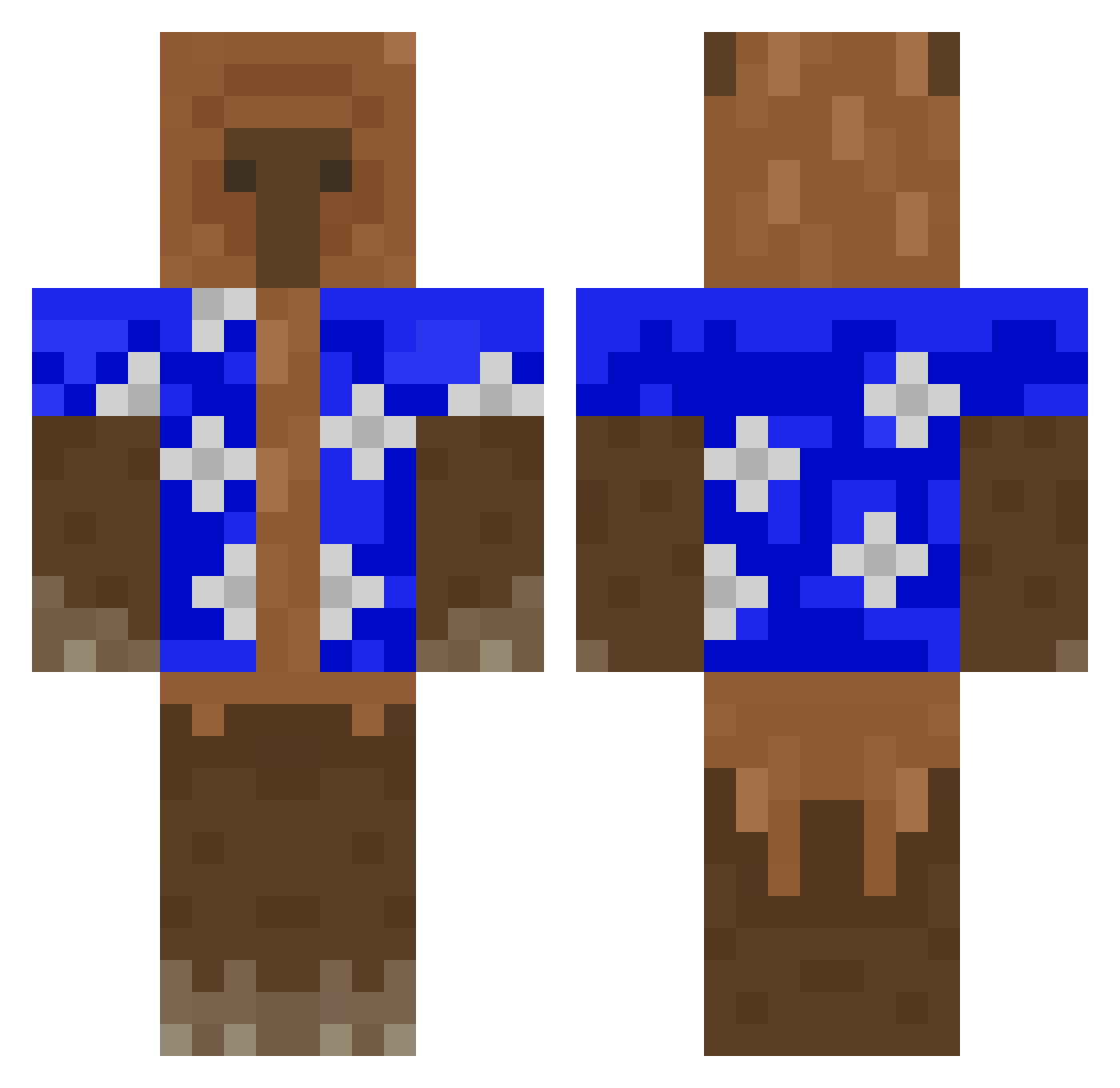
Current Minecraft skin of the player GaX1ng, loaded from the official Mojang API. Rotate the 3D model with your mouse or finger, then download the skin as a PNG file and use it in Minecraft: Bedrock Edition or Java Edition for free. When GaX1ng changes their skin, this page updates automatically and the old skin stays in the history below.
Other players with this skin (529)
GaX1ng was the 499th player we have seen with this skin, first spotted on 12.11.2026. The same skin was seen on these players. Open a nickname to see their current skin and skin history.
 ELTORTITAS Breakwood StrawEmperor Etirnoxx beanie32 ANDIQUINHO JuniorLeMonke NeK2itNetHer agus11118 BruninZika Taraydg potatomirash ragde__ ukiyo231 YYLDR AGENT0fR10T LemonOfDoom11 JonaFromPlanet skecho Akirayen Adank1 JilBGM UnicornioSincero Marelojavi RaddiPlays Hobbit_12 mamba_out KrzyLOL Yeah_Perdone Etancho Lucsone pacifista6556 NoLimitClay IREX420 PrinzAnwalt8233 Osobnikow VISIOLSM Storm__Zeus choupachups M1HANTICK Pedroestrele Winston_Gus optiqxl Alex123papa Who__One Leo556612 ChiminMaster whoonmicrosoft Cocoriconuts krzysztof_tato Chu_0616 whatarethose8 baekhyun lolastrolas123 StarblyMiCasita LewizLmao Tortle18 Pateo4321 EnderSlimer WVichoBarriosW
More Bear Minecraft skins
How to install the GaX1ng skin
- Press the Download button above to save the skin as a PNG file.
- Minecraft: Bedrock Edition (PE): open the Dressing Room from the main menu (or tap your character → Edit Character), go to Classic Skins → Owned, press the + (new skin) button, choose the downloaded PNG and pick the Classic (Steve) model. Works on PC and mobile; consoles cannot import custom skins.
- Minecraft: Java Edition: open the Minecraft Launcher, go to the Skins tab, click New Skin, load the PNG, pick the Classic (Steve) model and press Save & Use. You can also upload it at minecraft.net → Profile → Change Skin.
The skin does not show up after import - what should I do?
Restart Minecraft and open the Dressing Room again - imported skins sometimes appear only after a restart. Also make sure you selected the imported skin and picked the Classic (Steve) model.
Which model should I choose, Classic or Slim?
This skin is designed for the Classic (Steve) model. If you pick the wrong model, the arms of the skin will look stretched or squeezed.
Is the skin of GaX1ng free to download?
Yes. Press Download, save the PNG file and use it in Minecraft: Bedrock Edition or Java Edition - no payment or registration needed. The skin also works on multiplayer servers and Realms.
More skins
Looking for more? Go back to all Minecraft skins and check the top skins of the week, month and all time, or find any player's skin by nickname.