
GU7VAN - Minecraft Skins & Skin History
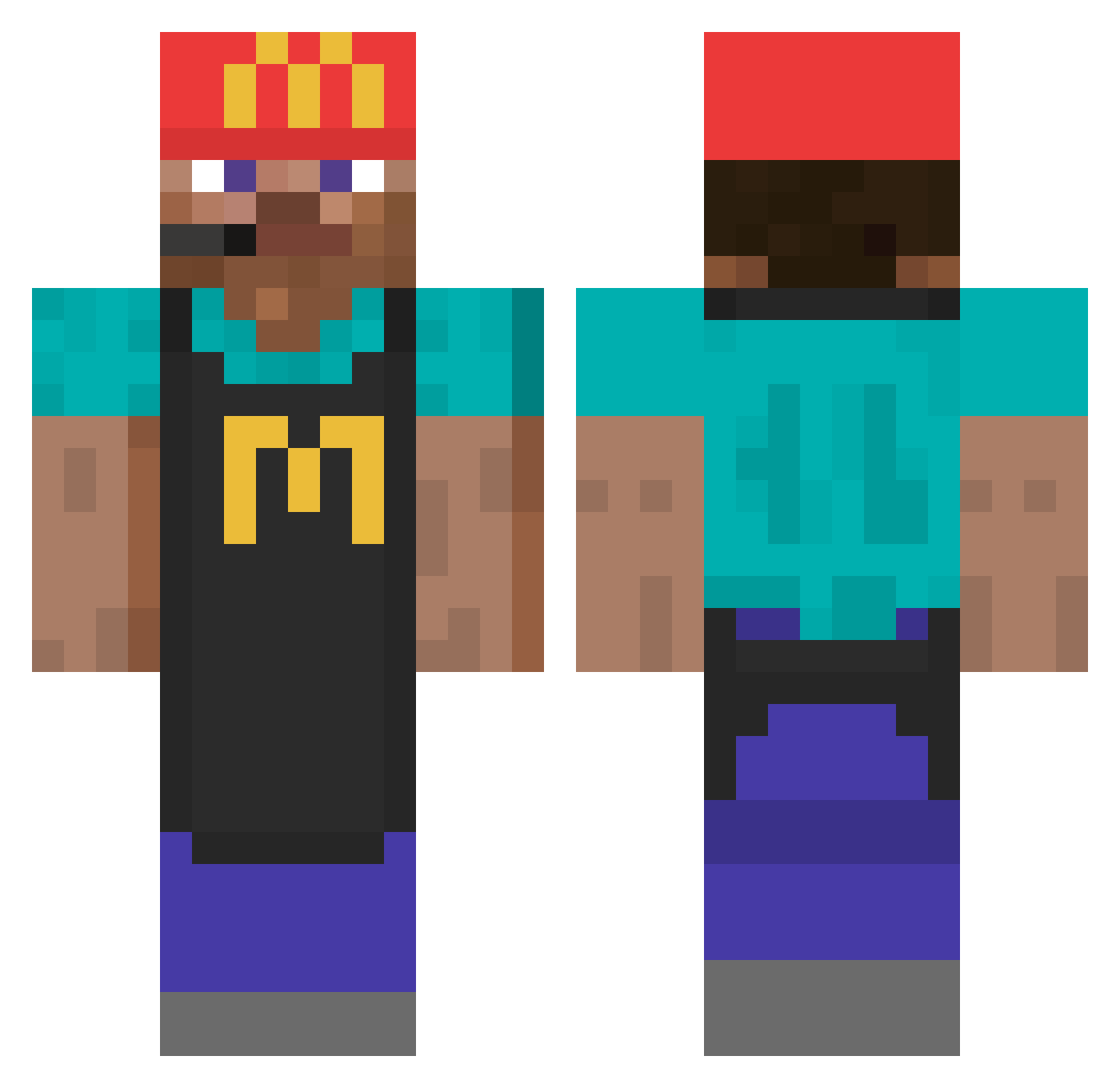
Current Minecraft skin of the player GU7VAN, loaded from the official Mojang API. Rotate the 3D model with your mouse or finger, then download the skin as a PNG file and use it in Minecraft: Bedrock Edition or Java Edition for free. When GU7VAN changes their skin, this page updates automatically and the old skin stays in the history below.
Other players with this skin (737)
GU7VAN was the 70th player we have seen with this skin, first spotted on 03.08.2026. The same skin was seen on these players. Open a nickname to see their current skin and skin history.
 RespectIsDead fabdollaz IceteaNestea xcenzox evvyls FistPunchh chew777 F1deR Luuucc geg666 Mandrah_ fidalgofigo DeCarro BananaSkillzzz aansh4lunch job_68 aamirrr JoshDC808 PapaBorker HarshJ31 GuuudeHD ArghTurri Luki1is Anton00100
 Elbizaa Recruits woozo123 Dr_Ives Federicob2006 Gapinho L0stBandit PersssssianHorse Beezlyyy Aw6ken erekir q65z klocek123lolxd BigPhatBlock ItsHilla PotatoDeBato hoosier_daddy03 thegaminghero66 Muda577 Ernesto3044 EnGo_2 Joel_2013 IS0100 xruizz17 OGrandeVitor17 H3lper23 BTS_Gymin DillerDellee Bkissle KIW2010 SoZoCreed SocksForever der_guteste siwav papa_senju Thaurrin
More Cashier Minecraft skins
How to install the GU7VAN skin
- Press the Download button above to save the skin as a PNG file.
- Minecraft: Bedrock Edition (PE): open the Dressing Room from the main menu (or tap your character → Edit Character), go to Classic Skins → Owned, press the + (new skin) button, choose the downloaded PNG and pick the Classic (Steve) model. Works on PC and mobile; consoles cannot import custom skins.
- Minecraft: Java Edition: open the Minecraft Launcher, go to the Skins tab, click New Skin, load the PNG, pick the Classic (Steve) model and press Save & Use. You can also upload it at minecraft.net → Profile → Change Skin.
The skin does not show up after import - what should I do?
Restart Minecraft and open the Dressing Room again - imported skins sometimes appear only after a restart. Also make sure you selected the imported skin and picked the Classic (Steve) model.
Which model should I choose, Classic or Slim?
This skin is designed for the Classic (Steve) model. If you pick the wrong model, the arms of the skin will look stretched or squeezed.
Is the skin of GU7VAN free to download?
Yes. Press Download, save the PNG file and use it in Minecraft: Bedrock Edition or Java Edition - no payment or registration needed. The skin also works on multiplayer servers and Realms.
More skins
Looking for more? Go back to all Minecraft skins and check the top skins of the week, month and all time, or find any player's skin by nickname.