
GODOFOMG - Minecraft Skins & Skin History
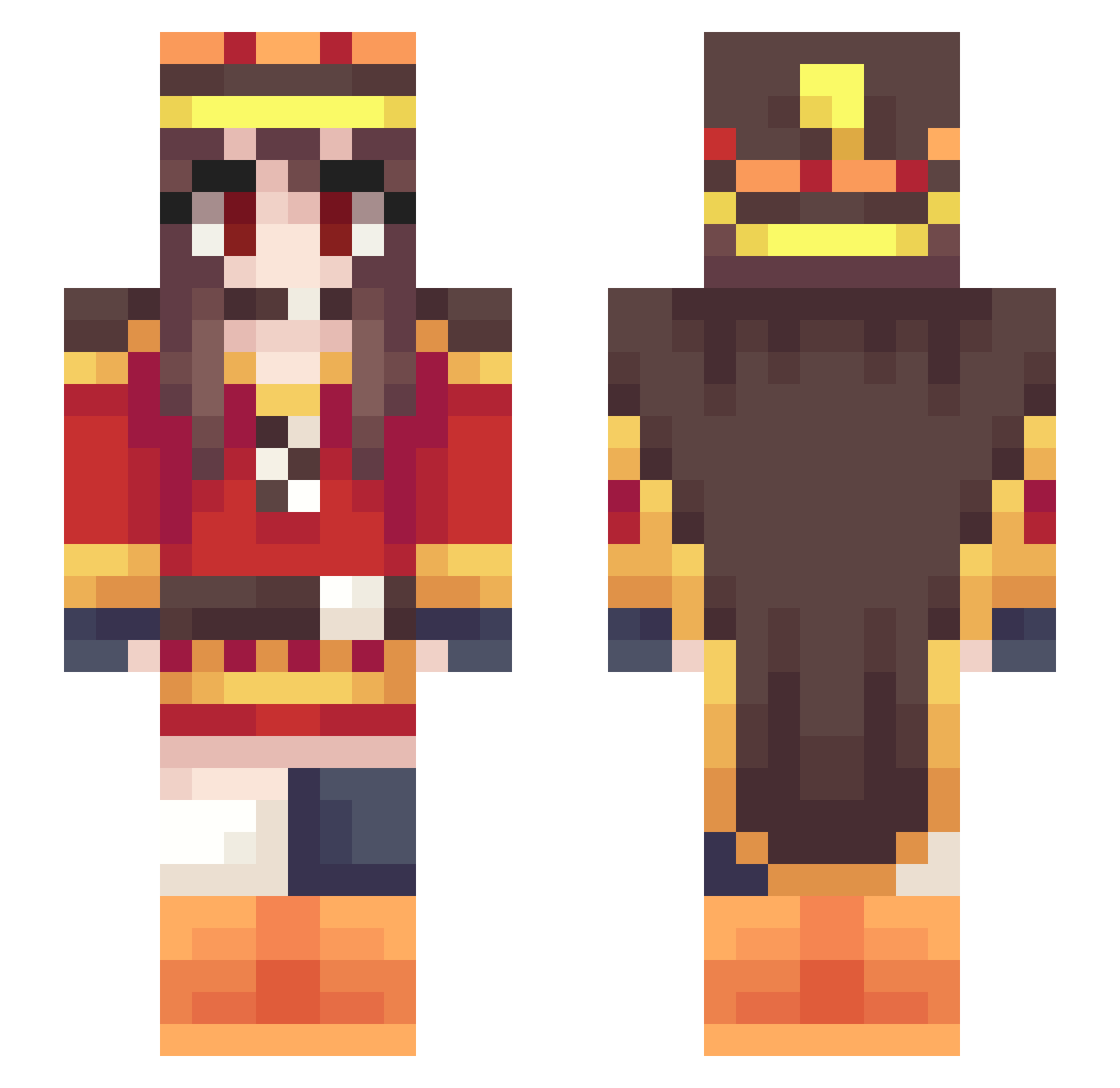
Current Minecraft skin of the player GODOFOMG, loaded from the official Mojang API. Rotate the 3D model with your mouse or finger, then download the skin as a PNG file and use it in Minecraft: Bedrock Edition or Java Edition for free. When GODOFOMG changes their skin, this page updates automatically and the old skin stays in the history below.
Other players with this skin (302)
GODOFOMG was the 15th player we have seen with this skin, first spotted on 30.07.2026. The same skin was seen on these players. Open a nickname to see their current skin and skin history.
 demon_TW masashi_921 tayhirro Pinyo200402 Sky_Dependence Celestialryan loveto630 leoasd8529 luc205299 Im_Dying1 lMegul ojunyan boris69420 kocheng Musashibe BecksaufEx xDrew acrss1130 NiaYumiya Rurusya Alldayta35 MimicuteVT KorYTW Kadjiru COTOMAN47 WandererAzel Hifra Maksytka34 Negaihoshi Kr00ps LittleCharlotte3 Aer1n teddychien Gabetiso NotPancho ADHDD HaruWei jeonba1 CreeperMax360 Tokkurin ShikiNatsume1 LusEn12 Mr_Wang030 Tsikura ugechan121 lilmonix5 HyS4r wangzaai OtakuBobo_0401 coolmouse919 Torhue Thenei sohai051223 SORATAAAAA Dream_net TTK_Hamu KYniiru IsabellaVVC WarHanser srungs
More Royalty Minecraft skins
How to install the GODOFOMG skin
- Press the Download button above to save the skin as a PNG file.
- Minecraft: Bedrock Edition (PE): open the Dressing Room from the main menu (or tap your character → Edit Character), go to Classic Skins → Owned, press the + (new skin) button, choose the downloaded PNG and pick the Slim (Alex) model. Works on PC and mobile; consoles cannot import custom skins.
- Minecraft: Java Edition: open the Minecraft Launcher, go to the Skins tab, click New Skin, load the PNG, pick the Slim (Alex) model and press Save & Use. You can also upload it at minecraft.net → Profile → Change Skin.
The skin does not show up after import - what should I do?
Restart Minecraft and open the Dressing Room again - imported skins sometimes appear only after a restart. Also make sure you selected the imported skin and picked the Slim (Alex) model.
Which model should I choose, Classic or Slim?
This skin is designed for the Slim (Alex) model. If you pick the wrong model, the arms of the skin will look stretched or squeezed.
Is the skin of GODOFOMG free to download?
Yes. Press Download, save the PNG file and use it in Minecraft: Bedrock Edition or Java Edition - no payment or registration needed. The skin also works on multiplayer servers and Realms.
More skins
Looking for more? Go back to all Minecraft skins and check the top skins of the week, month and all time, or find any player's skin by nickname.