
GOBLINITOBANDITO - Minecraft Skins & Skin History
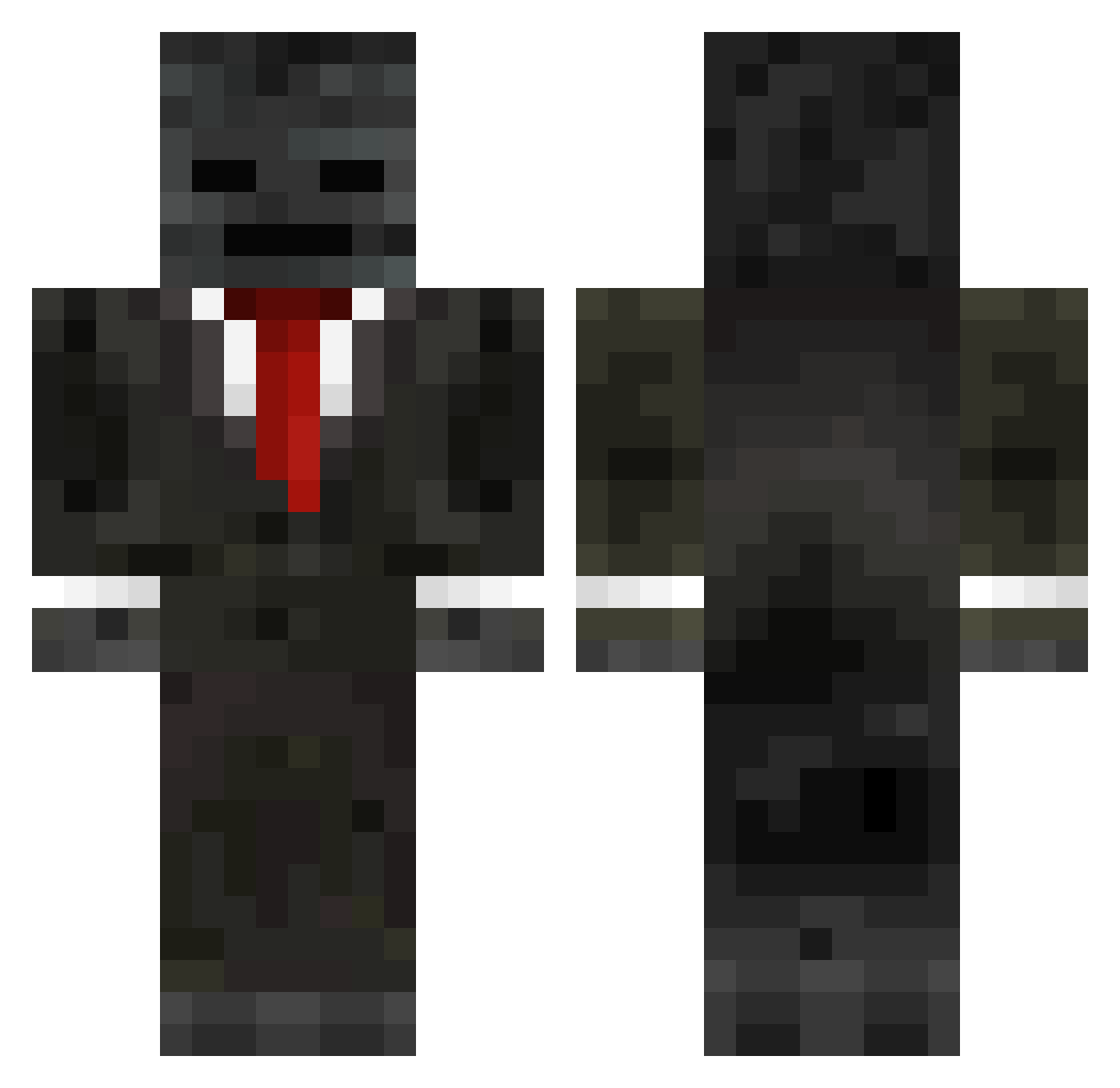
Current Minecraft skin of the player GOBLINITOBANDITO, loaded from the official Mojang API. Rotate the 3D model with your mouse or finger, then download the skin as a PNG file and use it in Minecraft: Bedrock Edition or Java Edition for free. When GOBLINITOBANDITO changes their skin, this page updates automatically and the old skin stays in the history below.
Other players with this skin (219)
GOBLINITOBANDITO was the 44th player we have seen with this skin, first spotted on 12.08.2026. The same skin was seen on these players. Open a nickname to see their current skin and skin history.
 Farbod3069 MistakenDebuffer Nathanator13126 MrDynamite_0 Ian0327 grocxmc Goppernopper1 kongotsis RageMasterRage Kamil45555 Tonba2011 SHIROO_0120 Crashysmashy
 angel_forreal woowoo13 Timetogrindboy ___Stan___ Black0201 hazy5 ghostkilll Mania008 Ecamp125 JWL328 hannazel Kes141 spaceastro Princess_Stephee PeroMartic321 sharpness01 TheBlue_Axolotl JasonApache savaethyr GHQ2222 Mrcossmos Dr_Slender_ Menphis_7
 springtrap_12 bossmavs Reyukix Burionicc YG_Daptoper Megaprozzon ZEN0666 zonlan 13Marius Wyld_BigZ NoHaxPls123 F1ASHY Kirasai_ gaelzam23 Nickolas589 glaxyking Void_Shady BooTom9915 gm_deluca kennethCrafter Sonic_B_Gamer Taleggiozzi
 _Vindes_ Deepy5956
More Wither Skeleton Minecraft skins
See all 365 Wither Skeleton skins
How to install the GOBLINITOBANDITO skin
- Press the Download button above to save the skin as a PNG file.
- Minecraft: Bedrock Edition (PE): open the Dressing Room from the main menu (or tap your character → Edit Character), go to Classic Skins → Owned, press the + (new skin) button, choose the downloaded PNG and pick the Classic (Steve) model. Works on PC and mobile; consoles cannot import custom skins.
- Minecraft: Java Edition: open the Minecraft Launcher, go to the Skins tab, click New Skin, load the PNG, pick the Classic (Steve) model and press Save & Use. You can also upload it at minecraft.net → Profile → Change Skin.
The skin does not show up after import - what should I do?
Restart Minecraft and open the Dressing Room again - imported skins sometimes appear only after a restart. Also make sure you selected the imported skin and picked the Classic (Steve) model.
Which model should I choose, Classic or Slim?
This skin is designed for the Classic (Steve) model. If you pick the wrong model, the arms of the skin will look stretched or squeezed.
Is the skin of GOBLINITOBANDITO free to download?
Yes. Press Download, save the PNG file and use it in Minecraft: Bedrock Edition or Java Edition - no payment or registration needed. The skin also works on multiplayer servers and Realms.
More skins
Looking for more? Go back to all Minecraft skins and check the top skins of the week, month and all time, or find any player's skin by nickname.