
GIF950 - Minecraft Skins & Skin History
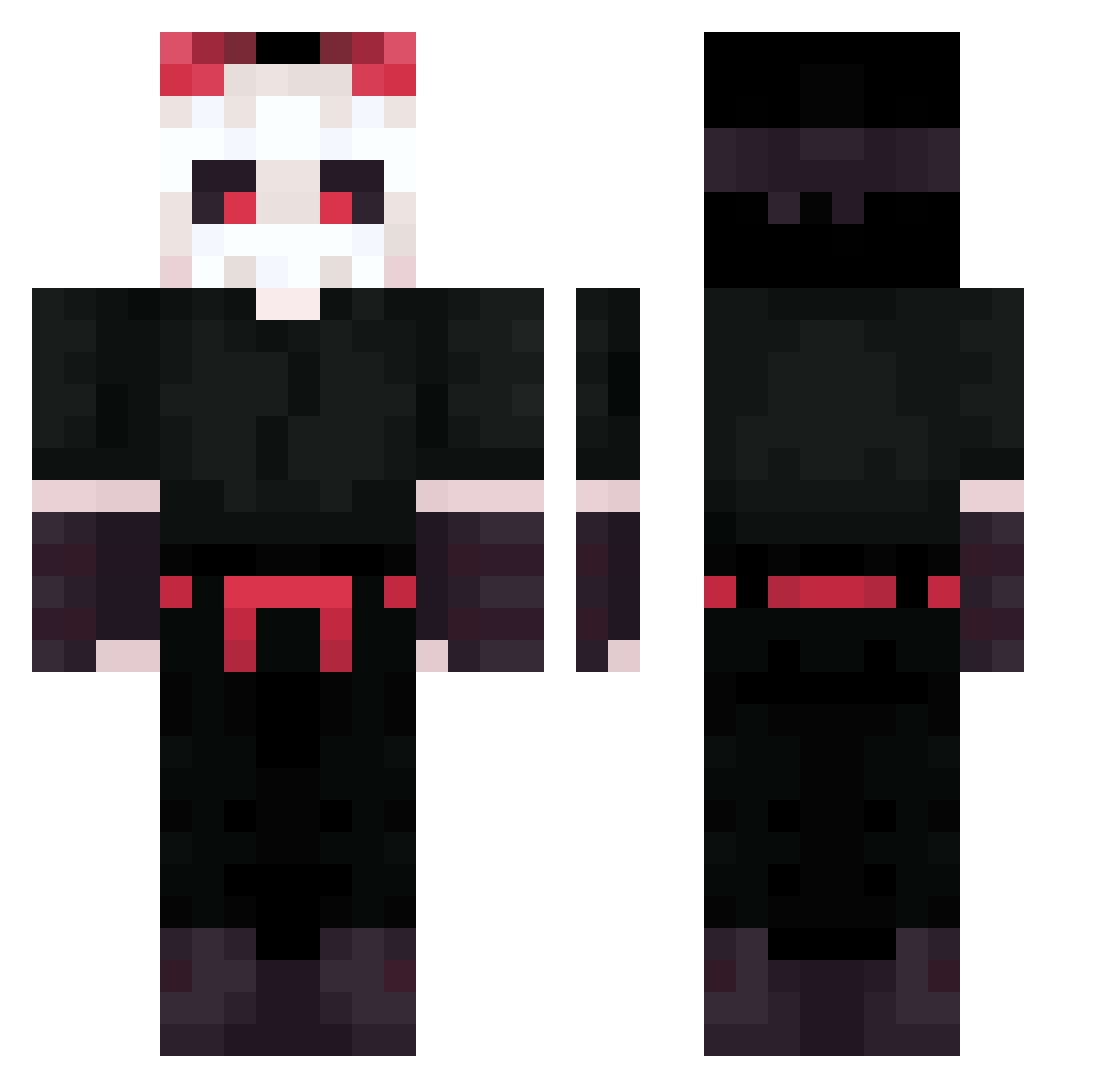
Current Minecraft skin of the player GIF950, loaded from the official Mojang API. Rotate the 3D model with your mouse or finger, then download the skin as a PNG file and use it in Minecraft: Bedrock Edition or Java Edition for free. When GIF950 changes their skin, this page updates automatically and the old skin stays in the history below.
Other players with this skin (200)
GIF950 was the 165th player we have seen with this skin, first spotted on 19.10.2026. The same skin was seen on these players. Open a nickname to see their current skin and skin history.
 HelpfulThrower0 svullox TwojStary3000 JoelGER2303 MrBluu1124 firemashimoda Kamchatka10 fruitssamurae HollowHobbit oxxtmdy1663 Licornet71 Tea4er Nyrte KyanAzura Aima9238 Rengar01 tailscarter Fornacella aflyingturnip21 Nana2k ZeycKo77 storm_blessed_ Headjam Verdoofd Jackslytherin BurningWind Aweping Maaia_ MoMama MisterAzuren Terracciano Kajowsky Gunteric BENJAPRO100 _Rayyane MegaChrisX3 the_dark_888 ChicletMastigado CapChriss Lil_Ja999 Facunina d3pres Vaskel_01 Sebas_969 philly21 Daelerion TVibes26 SealoDaSeal hanliyagi Valebox Miloajd JackDude1990 letoilerouge T3A1LLZ KTtheNew KuRan0728 DabeQQQ Roi_Mushu Metodiac LingVNP
More Skeleton Mask Minecraft skins
See all 62 Skeleton Mask skins
How to install the GIF950 skin
- Press the Download button above to save the skin as a PNG file.
- Minecraft: Bedrock Edition (PE): open the Dressing Room from the main menu (or tap your character → Edit Character), go to Classic Skins → Owned, press the + (new skin) button, choose the downloaded PNG and pick the Classic (Steve) model. Works on PC and mobile; consoles cannot import custom skins.
- Minecraft: Java Edition: open the Minecraft Launcher, go to the Skins tab, click New Skin, load the PNG, pick the Classic (Steve) model and press Save & Use. You can also upload it at minecraft.net → Profile → Change Skin.
The skin does not show up after import - what should I do?
Restart Minecraft and open the Dressing Room again - imported skins sometimes appear only after a restart. Also make sure you selected the imported skin and picked the Classic (Steve) model.
Which model should I choose, Classic or Slim?
This skin is designed for the Classic (Steve) model. If you pick the wrong model, the arms of the skin will look stretched or squeezed.
Is the skin of GIF950 free to download?
Yes. Press Download, save the PNG file and use it in Minecraft: Bedrock Edition or Java Edition - no payment or registration needed. The skin also works on multiplayer servers and Realms.
More skins
Looking for more? Go back to all Minecraft skins and check the top skins of the week, month and all time, or find any player's skin by nickname.