
GGamer00 - Minecraft Skins & Skin History
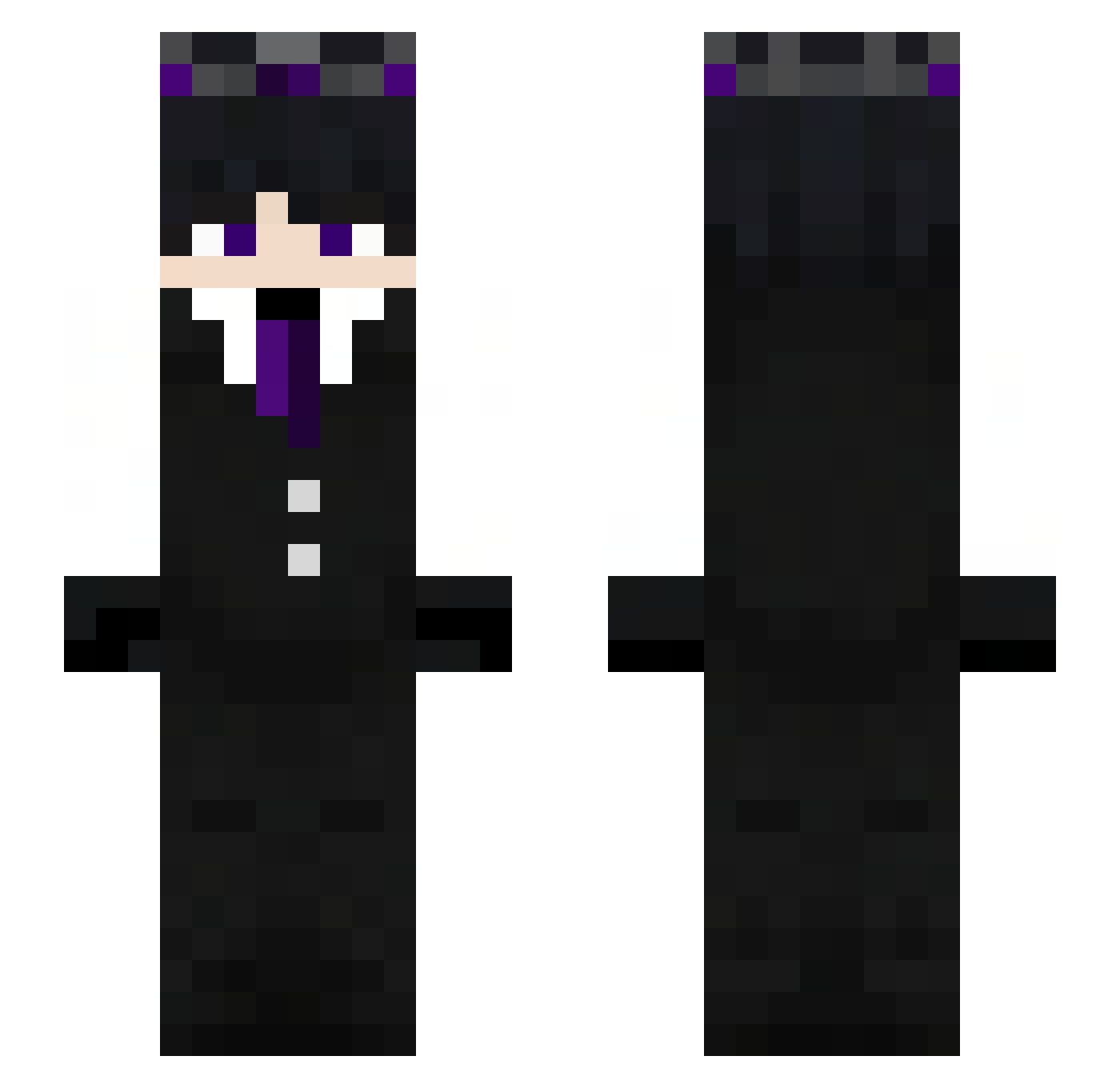
Current Minecraft skin of the player GGamer00, loaded from the official Mojang API. Rotate the 3D model with your mouse or finger, then download the skin as a PNG file and use it in Minecraft: Bedrock Edition or Java Edition for free. When GGamer00 changes their skin, this page updates automatically and the old skin stays in the history below.
Other players with this skin (319)
GGamer00 was the 274th player we have seen with this skin, first spotted on 01.11.2026. The same skin was seen on these players. Open a nickname to see their current skin and skin history.
 MildClapz Tekismv angeltheloverxd LuciferMS96 ukupnik MD_EMON_69 Naikexyz EinDomii_btw Vleydid DarckBlack285 ooai76 silver_night09 Kacperek123456 CrowExility Klyppo Sam_TSX V0IDx_x Pladeias4 callmeka chengdu_superman Fenyxyoutube trky66693 miklorich AngelsOver ZyVen_X mus1985 Joona2509 xavior1729 Estebanito_23 wolf_guy01 Rayseyt Adelina2016 LakesRks Mr176 PPhantomYT pro0407 Hilalxy toylockazo pouyanmehri1990 MaxXSY RyujinKuro kizauto_1 DovePl Axil_z jakob101c ArtyYT7 KaelisX Fed_vn Deinwolf toosleepy11 bartek32121 Jordchan Lucifer090 Fxgueira _sikorowy101 Patoval jiho207 TheMankyGG nadBoltinb Jose_10X
More Ender King Minecraft skins
How to install the GGamer00 skin
- Press the Download button above to save the skin as a PNG file.
- Minecraft: Bedrock Edition (PE): open the Dressing Room from the main menu (or tap your character → Edit Character), go to Classic Skins → Owned, press the + (new skin) button, choose the downloaded PNG and pick the Slim (Alex) model. Works on PC and mobile; consoles cannot import custom skins.
- Minecraft: Java Edition: open the Minecraft Launcher, go to the Skins tab, click New Skin, load the PNG, pick the Slim (Alex) model and press Save & Use. You can also upload it at minecraft.net → Profile → Change Skin.
The skin does not show up after import - what should I do?
Restart Minecraft and open the Dressing Room again - imported skins sometimes appear only after a restart. Also make sure you selected the imported skin and picked the Slim (Alex) model.
Which model should I choose, Classic or Slim?
This skin is designed for the Slim (Alex) model. If you pick the wrong model, the arms of the skin will look stretched or squeezed.
Is the skin of GGamer00 free to download?
Yes. Press Download, save the PNG file and use it in Minecraft: Bedrock Edition or Java Edition - no payment or registration needed. The skin also works on multiplayer servers and Realms.
More skins
Looking for more? Go back to all Minecraft skins and check the top skins of the week, month and all time, or find any player's skin by nickname.