
GASTABATA - Minecraft Skins & Skin History
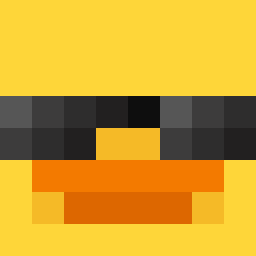
Current Minecraft skin of the player GASTABATA, loaded from the official Mojang API. Rotate the 3D model with your mouse or finger, then download the skin as a PNG file and use it in Minecraft: Bedrock Edition or Java Edition for free. When GASTABATA changes their skin, this page updates automatically and the old skin stays in the history below.

Other players with this skin (2592)
GASTABATA was the 1204th player we have seen with this skin, first spotted on 10.09.2026. The same skin was seen on these players. Open a nickname to see their current skin and skin history.
 Sunnas _HlT Katlin vxsua _The_Corndog_
 c0c0sh Wowjkk hyun_song0_902 jeMsen Burbur_lin Ezlucy strangerlike individualist Elitesavage556 ir68 dippachip2 Mousehole Chaaarrr Kieroy60 SzePti_ mihai19233 PazdanPrime2016 Jaxob0 Bluelot_ 0_YT Waliszek2137 Basques JoWWER geneal JungleJuiceee SpamBait StanTheMan20100 Sylver_87 Glutton7 Bililie_ m1nhonh elyben22 Chemotaxis alperenpinkman Sh4rl3s Xenon_51 Sadi99 potat0lul _h_s CaiGuynotShyGuy grandmudda Jean_Mathieu_Bal Monogue Busier KyaniteMT101 nooneknows051 Crastiell tczriwan wickednick1 MachEra Hazmatt12 ErikStyle Baris_TR_ HiBoxx123 AstromO2
More Prosthetic Arm Minecraft skins
See all 65 Prosthetic Arm skins
How to install the GASTABATA skin
- Press the Download button above to save the skin as a PNG file.
- Minecraft: Bedrock Edition (PE): open the Dressing Room from the main menu (or tap your character → Edit Character), go to Classic Skins → Owned, press the + (new skin) button, choose the downloaded PNG and pick the Classic (Steve) model. Works on PC and mobile; consoles cannot import custom skins.
- Minecraft: Java Edition: open the Minecraft Launcher, go to the Skins tab, click New Skin, load the PNG, pick the Classic (Steve) model and press Save & Use. You can also upload it at minecraft.net → Profile → Change Skin.
The skin does not show up after import - what should I do?
Restart Minecraft and open the Dressing Room again - imported skins sometimes appear only after a restart. Also make sure you selected the imported skin and picked the Classic (Steve) model.
Which model should I choose, Classic or Slim?
This skin is designed for the Classic (Steve) model. If you pick the wrong model, the arms of the skin will look stretched or squeezed.
Is the skin of GASTABATA free to download?
Yes. Press Download, save the PNG file and use it in Minecraft: Bedrock Edition or Java Edition - no payment or registration needed. The skin also works on multiplayer servers and Realms.
More skins
Looking for more? Go back to all Minecraft skins and check the top skins of the week, month and all time, or find any player's skin by nickname.